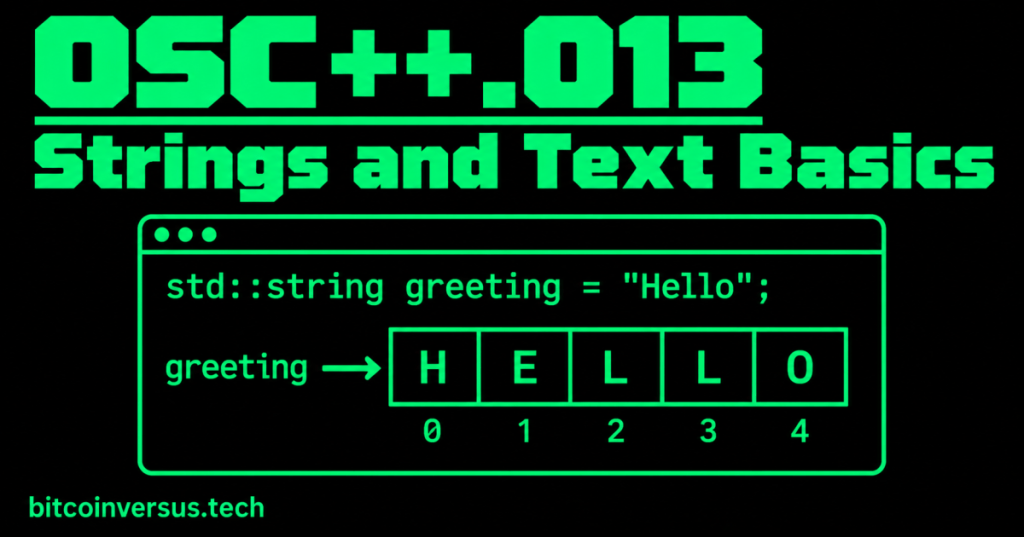
A string is text stored in a program. In C++, std::string can hold words, player names, messages, and labels. Unlike the numbers we stored in OSC++.012, a string stores a sequence of characters. This is a new subject, not another vector lesson.
1. Make a String
#include <iostream>
#include <string>

int main() {
    std::string player = "Alex";
    std::cout << player << '\n';
}
The #include <string> line makes the standard string type available. player holds the text Alex. Double quotation marks surround a string literal.
2. Join Text With +
std::string first = "Hash";
std::string second = " Race";
std::string game = first + second;
std::cout << game; // Hash Race
The + operator joins two strings. The space before Race is part of the text, so the words do not run together.
3. Add More Text With +=
std::string message = "Level";
message += " Complete";
std::cout << message; // Level Complete
+= adds text to the existing string rather than making a separate new variable.
Video: Useful C++ String Methods
Bro Code demonstrates practical string operations in a short beginner lesson, including ways to inspect and modify text.
4. Count Characters With size()
std::string word = "Bitcoin";
std::cout << word.size(); // 7
size() counts the characters. Spaces also count. For example, "Hash Race" has 9 characters, including the space.
5. Read One Character
std::string name = "Alex";
std::cout << name[0]; // A
std::cout << name.at(1); // l
C++ starts counting character positions at 0, not 1. The first character of Alex is A. Only access positions that exist: at() reports an out-of-range error, while an invalid [] index can cause undefined behavior.
6. Check for Empty Text
std::string username = "";
if (username.empty()) {
    std::cout << "Enter a name";
}
empty() checks whether a string has no characters. A simple game can use it to reject a blank player name.
Gaming Example: Player Greeting
#include <iostream>
#include <string>

int main() {
    std::string player = "Alex";
    std::string greeting = "Welcome, " + player;
    std::cout << greeting << '\n';
    std::cout << "Letters in name: " << player.size() << '\n';
}
Output: Welcome, Alex followed by Letters in name: 4. The same idea can label players, levels, and menus.
Simple Bitcoin Mining Example
std::string miner = "Miner A";
std::string status = "Online";
std::cout << miner + ": " + status; // Miner A: Online
A basic facility dashboard can combine a machine label with a simple status. You do not need advanced monitoring knowledge to understand this string example.
Common Mistakes
- Use double quotes for text strings, such as
"Hello"; single quotes are for individual character literals such as'H'. - Include
<string>. - Remember that character positions start at zero.
- Do not read past the end of the string.
Practice
- Create a string containing your favorite game title.
- Join two strings with
+. - Add a word using
+=. - Use
size()to print the character count. - Print the first character using
at(0). - Use
empty()to detect a blank username.
Key Takeaway
std::string stores text. Use + and += to join it, size() to count it, [] or at() to access characters, and empty() to check for a blank string. This prepares you for more advanced text processing in later lessons.


Leave a Reply