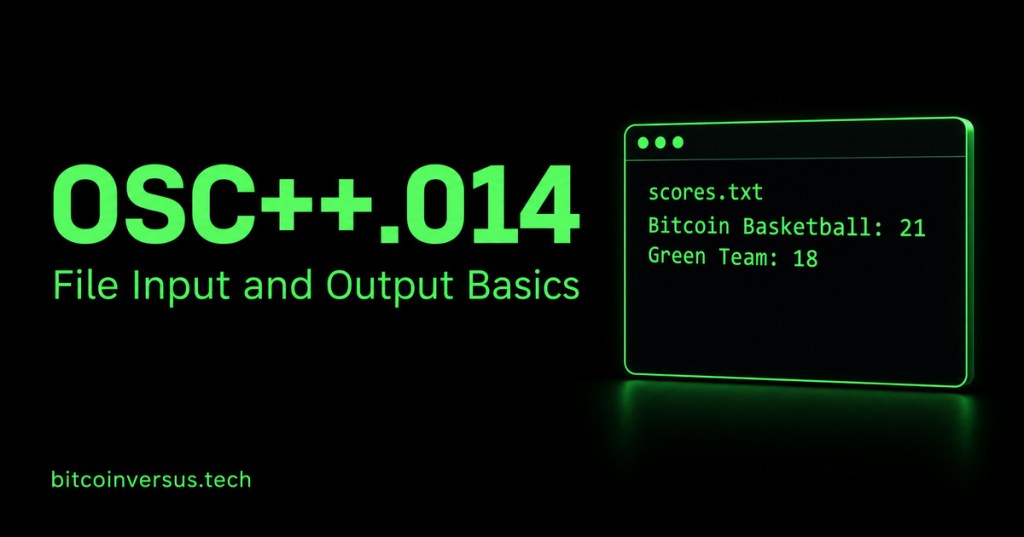
A string keeps text inside a running program. A file lets that text remain after the program finishes. In this lesson, a fictional basketball score becomes a small text file that another run can read.
Definition: file input/output (I/O) means reading data from a file or writing data to one. Plain English: output saves the score; input brings the saved score back into the program. A stream is the interface used to move that data.
Review OSC++.011: Range-Based For Loops, OSC++.012: Vector Methods, and OSC++.013: Strings and Text Basics for the same-module foundations.
Choose the file stream
Include <fstream>. std::ofstream writes, std::ifstream reads, and std::fstream supports both when configured appropriately. We use separate readers and writers to keep the first exercise easy to trace.
The filename "scores.txt" is a relative path. It is resolved from the program’s working directory, which can differ from the folder containing your source code. An IDE may launch a program from its build folder. Check that directory before deciding a file disappeared.
Write a fictional score
Save this as writer.cpp and run it in a dedicated practice folder. This default writer replaces an existing scores.txt file. Use only the disposable exercise file. It creates the file if the location is writable and the file does not exist.
#include <fstream>
#include <iostream>

int main() {
    std::ofstream out("scores.txt");
    if (!out) {
        std::cerr << "Could not open scores.txt for writing\n";
        return 1;
    }
    out << "Bitcoin Basketball: 21\n";
    out << "Green Team: 18\n";
    out.close();
    if (!out) {
        std::cerr << "Could not finish writing scores.txt\n";
        return 1;
    }
    return 0;
}
The << operations send text into the file, and \n separates the two lines. The first check detects an unsuccessful open. The second checks the stream after closing, since a successful open does not guarantee every write or close succeeds.
File contents:
Bitcoin Basketball: 21
Green Team: 18
Video 1: writing with ofstream
Caleb Curry demonstrates the output stream. Compare his file-opening steps with the writer above, and identify where our example checks for failure.
Read complete lines
Save this as reader.cpp. Run the writer first, then run this reader from the same working directory. std::getline(in, line) reads a full line into a string, including its spaces; the separating newline is consumed rather than stored in the string.
#include <fstream>
#include <iostream>
#include <string>

int main() {
    std::ifstream in("scores.txt");
    if (!in) {
        std::cerr << "Could not open scores.txt for reading\n";
        return 1;
    }
    std::string line;
    while (std::getline(in, line)) {
        std::cout << line << '\n';
    }
    if (!in.eof()) {
        std::cerr << "Reading stopped before end of file\n";
        return 1;
    }
    return 0;
}
The loop attempts a read and processes the line only when that read succeeds. Avoid while (!in.eof()): end-of-file is normally discovered by attempting a read, so checking it before reading can process stale data. After the loop, the example distinguishes reaching the end from stopping for another input failure.
Video 2: reading with ifstream
Watch Caleb Curry’s input-stream lesson. Notice which file supplies the data, then compare token-oriented input with our whole-line reader.
Append instead of replacing
Append means adding at the end while preserving existing content. Save this complete example as append.cpp. The std::ios::app mode sends each write to the end. In our exercise, the writer already ended its final line with a newline, so the overtime record starts on a new line.
#include <fstream>
#include <iostream>

int main() {
    std::ofstream out("scores.txt", std::ios::app);
    if (!out) {
        std::cerr << "Could not open scores.txt for appending\n";
        return 1;
    }
    out << "Overtime: 4\n";
    out.close();
    if (!out) {
        std::cerr << "Could not finish appending\n";
        return 1;
    }
    return 0;
}
After running writer, append, and reader in that order, the reader prints three lines. Running append again adds another overtime line. Running the default writer again removes those appended records and restores the original two lines. Those are different operations, so choose the mode intentionally.
Video 3: a complete text-file walkthrough
CodeBeauty brings reading and writing together in a beginner demonstration. Use it to review the overall workflow, then predict what changes when the writer uses append mode.
Compile and verify
With a configured GCC compiler, compile each source separately:
g++ -std=c++17 -Wall -Wextra -pedantic writer.cpp -o writer
g++ -std=c++17 -Wall -Wextra -pedantic reader.cpp -o reader
g++ -std=c++17 -Wall -Wextra -pedantic append.cpp -o append
On Linux or macOS, run ./writer, ./append, then ./reader. On Windows, use the corresponding executable names and your configured compiler or IDE. The examples use standard C++17 and do not require a database or network connection.
A missing file should make the reader print its open-error message and return a nonzero status. An unwritable location can prevent writing. is_open() reports whether a file is open; checking the stream state also matters after operations. File streams close automatically when destroyed, but explicit close here lets us check completion before reporting success.
Practice and answers
1. Which stream writes text? Answer: std::ofstream.
2. Which mode preserves earlier records when adding another? Answer: std::ios::app.
3. Why use getline for “Bitcoin Basketball: 21”? Answer: it keeps the whole line, including spaces.
4. Where does scores.txt go? Answer: the current working directory for this relative path.
5. Does opening a stream guarantee a successful save? Answer: no; later writes and closing can fail too.
Documentation
Microsoft’s output file stream reference and input file stream reference document opening, closing, and stream operations.
Key takeaway: choose read, replace, or append; check whether the operation succeeds; and know which working directory holds the file.


Leave a Reply