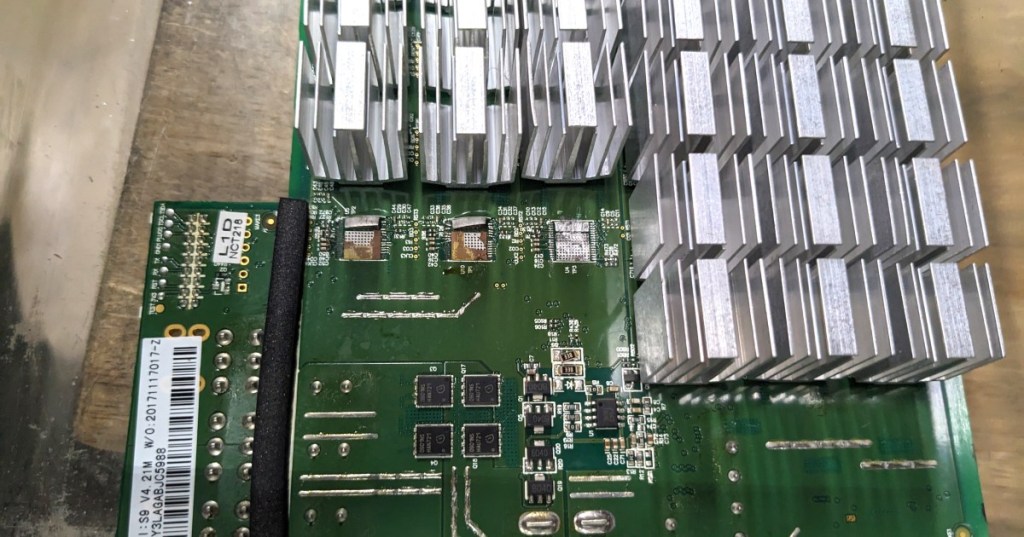
A hashboard is the circuit board inside an ASIC miner that carries the specialized chips doing the actual SHA-256 calculations. The ASIC miner is the complete machine; the hashboard is the high-power compute board inside it.
That distinction matters in the field. A miner can still power on, receive an IP address, show a web interface, spin its fans, and communicate with a pool while one of its hashboards produces little or no hashrate. The control electronics may be alive even when part of the hashing hardware is not.
The Hashboard Is Where the Hashrate Comes From
A Bitcoin mining ASIC contains purpose-built chips whose job is to repeatedly perform the SHA-256 work required by Bitcoin’s proof-of-work system. Those chips are mounted in groups on one or more hashboards, along with voltage-regulation components, capacitors, temperature sensing, signal paths, power connections, and large amounts of thermal hardware.
That is why a hashboard failure directly affects hashrate. If a complete board disappears from the miner, a large fraction of the machine’s compute capacity can disappear with it. If only part of the chain is unstable, the board may still report chips while producing hardware errors, low hashrate, or repeated restarts.
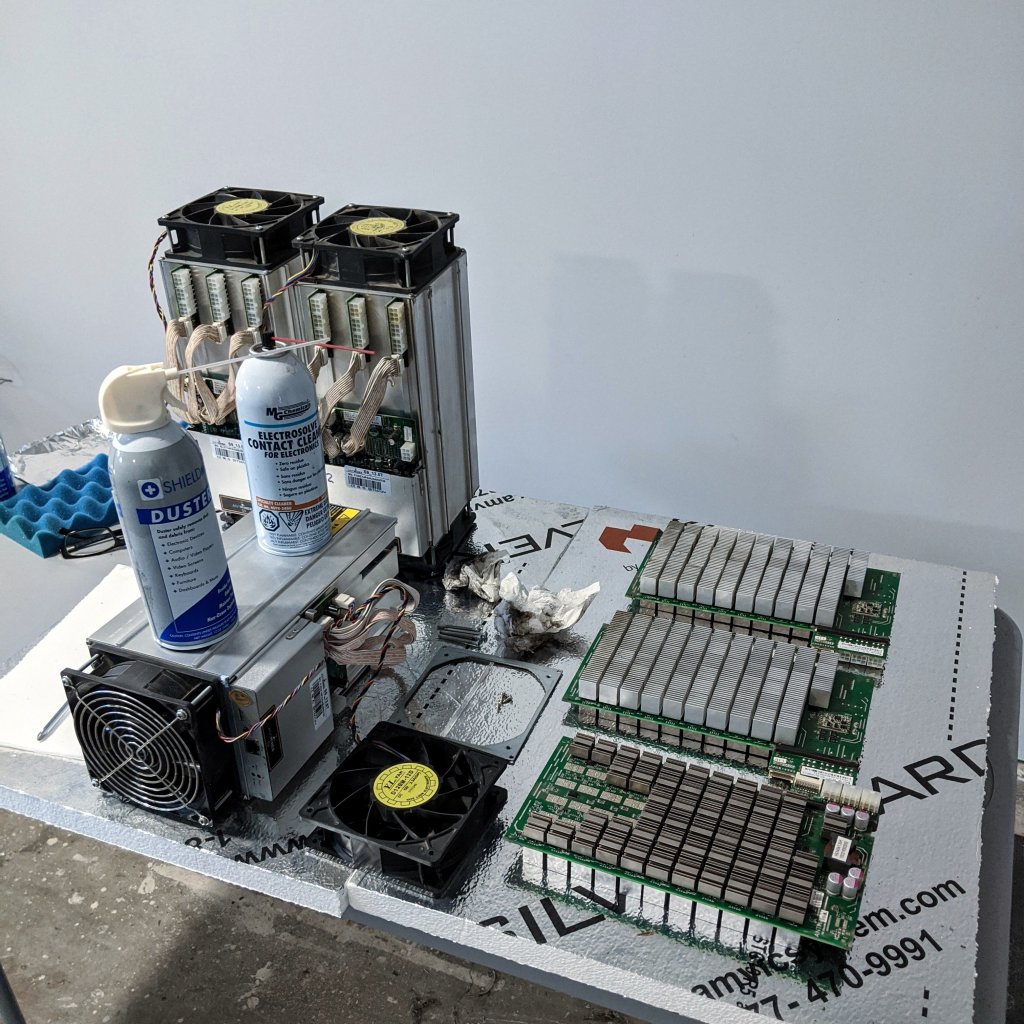
BITMAIN maintains an entire Hashboard support section covering zero hashrate, low hashrate, failed boards, and board-level troubleshooting. That separation reflects how central the hashboard is to ASIC maintenance.
One Miner Can Contain Multiple Hashboards
Many air-cooled ANTMINER generations use multiple hashboards in one chassis. Each board contributes part of the machine’s total advertised terahash output. The exact number of boards, ASIC chips per board, board identifiers, and electrical layout depend on the model and revision.
This is one reason model names alone are not enough when servicing a fleet. BitcoinVersus.Tech previously explained why hashboards cannot always be swapped between apparently similar ASIC miners. Board revision, chip type, controller support, firmware, PSU behavior, and mechanical layout can all matter.
ASIC Chips Live on the Hashboard
The individual ASIC chips are the engines of the board. Each chip performs a portion of the SHA-256 workload, and the board combines the work of many chips into one hash chain.
The older Bitmain BM1387B shown in this article’s featured photograph is a useful visual example: one tiny application-specific integrated circuit represents the basic compute element that manufacturers replicate across mining hardware. Modern ASIC generations use different chips and far more advanced semiconductor processes, but the core architecture remains recognizable.
BitcoinVersus.Tech’s coverage of 4 nm Bitcoin-mining ASIC silicon shows how far the chip technology has moved beyond older 16 nm mining hardware even though the machine still has to solve the same basic engineering problem: power a large array of SHA-256 chips and remove their heat.
The Control Board Does Not Do the Heavy Hashing
The control board is a different component. It runs the miner’s operating software, manages network communication, talks to the mining pool, configures the hash chains, monitors sensors, and coordinates the rest of the machine.
That is why replacing a control board and repairing a hashboard are different jobs. BitcoinVersus.Tech’s Bitmain control-board overview covers the controller side of the machine; the hashboard is the high-current compute side.
Braiins’ current hardware documentation makes the distinction explicit by listing compatible control boards, hashboard models, and power supply units separately for supported miners. On newer S21-series hardware, multiple hashboard identifiers can exist even within one miner family.
The PSU Feeds the Hashboards
The power supply unit, or PSU, converts incoming facility power into the low-voltage, extremely high-current power the mining hardware needs. The hashboards consume most of that electrical power because that is where the ASIC chips are switching billions of times per second.
A weak or failing PSU can therefore look like a hashboard problem. Boards may fail to initialize, drop under load, show unstable voltage, or create hardware errors even if the ASIC chips themselves are healthy. BitcoinVersus.Tech’s S19 KPro PSU replacement guide shows why power delivery belongs in the same troubleshooting chain as the hashboards.
Data Cables Connect the Control Board to the Hashboards
The control board communicates with each hashboard through data connections. A loose, damaged, or poorly seated cable can make a healthy board appear missing.
BITMAIN’s own hashboard troubleshooting procedure recommends swapping the cable and controller port before declaring a board defective. If the fault follows the cable, the board may be fine. If the same board remains missing after the cable and port are ruled out, the evidence points more strongly toward the hashboard itself.
What a Failed Hashboard Looks Like in Software
A bad hashboard does not always produce one universal error. Operators may see a missing chain, zero chips detected, fewer ASICs than expected, low hashrate, repeated chip resets, CRC or I²C errors, abnormal temperatures, or a board that starts and later drops offline.
Braiins OS lists “no hashboards available for detection” as a hardware error and recommends checking the data cable between the hashboard and control board or repairing or replacing the board. Its troubleshooting guidance also notes that PSU problems, loose power rails, cabling, and individual board behavior can all produce symptoms that look related.
That software view is why startup diagnostics and firmware telemetry matter so much at scale. The physical failure may be on the board, but the first clue usually appears in logs and miner status screens.
Why Hashboards Run So Hot
Nearly all of the useful electrical work entering an ASIC miner eventually becomes heat. Because the hashing chips are concentrated across the boards, the cooling system has to remove that heat continuously.
Air-cooled machines attach heat sinks to the ASICs and force large volumes of air through the chassis. Hydro miners transfer heat into liquid cold plates or internal water circuits. Immersion systems place compatible hardware into dielectric fluid and carry the heat to an external loop.
BitcoinVersus.Tech’s air, hydro, and immersion ASIC comparison shows how the same fundamental compute problem can be packaged around very different thermal systems.
A Hot Chip Can Drag Down a Whole Board
ASIC firmware constantly balances frequency, voltage, temperature, stability, and power. If one part of a hashboard becomes too hot or electrically unstable, the miner may reduce frequency, disable chips, pause a chain, or shut the machine down to protect hardware.
That is why one damaged heat sink, blocked airflow path, degraded thermal interface, failed sensor, or hot chip can reduce more than just one chip’s output. The firmware may have to protect the entire board.
Hashboard Repair Can Go All the Way to the Chip Level
Board-level repair can involve much more than replacing the whole assembly. Skilled repair technicians test voltage domains, clock and reset signals, temperature sensors, communication lines, regulators, capacitors, MOSFETs, solder joints, and individual ASIC chips.
BitcoinVersus.Tech’s look inside chip-level ASIC repair at a mining site shows the operational reason for that expertise: repairing one board can return an otherwise stranded miner to productive service without replacing the complete machine.
Test Jigs Let Technicians Work on One Board at a Time
Manufacturers and repair centers use hashboard test jigs to power and communicate with boards outside the normal mining chassis. The jig helps technicians detect chips, read signals, load test firmware, and isolate faults without repeatedly rebuilding the full miner.
BITMAIN’s support library includes dedicated test-jig manuals for multiple ANTMINER generations, including S19-series repair materials. That is a strong clue about how the hardware is designed for service: the hashboard is treated as its own diagnosable assembly.
Efficiency Starts at the Hashboard but Ends at the Wall
The ASIC chips on the hashboard determine much of the machine’s core energy efficiency, usually expressed in joules per terahash, or J/TH. But the final number seen by the operator also includes PSU losses, fans or pumps, control electronics, and sometimes facility-level cooling overhead.
That is why BitcoinVersus.Tech separates nameplate J/TH from wall and facility J/TH. A more efficient hashboard is valuable, but the mine still has to deliver power and remove heat efficiently around it.
Newer Hashboards Are Becoming More Model-Specific
Modern mining fleets contain more variation than the outside of the chassis suggests. Luxor’s current compatibility documentation lists separate hashboard model numbers across S19 and S21 families, including BHB, HHB, H6HB, and A3HB board identifiers.
That is why a technician should record the exact miner model, controller type, hashboard identifier, firmware version, PSU, and cooling configuration before ordering parts or swapping boards. The compatibility problem is becoming more important, not less.
The Simple Way to Remember It
The control board tells the miner what to do. The PSU supplies the power. The cooling system removes the heat. The hashboard does the hashing.
If a Bitcoin miner powers on but loses a large chunk of hashrate, the hashboard chain is one of the first places an operator investigates—but not the only one. Cables, controller ports, firmware, PSU output, temperature, and board compatibility all have to be ruled in or out before condemning the hardware.
That is what makes the hashboard the heart of practical ASIC maintenance: it is where semiconductor technology, power electronics, firmware, thermals, signal integrity, and field repair all meet.
Editor’s Note
Hashboard layouts, chip counts, voltage domains, connector styles, firmware support, and repair procedures vary by manufacturer and exact board revision. Always isolate power and follow the manufacturer’s service procedure before opening or testing high-power mining hardware.
Featured image: Bitmain BM1387B Bitcoin-mining ASIC photographed by John McMaster, via Wikimedia Commons, CC BY 4.0; cropped to 1200×630 for BitcoinVersus.Tech.
Support and donation options are available through BitcoinVersus.Tech.
BitcoinVersus.tech is not a financial advisor. Content is provided for informational purposes.


Leave a comment