Elementary Overview
A watchdog timer is a reliability feature inside many microcontrollers and embedded systems. Firmware must periodically prove that it is still running correctly by refreshing, servicing, or “feeding” the watchdog before a timeout expires. If the firmware freezes, blocks too long, or gets trapped in a bad state and stops servicing the watchdog, the timer can reset the system automatically. This makes the watchdog especially useful in unattended equipment where a technician cannot simply power-cycle a device every time software hangs. For a firmware technician, the key skill is not writing a complex watchdog driver; it is recognizing a watchdog reset, understanding why the reset occurred, and separating a real software hang from a timeout that is simply configured too aggressively.
How the Watchdog Works
The watchdog normally runs from a timer or clock source that is independent enough to keep counting even when the main firmware stops making progress. The firmware performs a periodic refresh operation before the configured timeout. If the refresh arrives on time, the countdown begins again. If the refresh does not arrive, the watchdog reaches its limit and triggers a defined action such as an interrupt, a processor reset, or a full system reset. Some devices also provide a window watchdog, where servicing the timer too early can be considered a fault as well as servicing it too late. The important field concept is timing margin: the timeout must be longer than the longest legitimate task, initialization sequence, flash operation, communication delay, or scheduler stall that the system is expected to tolerate.
Practical Use and Reset-Cause Verification
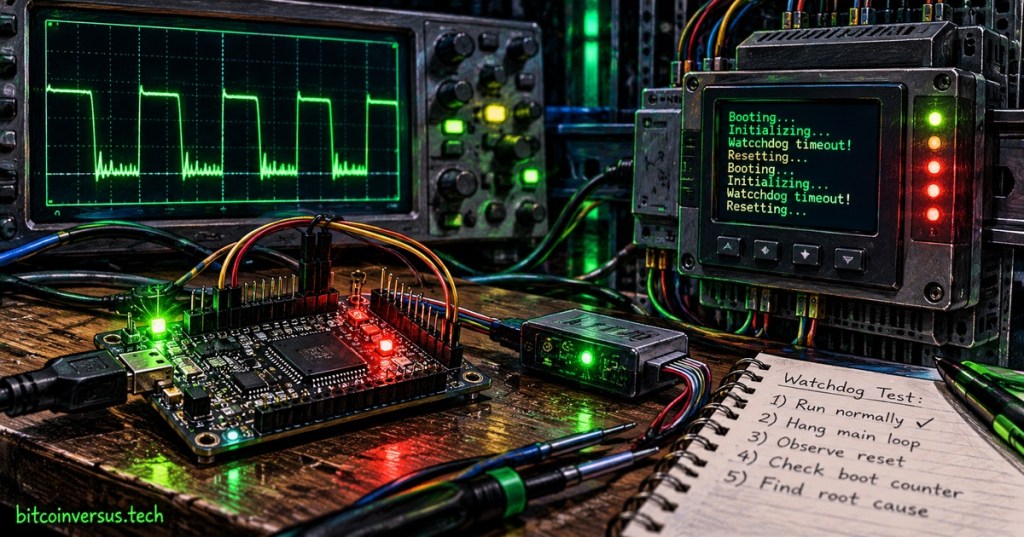
A watchdog is most useful when the system records why it restarted. Many microcontrollers expose reset-cause flags that distinguish watchdog reset, power-on reset, brownout, external reset, software reset, and other events. A technician should capture those flags as early as possible during boot, then compare them with serial boot logs, firmware version, recent configuration changes, and the exact point in the startup sequence where the device failed. If a board repeatedly boots, runs for several seconds, resets, and repeats the same sequence, a watchdog loop becomes a strong hypothesis. The safest verification method is to reproduce the failure in a controlled lab, record the reset cause, confirm the configured timeout from the device documentation, and compare the observed interval with that timeout instead of disabling the watchdog immediately.
Troubleshooting Reset Loops
When a watchdog reset loop appears after a firmware update or repair, troubleshoot the entire boot path rather than assuming the timer itself is defective. First verify the correct image and successful write using the methods from OSFTC.004 and the backup/recovery practices from OSFTC.003. Then confirm supply stability, clocks, required peripherals, storage access, sensor initialization, communication buses, and any startup task that must complete before the watchdog deadline. A system may reset because the firmware is genuinely stuck, because one dependency never becomes ready, because the watchdog starts earlier than expected, or because a normal operation takes longer than the configured timeout. The diagnostic goal is to identify the task that fails to make progress and prove the timing relationship instead of masking the symptom by simply increasing the watchdog period.
Technician Workflow
- Record the firmware version, hardware revision, and exact reset symptom.
- Capture the boot log from power-on through reset when a serial console is available.
- Read the reset-cause or reset-status register before later firmware clears it.
- Confirm whether the reported cause is watchdog, brownout, power-on, external reset, or software reset.
- Measure the time between boot and reset and compare it with the documented watchdog timeout.
- Verify the flashed image and configuration against the approved release.
- Check whether a startup task, peripheral, storage device, bus, or communication dependency is blocking progress.
- Check power and clock stability so a supply fault is not mistaken for watchdog behavior.
- Reproduce the fault under controlled conditions and change one variable at a time.
- Restore the approved watchdog settings after testing and document the verified root cause.
Examples
- Example 1: A watchdog timeout is configured for 8 seconds, and the board resets almost exactly every 8 seconds after a storage-mount message. Investigate the mount task and storage response before changing the watchdog.
- Example 2: Reset-cause flags show brownout rather than watchdog. Move the investigation toward power integrity instead of firmware timing.
- Example 3: A new firmware release starts the watchdog before network initialization, but DHCP can legitimately take longer than the timeout. The engineering fix is to change the startup/watchdog design, not to keep replacing network hardware.
- Example 4: A device runs normally until a particular sensor bus locks. The watchdog then resets the processor, allowing automatic recovery while the underlying bus fault is investigated.
Exercises
- Explain what “feeding the watchdog” means.
- A device resets every 4.1 seconds and the configured watchdog timeout is 4 seconds. What evidence would you collect next?
- List four reset causes that are not watchdog resets.
- Explain why simply increasing the watchdog timeout can hide rather than fix a firmware fault.
- Describe how serial boot logs can help identify where a watchdog loop begins.
- Explain why a slow but legitimate startup task needs to be considered when choosing a watchdog timeout.
Knowledge Check + Answers
- What does a watchdog timer monitor? Whether firmware continues to make expected progress and services the timer before its timeout.
- What happens if the watchdog is not serviced? The configured watchdog action occurs, commonly an interrupt or system reset.
- Why is reset-cause information important? It distinguishes a watchdog reset from power, brownout, external, software, and other reset sources.
- What is a window watchdog? A watchdog that may reject servicing that happens outside an allowed timing window, including too early as well as too late.
- Why compare reset timing with the timeout? A repeating interval that closely matches the configured watchdog period is strong diagnostic evidence.
- Should a technician disable the watchdog as the first fix? No. First prove the reset cause and identify the stalled task or timing problem.
Elementary Conclusion
A watchdog timer is a built-in recovery clock for firmware. Healthy software periodically tells the timer, “I am still working.” If that message stops arriving, the timer can restart the system instead of leaving it frozen forever. For a technician, the most important evidence is the reset cause, the time between resets, and the final useful boot-log message before the restart. When those three pieces line up with the watchdog configuration, the reset loop becomes understandable rather than mysterious. The watchdog is therefore both a safety mechanism and a diagnostic clue: it can recover an embedded device automatically, while also pointing directly toward firmware that stopped making progress.
BitcoinVersus.Tech
Editor’s Note:
We volunteer daily to ensure the credibility of the information on this platform is Verifiably True. If you would like to support our research initiatives, please donate here: 3C9o19EH5HSiwEPyCTmEKzxhNCbo2X6TTb
BitcoinVersus.tech is not a financial advisor. Content is provided for informational purposes.


Leave a Reply