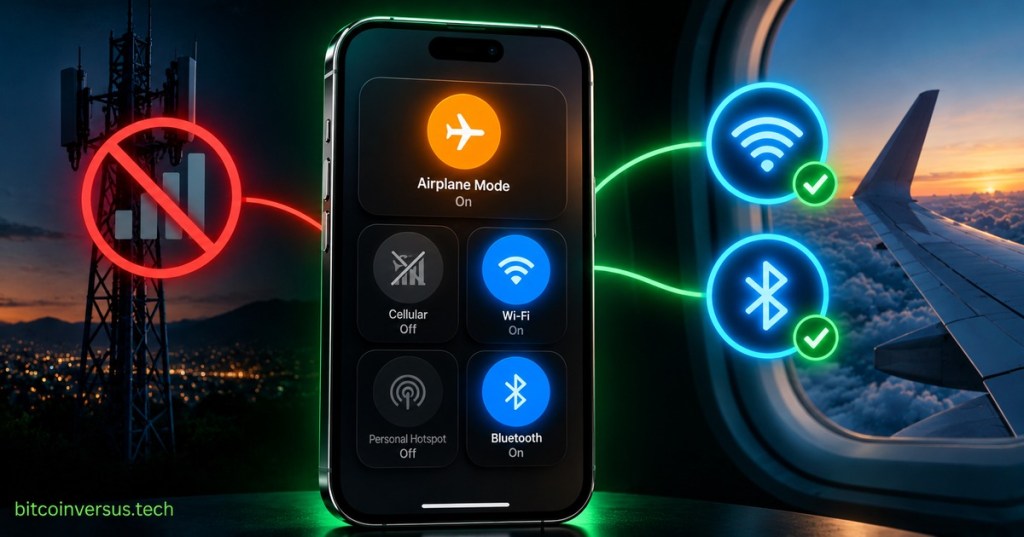
Airplane Mode is a quick way to stop your phone from using its normal cellular connection. That little airplane icon does not shut your phone down. It simply changes which wireless connections the phone is allowed to use.
That means you can still take pictures, read downloaded books, play offline games, listen to saved music, write notes, or watch something you downloaded before the flight.
Why Is It Called Airplane Mode?
The setting became common because phones normally try to communicate with cellular towers. While flying, passengers are asked to disable normal cellular transmission or use Airplane Mode.
The Federal Aviation Administration tells aircraft operators to have passengers turn off cellular functions or place cellular-capable devices in Airplane Mode while airborne in U.S. airspace.
What Does It Turn Off?
The big one is cellular service. Your phone stops talking to the normal mobile network, so regular cellular calls, texts, and mobile data stop working until that connection is turned back on.
Depending on the phone, Airplane Mode may also switch off Wi-Fi and Bluetooth when you first turn it on. But modern phones usually let you turn Wi-Fi or Bluetooth back on while leaving Airplane Mode active.
So Wi-Fi Can Still Work?
Yes. If the airline allows Wi-Fi, you can turn Airplane Mode on and then turn Wi-Fi back on. That is how people use in-flight internet without reconnecting their phone to ordinary cellular towers.
Bluetooth can also usually be turned back on, which is why wireless headphones often still work during a flight. Apple, for example, explains that Wi-Fi and Bluetooth can be used while Airplane Mode is active when the airline permits them.
Your Phone Is Still a Phone-Sized Computer
Airplane Mode only changes wireless connections. It does not erase your apps or disable the rest of the device. Think of it like closing a few doors instead of shutting down the entire house.
Your camera still works. Your calculator still works. Downloads still work. Most offline games still work. Anything that does not need an internet connection can keep running normally.
George Takei shared a pilot-focused explainer about the familiar Airplane Mode question—proof that this tiny phone setting still confuses plenty of people.
Airplane Mode Can Be Useful on the Ground Too
You do not have to be on an airplane to use it. Airplane Mode can be handy when you want a quick break from calls and cellular data, when you are somewhere with very poor cellular reception, or when you simply want the phone to stop trying to connect for a while.
It is also a fast way to reset wireless connections: some people briefly turn Airplane Mode on and off when a phone is having trouble reconnecting to a mobile network.
Does Airplane Mode Make Your Phone Invisible?
No. Airplane Mode is not a privacy cloak. If you turn Wi-Fi or Bluetooth back on, those radios are active again. Apps and the phone itself can also keep doing things that do not require a live cellular connection.
So the simple rule is: Airplane Mode mainly controls wireless connections. It does not turn the whole phone off.
The Easy Way to Remember It
Airplane Mode = cellular connection off, phone still on.
You can still use offline apps, pictures, music and games. Wi-Fi and Bluetooth can often be turned back on separately when allowed.
If you want a broader beginner overview of the gadgets we carry every day, BitcoinVersus.Tech also has a simple mobile devices overview. And if you are curious about the opposite extreme—phones reaching networks from space—see our story on satellite phone coverage.
References
BitcoinVersus.Tech
BitcoinVersus.Tech explains everyday technology, computers, phones, Bitcoin, hardware and the internet in plain language.
Editor’s Note
Wireless rules and phone behavior can vary by airline, country, device and software version. Follow crew instructions when flying.
BitcoinVersus.tech is not a financial advisor. Content is provided for informational purposes.


Leave a Reply