Key Takeaways
- PHP variable names begin with
$. The dollar sign marks the identifier as a variable. =assigns a value. The variable name goes on the left and the value or expression goes on the right.- PHP is dynamically typed. A variable can hold a string at one moment and a different type later.
- Variable names are case-sensitive.
$nameand$Nameare different variables.
OSPHP.002 established the basic grammar of PHP source: PHP tags, statements, semicolons, comments, and output. The next step is learning how a PHP program gives names to values while it runs.
A variable is a named place your program can use to refer to a value. That value might be a person’s name, a count, a price, a true/false state, an array, an object, or another kind of data. The official PHP variables documentation defines the basic naming and assignment rules used throughout the language.
Every Normal PHP Variable Starts With $
PHP marks ordinary variables with a leading dollar sign. The dollar sign is part of the variable syntax, while the characters after it form the variable name.
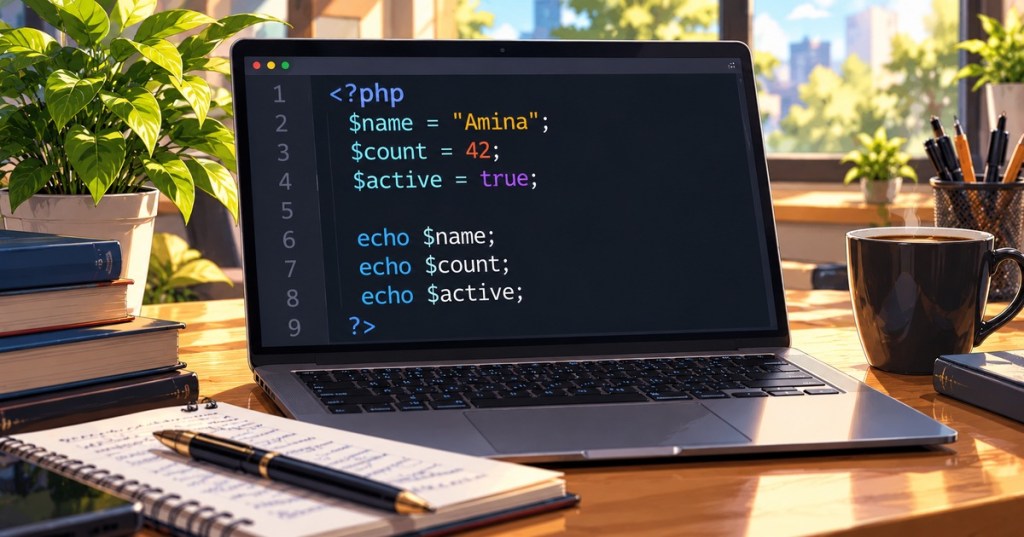
<?php
$name = "Amina";
$count = 42;
$active = true;
In those statements, $name, $count, and $active are variables. The values on the right side are assigned to those names.
If the $ feels unusual, that is normal for developers coming from languages such as Java, C, Go, or JavaScript. It is simply part of PHP’s variable syntax. The PHP community still sees beginners ask about this exact convention, including in a recent discussion about learning PHP after Go.
Assignment Uses =
The assignment operator = stores the value produced on its right side in the variable on its left side.
$site = "North Campus";
$miners = 10000;
$online = true;
Read these from right to left conceptually: produce the value, then assign it to the variable name. Assignment is not the same as mathematical equality. Later lessons will introduce comparison operators such as == and ===.
Variables Can Be Reassigned
A variable can receive a new value later in the script.
$temperature = 70;
$temperature = 72;

echo $temperature; // 72
The second assignment replaces the value referred to by $temperature. This is one reason good variable names matter: the name should still make sense as the stored value changes.
PHP Variable Names Are Case-Sensitive
$name = "Amina";
$Name = "Burton";

echo $name; // Amina
echo $Name; // Burton
Those are two different variables. Treat capitalization consistently so you do not create hard-to-see bugs.
Basic Variable Naming Rules
- The name begins after the
$. - The first character of the name must be a letter or underscore under the normal beginner-safe naming convention.
- Later characters may contain letters, numbers, or underscores.
- The name cannot begin with a number.
- Variable names are case-sensitive.
$userName = "Amina";   // valid
$_count = 10;           // valid
$miner2 = "S21";       // valid

// $2miners = 10;       // invalid: starts with a digit
PHP technically permits a wider range of bytes in variable names than beginners normally need. In practical application code, simple readable names made from letters, numbers, and underscores are far easier to maintain.
Choose Names That Explain the Value
A variable name should tell the next reader what the value represents. $userName, $purchaseTotal, and $isOnline communicate more than $x, $a, or $thing.
$mwCapacity = 10;
$minerCount = 2500;
$isOnline = true;
PHP projects do not all use one universal variable naming style. Some prefer camelCase; others use snake_case. Consistency inside a project matters more than switching styles from line to line.
PHP Is Dynamically Typed
PHP does not require a variable declaration such as Java’s int count. The type belongs to the value at runtime, and a variable may later refer to a value of another type. The official PHP type system documentation describes this dynamic type model.
$value = 42;
$value = "forty-two";
$value = true;
All three assignments are valid. This differs from the static variable declarations introduced in OSJava.002, while it is conceptually closer to the dynamic binding behavior shown in OSJavaScript.002.
Inspect a Variable With var_dump()
While learning, var_dump() is useful because it displays both type and value.
$name = "Amina";
$count = 42;
$active = true;

var_dump($name);
var_dump($count);
var_dump($active);
This is especially helpful in a dynamically typed language because it lets you confirm what a variable currently contains instead of assuming.
Variables Can Be Printed With echo
OSPHP.002 introduced echo. Once a value is stored in a variable, that variable can be sent to output.
$status = "Online";
echo $status;
Inside double-quoted strings, PHP can also interpolate many variable values directly:
$name = "Amina";
echo "Hello, $name";
Single-quoted strings behave differently, so string syntax deserves its own focused treatment later. For now, recognize that a variable can be used as part of output rather than rewriting the literal value everywhere.
A Variable Is Not a Constant
Variables are designed to hold values that may change. Constants are different: once defined, they represent a fixed name/value binding for the life of the request. Constants do not use the normal leading $ variable syntax. This lesson stays with variables; constants will be treated separately.
A Small Working Example
<?php
$siteName = "North Campus";
$minerCount = 2500;
$powerMW = 10.5;
$isOnline = true;

echo $siteName;
echo "\n";
echo $minerCount;
echo "\n";
var_dump($powerMW);
var_dump($isOnline);
Save this as variables.php and run it using the command-line workflow from OSPHP.001: PHP Runtime:
php variables.phpIf your editor colors variable names, strings, numbers, and keywords differently, that is the same syntax highlighting used across other programming languages.
Common Beginner Mistakes
- Forgetting the dollar sign:
nameis not the same syntax as$name. - Starting a variable name with a digit:
$2minersis invalid. - Changing capitalization accidentally:
$nameand$Nameare separate variables. - Confusing assignment with comparison:
=assigns; comparison operators are different. - Using vague names: readable names make later debugging much easier.
- Assuming a variable keeps one type forever: PHP variables can be reassigned to values of different types.
- Expecting a variable reference to print by itself inside PHP code: use output such as
echo $name;when you want to send the value to the response or terminal.
Practice
- Create
variables.php. - Create variables named
$name,$age,$temperature, and$isOnline. - Assign each one a sensible value.
- Print each variable with
echoor inspect it withvar_dump(). - Reassign
$temperatureto a new value and confirm the output changes. - Create both
$nameand$Nameand prove that PHP treats them separately. - Assign an integer to
$value, then reassign a string to the same variable and inspect both states withvar_dump(). - Rename one vague variable such as
$xto something that clearly explains what it stores.
Knowledge Check + Answers
- What symbol begins a normal PHP variable?
$. - What operator assigns a value?
=. - Are PHP variable names case-sensitive? Yes.
- Can a PHP variable begin with a number? No.
- Can a PHP variable hold a number and later hold a string? Yes. PHP is dynamically typed.
- What does var_dump() help you inspect? A value’s type and value.
- What is the difference between $name and $Name? They are two different variables.
- Why use descriptive variable names? They make code easier to understand, maintain, and debug.
Elementary Review
PHP variables start with $, receive values with =, are case-sensitive, and can be reassigned. Because PHP is dynamically typed, the type comes from the value currently stored rather than from a fixed variable declaration.
Next PHP Lesson
The next PHP lesson will build directly on variables by examining PHP’s core data types in more detail.
Editor’s Note
The featured image is a unique 1200×630 anime-style PHP variables cover created specifically for OSPHP.003 and is not reused inside the lesson. The separate body image is real PHP source code from Wikimedia Commons under CC0.
BitcoinVersus.Tech content is provided for informational and educational purposes.


Leave a Reply