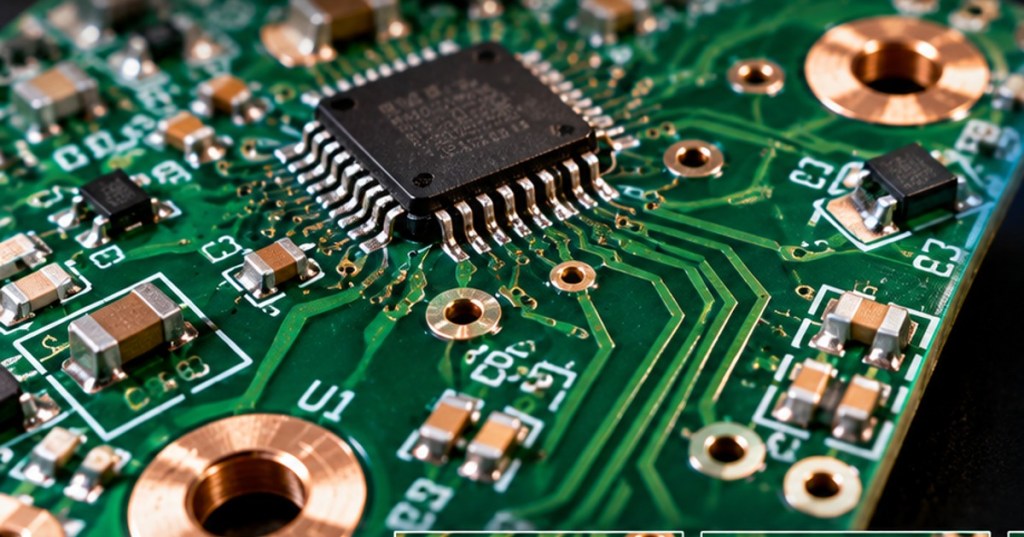
OSPCB.001 — Open-Source Printed Circuit Board | Foundational Lesson
A printed circuit board can carry electrical connections on one face, two faces, or several internal layers. This lesson explains PCB layers and copper stackups: the arrangement of conductive copper and insulating material that gives a board its electrical pathways and mechanical structure.
Elementary Overview
A copper layer is a patterned conductive sheet within or on a PCB. A dielectric separates conductive layers. The complete ordered arrangement—including copper thickness, insulating materials, and layer spacing—is called the stackup. Do not confuse copper layers with solder mask or silkscreen: those are surface coatings and markings, not extra signal-routing copper layers.
Learning Objectives
- Distinguish single-sided, double-sided and multilayer PCBs.
- Explain why insulating dielectric separates copper layers.
- Identify top copper, bottom copper, inner signal layers and power or ground planes.
- Recognize how plated vias connect copper layers and why stackup choices affect fabrication.
One, Two, and Four Copper Layers
Single-sided: one patterned copper layer, usually on one face of an insulating board. Double-sided: copper on both faces; plated through-holes can connect them. Four-layer: two outer copper layers and two internal layers separated by dielectric. Inner layers may be assigned to ground, power or signal routing; their functions are design decisions, not fixed rules.
A simple four-layer example is top signal / ground plane / power or signal / bottom signal. A plane is a broad copper area that can provide a return path or distribute power. It is not automatically a safe or effective ground merely because it is large. For controlled-impedance traces, dielectric thickness, copper geometry and reference planes matter.
Phil’s Lab discusses PCB copper traces. This earlier tutorial is background on conductive paths; it is not a complete multilayer stackup specification.
What Connects the Layers?
A via is a conductive plated hole linking selected copper layers. A through-via generally passes from the top to the bottom of the board; blind and buried vias connect different subsets of layers and require more specialized fabrication. A hole used only for mechanical mounting may be unplated. Never infer a connection solely from the appearance of a hole.
PCB design tools such as KiCad PCB Editor allow designers to define copper layers and route nets across them. Manufacturer capabilities govern available materials, minimum trace dimensions, hole sizes, layer counts and stackup tolerances. The SparkFun PCB Basics guide offers a visual introduction to board construction.
Why Stackups Matter
Copper layers conduct signals and power; dielectric prevents unintended shorts between layers. Stackup geometry affects signal integrity, electromagnetic behavior, thermal performance, fabrication cost and board thickness. For high-speed signals, the relationship between a trace and its reference plane is especially important. Beginners should understand these relationships before attempting to calculate controlled impedance.
PCB design-review discussion illustrating how layout choices are revised with feedback. Community discussion is not a substitute for a manufacturer’s stackup specification.
Practice Exercise
- On paper, draw a cross-section of a two-layer PCB and label copper, dielectric and solder mask.
- Draw a four-layer example with four separate copper sheets and three insulating gaps.
- Sketch one through-via linking the top and bottom copper; indicate which layers it contacts.
- Explain in one sentence why a silkscreen label is not a copper routing layer.
Knowledge Check
- Does a four-layer PCB have four copper layers or four total materials?
- Can a double-sided board connect its two copper faces?
- What material prevents neighboring copper layers from touching?
- Why might a high-speed trace need a nearby continuous reference plane?
Answers: Four copper layers; yes, commonly with plated vias or through-holes; dielectric; to provide a defined electromagnetic return path and support predictable signal behavior.
Further Reading and Next Lesson
Begin with OSPCB.000: What Is a Printed Circuit Board?, then compare the physical stackup to our KiCad schematic-to-PCB follow-up and NerdQAxe six-layer PCB report. Next: OSPCB.002 — Pads, Vias, and Through-Holes.
BitcoinVersus.Tech Editor’s Note: We volunteer daily to ensure the credibility of the information on this platform is Verifiably True. If you would like to support to help further secure the integrity of our research initiatives, please donate using the QR code provided

For best QR-code scanning results, please scan this donation code from a desktop or larger screen. Mobile screens may prevent camera recognition.


Leave a Reply