OSPCB.000 — Open-Source Printed Circuit Board | Foundational Lesson
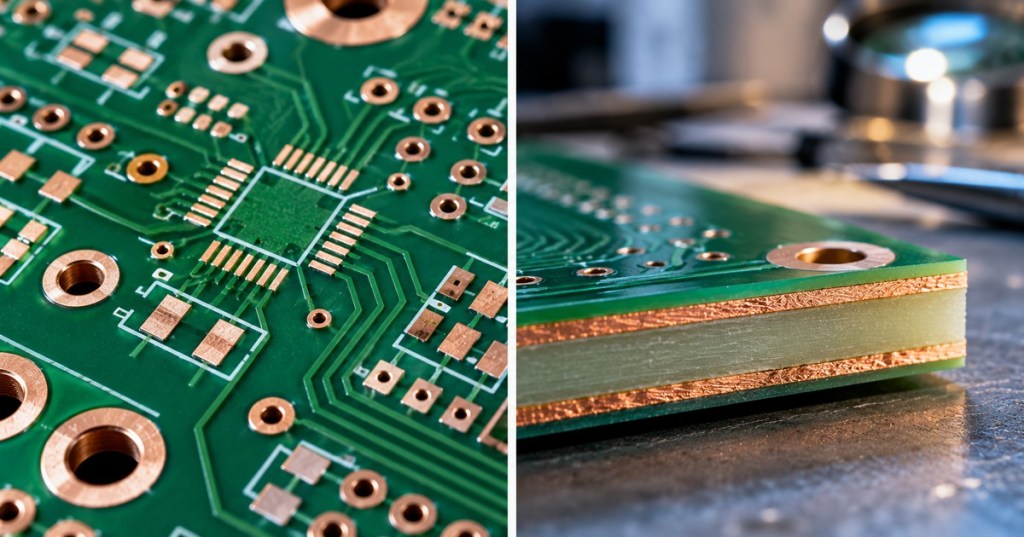
What is a printed circuit board? A PCB is an insulating structure carrying patterned conductive metal—usually copper—that mechanically supports electronic parts and connects them electrically. You can find printed circuit boards inside Bitcoin miners, server motherboards, network switches, power supplies, robots and ordinary appliances. In this first lesson, the goal is simply to recognize the physical parts of a bare board, before soldering components or learning design software.
Elementary Overview
A schematic explains which electronic components connect; the PCB implements those connections in physical copper and insulating material. A bare PCB has no installed components, while a PCBA (printed circuit board assembly) has parts mounted and soldered to it. KiCad’s official beginner manual explains how component footprints, copper tracks and board manufacturing turn a schematic into real hardware.
Learning Objectives
- Define PCB and distinguish a bare PCB from an assembled PCBA.
- Identify substrate, copper track, pad, via, solder mask and silkscreen on a simple board.
- Explain which features conduct electricity and which are primarily insulating or informational.
- Inspect a disconnected board safely and describe what you see without applying power.
The Five Things to Recognize on a PCB
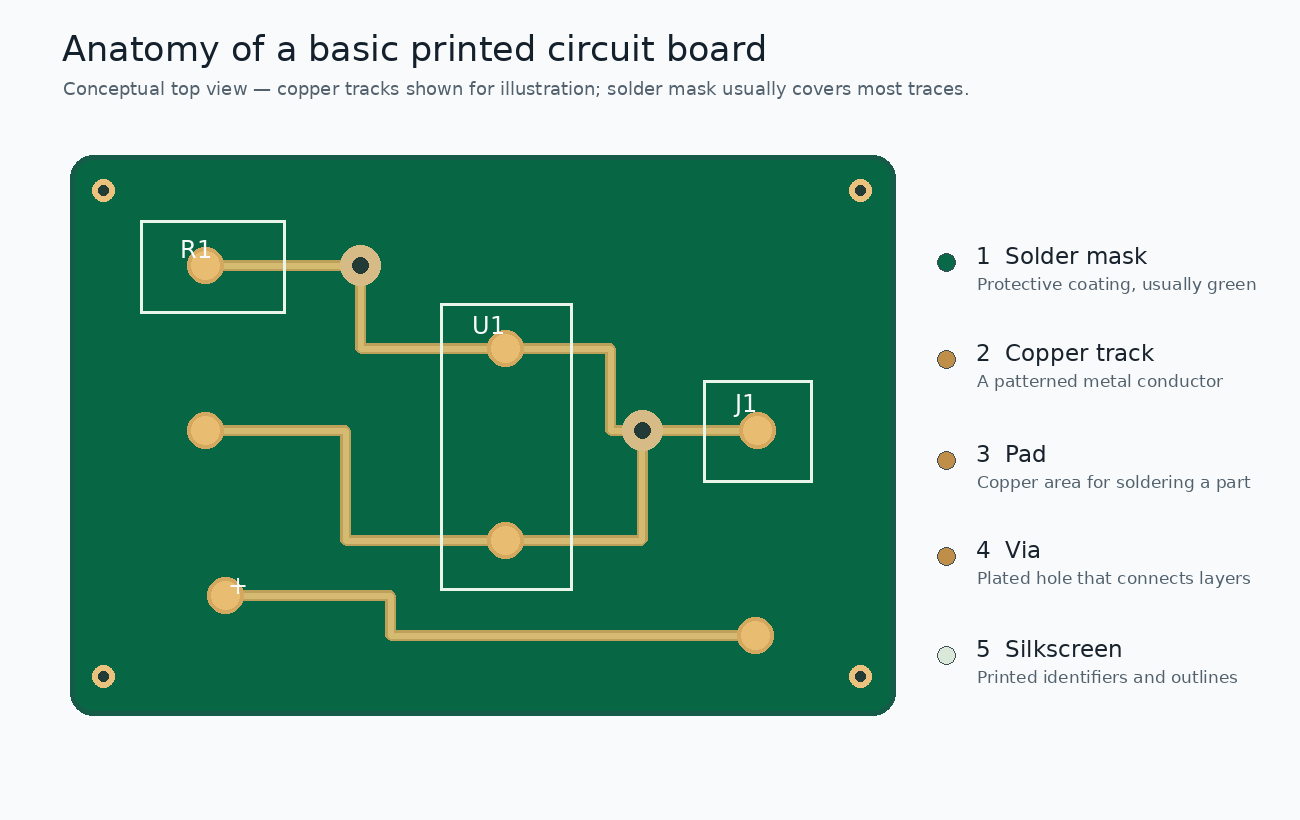
The substrate, frequently FR-4 glass-fiber-reinforced epoxy in rigid boards, supports the copper. Copper is etched into tracks or traces that carry electrical signals and current. Pads provide attachment points for component leads or terminals, usually through solder. Vias are typically plated holes used to link copper between board layers; ordinary mounting holes do not necessarily make electrical connections. A protective solder mask covers much of the copper, and the silkscreen prints designators such as R1, U1 and connector labels. The green color comes from the mask, not from the copper or fiberglass. Other colors are common. See SparkFun’s PCB Basics guide for photographs and additional examples.
Phil’s Lab explains what copper tracks physically do. This video progresses beyond the vocabulary expected in OSPCB.000; focus first on the definition of a track and its purpose.
Insulators, Conductors, and Layers
Copper features are conductors. The substrate and solder mask are primarily insulators. A basic double-sided PCB has copper on both faces and dielectric material between them; multilayer boards contain additional internal copper layers. More layers do not automatically make a board better—the stackup must suit its electrical and manufacturing requirements. A copper track hidden beneath solder mask can still carry current even though it is not visibly metallic.
Phil’s Lab demonstrates the difference between solder mask and silkscreen, the two finished-board surfaces beginners frequently confuse.
Five-Minute Board Identification Exercise
Equipment: one disconnected low-voltage practice board or discarded electronics PCB, good lighting and a magnifier if available. Never disassemble energized equipment, and do not use a power supply, mains appliance, battery pack, or equipment with potentially charged high-voltage capacitors for this exercise. Use an ESD-safe surface when handling sensitive electronics.
- Locate the largest flat insulating board area; identify the substrate and its color.
- Find a metallic solder pad and trace any visible copper route. Remember that some tracks may be masked or buried.
- Find a small hole. Decide whether it appears to be a plated via or a mechanical mounting hole; visual appearance alone cannot prove connectivity.
- Identify a silkscreen designator such as R1, C1, D1 or U1, and record where it is placed.
- Write one sentence explaining how the substrate supports the electrical conductors without becoming a copper pathway itself.
A genuine r/PrintedCircuitBoard design-review thread shows a learner progressing from a first to a second PCB after reviewing copper traces, pads, grounding and silkscreen. The discussion illustrates iterative learning, not a formal safety or manufacturing standard.
Knowledge Check
- 1. What physically carries a signal between two component pads?
- 2. Which layer is generally responsible for the board’s green appearance?
- 3. Does every visible hole electrically connect two layers?
- 4. What is the difference between a PCB and a PCBA?
Answer Guide: 1. A copper track or connected conductive copper feature. 2. The solder mask. 3. No—plated vias and some through-hole pads can connect layers, but mounting holes may be nonplated. 4. A PCB is the fabricated board; a PCBA has components assembled onto it.
Where This Track Goes Next
OSPCB.000 is the starting point, not a repeat of the full design workflow. Next lessons can teach board-layer identification, reading footprints, and translating schematics into the PCB editor. For context, read BitcoinVersus.Tech’s electrical schematics introduction, the KiCad 10 schematics-to-board follow-up, and our earlier KiCad software guide. Each covers a different stage of the process.
BitcoinVersus.Tech Editor’s Note: We volunteer daily to ensure the credibility of the information on this platform is Verifiably True. If you would like to support to help further secure the integrity of our research initiatives, please donate using the QR code provided

For best QR-code scanning results, please scan this donation code from a desktop or larger screen. Mobile screens may prevent camera recognition.


Leave a Reply