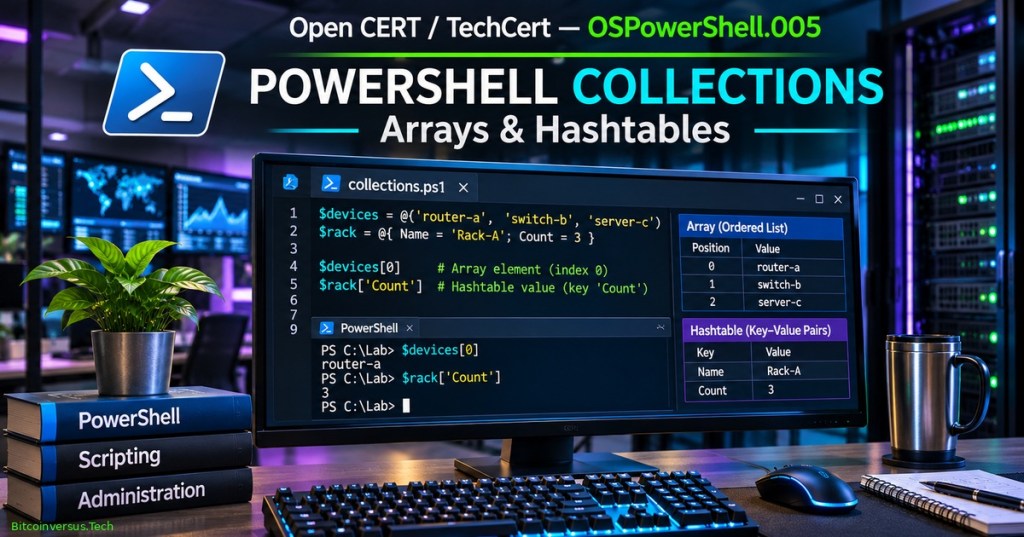
PowerShell arrays and hashtables organize related values for scripts, reports, and infrastructure administration. An array keeps a sequence of elements accessible by position; a hashtable associates a key with a value. Both structures can hold actual PowerShell objects rather than only text. OSPowerShell.005 introduces creation, indexing, safe iteration, filtering, ordered dictionaries, and an educational equipment inventory built entirely from fictional data.
The preceding OSPowerShell.004 on variables and scope explained how one name refers to a value. Collections extend the concept so one name can refer to multiple devices or a set of named properties. Earlier OSPowerShell.002 on objects and OSPowerShell.003 on the pipeline provide essential background. No actual devices are accessed in the lab.
Learning objectives and prerequisites
- Create arrays with the comma operator and
@(...)syntax; distinguish empty, one-item, and multi-item collections. - Read array positions using zero-based indexes, negative indexes, and
.Count. - Create hashtables with
@{...}, retrieve a named value using brackets, and safely check whether a key exists. - Explain the difference between a regular hashtable and an
[ordered]dictionary. - Store records as
[pscustomobject]values in an array, access their properties, and filter them through a pipeline. - Compare
-containsand-inwith the-eqfiltering behavior of collections. - Interpret the effect of pipeline enumeration and use the array subexpression operator when zero or one result must remain countable.
- Run a three-file training lab and understand exactly which validation claims have and have not been independently tested.
Prerequisites: basic cmdlets, variables, object properties and a local PowerShell 7 installation. The lab is designed for Windows, Linux and macOS under PowerShell 7 with ordinary user privileges. It imports only a supplied local module and does not require administrator rights, network access, service control, cloud credentials or an external package. The current preparation environment did not contain pwsh; the source files and expected results are supplied for reader-side runtime verification.
Create an array and access items by position
A PowerShell array is an indexed collection. The first element has position 0, not 1. A comma-separated expression can construct an array, and the array subexpression operator @(...) is especially useful when collecting pipeline output into an array. Array contents are not restricted to one value type; items may be strings, numbers, or structured objects.
$devices = @('router-a', 'switch-b', 'server-c')
$devices[0]     # router-a
$devices[1]     # switch-b
$devices[-1]    # server-c (last item)
$devices.Count  # 3
Negative array positions count backward from the end: -1 selects the last element. An index outside the array boundary is not a sound validation strategy; check the expected range rather than silently relying on a missing result. Arrays may contain zero elements, such as @(), or a single one, such as @('router-a'). Microsoft’s PowerShell arrays reference describes construction, indexing, methods, and collection behavior.
Why @() matters when a query returns zero or one result
PowerShell commonly enumerates values flowing through a pipeline. Depending on a command’s output, assigning directly from a pipeline can produce no value, one scalar value, or an array. If the next statement expects a reliably countable collection, wrap the pipeline in @(...). The operator collects its output into an array, even when the pipeline emits zero or one item.
$servers = @('router-a', 'server-c')
$found = @($servers | Where-Object { $_ -eq 'router-a' })
$found.Count  # 1

$none = @($servers | Where-Object { $_ -eq 'missing' })
$none.Count   # 0
The special variable $_ represents the current pipeline item inside Where-Object. The expression is a predicate: only items for which it evaluates true are passed forward. Use @(...) when the consumer expects a collection and test zero-result behavior, not only the typical multi-row case. The PowerShell operators reference documents array-subexpression syntax and related operators.
PowerShell Engineer — Learn PowerShell in Less Than 2 Hours, published November 9, 2022. Relevant chapters introduce arrays at 29:18 and hashtables at 33:52. Source: PowerShell Engineer’s public educational YouTube video. Video identity was checked; end-to-end playback within the published article is not independently confirmed.
Use a hashtable for key-value information
A hashtable connects a key such as 'Name' with a value such as 'Rack A'. Unlike an array index, the key is a label rather than a sequence position. Hashtables are useful for short configuration records, quick lookups, grouped counts and data that does not have to preserve a particular order. A normal PowerShell hashtable generally uses case-insensitive string-key comparisons, but callers should never rely on arbitrary enumeration order.
$rack = @{
    Name = 'Rack A'
    Location = 'Hall 1'
    Count = 2
}
$rack['Name']       # Rack A
$rack['Count']      # 2
$rack.ContainsKey('Name')  # True
Bracket access is particularly reliable when a key contains spaces or overlaps with a member name. For example, $rack['Count'] means the value stored under the key Count; other member-access forms can lead to confusion with a dictionary’s own properties. A new item can be added by assigning a previously absent key: $rack['Status'] = 'Training'. In a real administrative script, validate the source of those values before using them to configure systems. See Microsoft’s about_Hash_Tables documentation.
Ordered dictionaries have a predictable enumeration order
The literal [ordered]@{...} creates an ordered dictionary, retaining the sequence in which its keys were declared. A regular @{...} does not promise the same enumeration order. Preserved order can make a human-readable report easier to follow, although access by key remains the primary way to retrieve a specific value.
$rackCounts = [ordered]@{
    'Rack A' = 2
    'Rack B' = 1
}
$rackCounts['Rack A']  # 2
$rackCounts.Keys       # Rack A, Rack B
Ordering a dictionary is different from sorting records. A dictionary stores keys and values; an array stores ordered elements; and Sort-Object can sort objects by named properties. Use the appropriate structure for the question being answered instead of using the same syntax for all tasks.
Store multiple fields in one object
A [pscustomobject] gives each inventory record named properties. An array of objects therefore represents an inventory more naturally than several parallel arrays, because each device keeps its name, rack and illustrative power reading together. The property names express meaning and support Select-Object, Where-Object, and Measure-Object without parsing text columns.
$devices = @(
    [pscustomobject]@{ Name='router-a'; Rack='Rack A'; PowerWatts=12 }
    [pscustomobject]@{ Name='switch-b'; Rack='Rack A'; PowerWatts=24 }
    [pscustomobject]@{ Name='server-c'; Rack='Rack B'; PowerWatts=150 }
)
$devices[0].Name       # router-a
$devices[1].PowerWatts # 24
$devices.Count         # 3
The three readings are fabricated whole-watt examples. Their arithmetic sum, 12 + 24 + 150 = 186 W, is a calculation over the instructional sample, not a real rack’s measured instantaneous load or energy usage. Power is measured in watts; energy over time requires units such as watt-hours. No vendor rating or operational threshold can be inferred from these values.
Filter collections and compare membership
Where-Object tests each object against a condition and outputs matching objects. For example, the command below selects the two sample devices with a power value at least 20 W. In contrast, -contains asks whether a collection includes a specified item and always returns a Boolean; -in reverses the operand positions. The expression $devices.Name uses member-access enumeration to retrieve a sequence of names from the collection.
$atLeast20 = @($devices | Where-Object { $_.PowerWatts -ge 20 })
$atLeast20.Name -join ', '   # switch-b, server-c

$devices.Name -contains 'router-a' # True
'router-a' -in $devices.Name        # True
A subtle difference matters when writing tests. With a scalar on the left, -eq returns a Boolean. With a collection on the left, -eq returns matching elements. By comparison, -contains always returns a Boolean. The Microsoft comparison operators guide explains the distinction and documents case-sensitive variants such as -ccontains.
PowerShellNerd — Learn Arrays and Hashtables, published June 3, 2025. The tutorial demonstrates array creation and indexing, foreach, dictionary access, updates and key iteration. Source: PowerShellNerd’s public educational YouTube channel. The video page was identified; actual published-page playback has not been independently tested.
Complete executable equipment-inventory module
The teaching lab separates reusable operations from the script that prints the report. Download InventoryLab.psm1, Run-TrainingInventory.ps1 and Test-TrainingInventory.ps1 into the same directory. The module exports three commands: Get-TrainingInventory, Get-TrainingSummary, and Get-TrainingAboveThreshold. They handle fixed sample data only and do not open external connections.
Get-TrainingSummary checks that each supplied record includes an integer PowerWatts property and refuses negative example values. It accumulates a long-integer sum while returning a structured summary object. Get-TrainingAboveThreshold accepts a nonnegative numeric threshold and returns the qualifying records. Validation here concerns the sample’s data shape; it does not prove any input came from an actual sensor.
Import-Module (Join-Path $PSScriptRoot 'InventoryLab.psm1') -Force
$devices = @(Get-TrainingInventory)
$summary = Get-TrainingSummary -Devices $devices
$above = @(Get-TrainingAboveThreshold -Devices $devices -MinimumWatts 20)

$summary.DeviceCount  # Expected: 3
$summary.TotalWatts   # Expected: 186
$above.Name -join ', ' # Expected: switch-b, server-c
The import path uses $PSScriptRoot to resolve files relative to the demo script instead of whichever directory the terminal happens to be using. Import-Module executes the module in the current PowerShell process, so only import code from trusted sources and inspect it first. In the provided module, there is no filesystem deletion, configuration change, network access or privileged action.
Running the lab and interpreting its output
Open PowerShell 7 on Windows, Linux or macOS. Verify the version using $PSVersionTable.PSVersion, inspect the three scripts, and run the sample with pwsh -NoProfile -File ./Run-TrainingInventory.ps1. On systems where pwsh is already the active interactive shell, ./Run-TrainingInventory.ps1 may also work under the applicable execution policy. The example’s expected output is:
First device: router-a
Rack A count: 2
Device count: 3
Illustrative power sum: 186 W
At least 20 W: switch-b, server-c
Output status: those lines are predicted from the reviewed source and sample values; they have not been captured from a locally executed PowerShell runtime in the preparation environment. The values 2, 3 and 186 can be confirmed by inspecting the invented data and independently checking the arithmetic. Execution should be verified by readers with PowerShell 7 before treating the script as tested on their target platform.
Test harness, source verification and quality gates
The standalone test harness defines Assert-Equal and Assert-Throws helpers and contains 28 intended assertions covering indexes, negative indexing, hashtable values and order, the 186 W sum, filtering, zero-result behavior, invalid records and negative thresholds. Run it after placing all three files in one directory:
pwsh -NoProfile -File ./Run-TrainingInventory.ps1
pwsh -NoProfile -File ./Test-TrainingInventory.ps1
# Expected if all assertions pass:
# PASS: 28 PowerShell assertions
The preparation environment did not have pwsh, so no PowerShell execution, runtime syntax validation or actual 28-assertion result is claimed. A separate Node.js review passed 25 of 25 static source checks, verifying file presence, expected function definitions, representative data, critical type guards, safe command exclusions, the intended assertion count, and numerical sample logic. Static source review cannot certify PowerShell parser acceptance, cross-platform behavior, or a runtime test result.
Safe expansion to real administration
For larger inventories, arrays can become expensive to expand repeatedly with +=, since normal arrays have fixed size and repeated concatenation may create copies. Consider streaming pipeline output or System.Collections.Generic.List[T] when building a large collection. For larger lookup maps, select dictionary types and key-comparison policies deliberately, especially if case-sensitive identifiers are important.
Use Get-Member to inspect an unknown record before relying on specific property names. Validate units, timestamps, source provenance, authorization and the meaning of missing values when combining real monitoring data. Never publish raw credentials, internal host details, or personal information from PowerShell objects. Avoid Invoke-Expression on untrusted collection values; transforming a string into executable commands is not required for this lab.
Troubleshooting and knowledge assessment
- Cannot index an expected item: inspect the collection with
.Countand verify zero-based positions before selecting an index. - Array becomes a scalar: wrap a pipeline result in
@(...)when zero or one returned item should remain a countable array. - Unexpected dictionary order: use
[ordered]@{...}where insertion order is required; do not rely on regular hashtable iteration order. - Hashtable key collides with a member: use bracketed key access such as
$rack['Keys']when accessing an actual dictionary entry. - Comparison returns a value rather than True/False: distinguish the collection-filter behavior of
-eqfrom the Boolean result of-contains. - Unexpected total: check whether values are numeric objects rather than textual representations and whether missing or negative values should be rejected.
- PowerShell command not found: install or locate the official PowerShell 7 runtime and verify
pwshis available on the system PATH. - Import or execution policy issue: verify file locations, inspect code before import, and follow organization-approved execution policies rather than disabling security protections system-wide.
Practice: create a four-item array and return its first and last entries; build a hashtable mapping two fictional rack names to counts; convert one map into an ordered dictionary; select every sample record with power at least 20 W; test the zero-result case with a threshold of 151 W; add a fourth 40 W example record and compute the new total of 226 W; explain why a four-item inventory’s total is not evidence of an electrical meter reading. These exercises require no real hardware.
Assessment answers: indexes begin at zero; -1 indexes the last array item; hashtable brackets reference keys, not numeric positions; [ordered] preserves key insertion order; threshold 20 W selects two sample records, threshold 151 W selects none; 186 + 40 = 226 W for the expanded fictitious inventory. PowerShell type checks and source validation can reject malformed values but cannot authenticate measurements.
Official references and curriculum continuation
Primary references: Microsoft Learn — about_Arrays; about_Hash_Tables; about_Comparison_Operators; and about_Operators. Related instruction includes OSPowerShell.001 and OSBash.006: Functions and Exit Codes, which provides a useful contrast with PowerShell’s object pipeline.
Arrays answer ‘which item is at a particular position?’ Hashtables answer ‘what value is associated with a particular key?’ Arrays of structured objects combine positional organization with descriptive fields. Knowing the distinction helps administrators build scripts that remain understandable and testable as inventory reports expand.
Editor’s Note: OSPowerShell.005 follows the verified OSPowerShell.004. The original 1200 × 630 featured cover is an AI-generated educational illustration and not an authentic PowerShell screenshot. The exact neon-green “Bitcoinversus.Tech” signature is positioned bottom-left, using a nominal 10-point size at 96 DPI. Example devices, rack names and watt values are invented. The PowerShell scripts and 28-assertion test harness were authored but could not be executed because the PowerShell runtime was unavailable in the preparation environment; only 25 separate static Node.js source checks were locally executed and passed. The two educational videos were identified from their public YouTube pages, but end-to-end live player playback and mobile pixel inspection remain unverified.

For mobile scanning, display the QR on a second screen or use a wallet’s saved-image scanning feature. Confirm the receiving address and requested satoshi amount before authorizing a transaction.
We volunteer daily to ensure the information on this platform is Verifiably True. If you would like to support the research, please scan the QR code.
Educational examples do not replace verified production configuration, source inspection, cybersecurity review or authorized operational procedures.


Leave a Reply