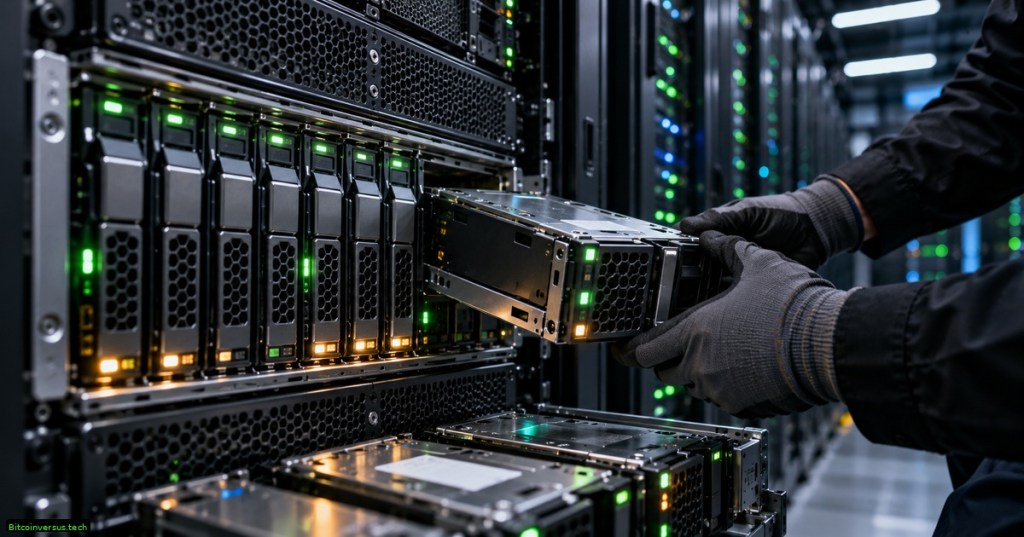
RAID is one of those server terms that sounds complicated until you reduce it to one idea: use multiple physical drives together as one storage system. Depending on the RAID level, those drives can be arranged for more speed, more fault tolerance, or a balance of both.
RAID stands for Redundant Array of Independent Disks. A RAID array can combine hard drives or SSDs, including modern NVMe and SATA storage, and present them to the operating system as one logical storage device. Red Hat’s storage documentation describes RAID as a way to combine multiple drives for performance, redundancy, or both.
The Three Ideas Behind RAID
Nearly every common RAID level can be understood through three building blocks: striping, mirroring, and parity.
- Striping splits data into pieces and writes those pieces across multiple drives. This can increase throughput because several drives work at the same time.
- Mirroring writes the same data to more than one drive. If one copy fails, another copy remains.
- Parity stores calculated recovery information that can be used to reconstruct missing data after a drive failure.
Those three ideas are why RAID has remained important from traditional spinning disks to modern SSD-based storage systems. The hardware has changed dramatically, but the basic tradeoff between performance, usable capacity, and fault tolerance remains.
RAID 0: Fast, but No Safety Net
RAID 0 uses striping. Data is divided across two or more drives, so multiple drives can read or write pieces of the same workload at once.
The upside is speed and full use of the drives’ combined capacity. The downside is severe: RAID 0 has no redundancy. If one member drive fails, part of the striped data disappears and the array can become unusable.
Think of RAID 0 as several workers splitting one job. The job finishes faster, but if one worker loses their portion, the finished product is incomplete.
RAID 1: Keep a Mirror Copy
RAID 1 uses mirroring. With a simple two-drive RAID 1, every block written to the first drive is also written to the second drive.
If one drive fails, the other still contains the data. The tradeoff is capacity: two 4 TB drives mirrored together normally provide about 4 TB of usable capacity, not 8 TB.
RAID 1 is easy to understand and useful when redundancy matters more than maximizing raw storage capacity.
RAID 5: Striping Plus One Drive of Parity
RAID 5 combines striping with distributed parity. It requires at least three drives and can normally survive the failure of one member drive.
The parity information is distributed across the array rather than living on one dedicated parity drive. If a drive fails, the missing data can be reconstructed from the surviving data and parity information.
That makes RAID 5 more space-efficient than simple mirroring, but there is extra write work because parity has to be calculated and updated. Rebuilding a large failed array can also take substantial time and put heavy load on the surviving drives.
RAID 6: Two Layers of Parity Protection
RAID 6 extends the RAID 5 idea by storing two independent sets of parity information. It normally requires at least four drives and can continue operating after two member drives fail.
The extra protection costs additional usable capacity and adds more parity work, but it can be valuable in large arrays where a second drive failure during a long rebuild would be especially dangerous.
RAID 10: Mirrors That Are Also Striped
RAID 10 combines RAID 1-style mirroring with RAID 0-style striping. A common four-drive layout creates two mirrored pairs and then stripes data across those pairs.
This gives RAID 10 strong read/write performance without parity calculations, while still protecting against drive failure. The usual tradeoff is that roughly half of the raw drive capacity is used for mirrored copies.
RAID 10 can sometimes survive more than one failed drive, but that depends on which drives fail. Losing one drive from each mirrored pair can be survivable; losing both drives in the same mirror is not.
Four 4 TB Drives: What Do You Actually Get?
| RAID Level | Typical Usable Capacity | Basic Failure Tolerance | Main Goal |
|---|---|---|---|
| RAID 0 | 16 TB | None | Performance/capacity |
| RAID 5 | 12 TB | 1 drive | Capacity + redundancy |
| RAID 6 | 8 TB | 2 drives | More redundancy |
| RAID 10 | 8 TB | Depends on which drives fail | Performance + redundancy |
RAID 1 is usually easiest to picture as a two-drive mirror: two 4 TB drives produce about 4 TB of usable mirrored capacity. Larger RAID 1 arrangements are possible, but implementations vary.
Hardware RAID vs. Software RAID
RAID can be managed by a dedicated hardware controller or by the operating system. Hardware RAID places much of the array management behind a RAID controller. Software RAID lets the operating system manage the drives directly.
Linux systems commonly use software RAID tools, while many enterprise servers include dedicated storage controllers. The correct choice depends on performance needs, operating-system design, controller features, monitoring, portability, and recovery procedures.
Whichever method is used, technicians still need to understand the physical drives underneath it. BitcoinVersus has a separate guide for troubleshooting storage drives and RAID arrays.
RAID Is Not a Backup
This is the most important rule in the whole article: RAID is not a backup. IBM explicitly warns that RAID should not be treated as a backup solution.
RAID can protect against certain drive failures. It does not automatically protect you from accidentally deleting a file, ransomware encrypting the array, software corruption, theft, fire, a catastrophic controller failure, or someone overwriting the wrong data.
A real backup keeps another recoverable copy of the data, ideally separated from the production array. RAID helps keep a storage system running; backup helps you recover when the storage system or its data is lost.
Why RAID Still Matters
Modern storage has moved from spinning disks toward flash, NVMe, distributed storage, cloud systems, replication, and erasure coding. But the RAID concepts are still foundational because they teach the same engineering tradeoffs that appear throughout storage design: speed, redundancy, capacity, recovery time, and failure domains.
That is why RAID belongs in the same basic storage vocabulary as computer storage infrastructure, filesystems, block devices, SSD controllers, and server maintenance. Once striping, mirroring, and parity make sense, the numbered RAID levels stop looking mysterious.
BitcoinVersus.Tech
Advertisement
Editor’s Note
RAID behavior can vary by controller, operating system, filesystem, drive type, implementation, and configuration. Always verify the documentation for the specific storage platform before replacing drives or rebuilding an array.
We volunteer daily to ensure the credibility of the information on this platform is Verifiably True. If you would like to support to help further secure the integrity of our research initiatives, please donate here: 3C9o19EH5HSiwEPyCTmEKzxhNCbo2X6TTb
BitcoinVersus.tech is not a financial advisor. This media platform reports on financial subjects purely for informational purposes.


Leave a Reply