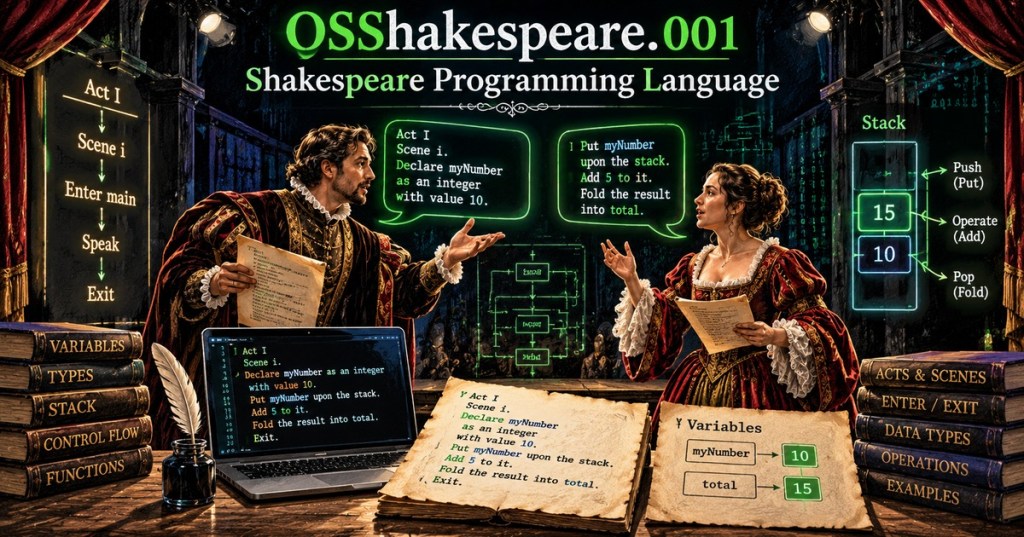
The Shakespeare Programming Language (SPL) is a real esoteric programming language whose source code is written to resemble a stage play. It was designed by Karl Wiberg and Jon Åslund in 2001. Instead of conventional variable declarations, blocks, and statements, SPL uses Shakespearean characters, Acts, Scenes, stage directions, and dialogue. The language is intentionally impractical, but it still performs genuine computation. This first lesson focuses on one thing only: how an SPL program is structured and executed.
SPL Is Code Disguised as a Play
The original Shakespeare Programming Language documentation says the design goal was to make source code resemble Shakespeare plays while retaining basic arithmetic and control flow. That makes SPL a useful contrast with conventional languages covered in BitcoinVersus.Tech’s programming-language history. The surface syntax looks literary, but underneath it are familiar ideas: variables, assignment, arithmetic, input/output, jumps, comparisons, and stacks.
The Title Comes First
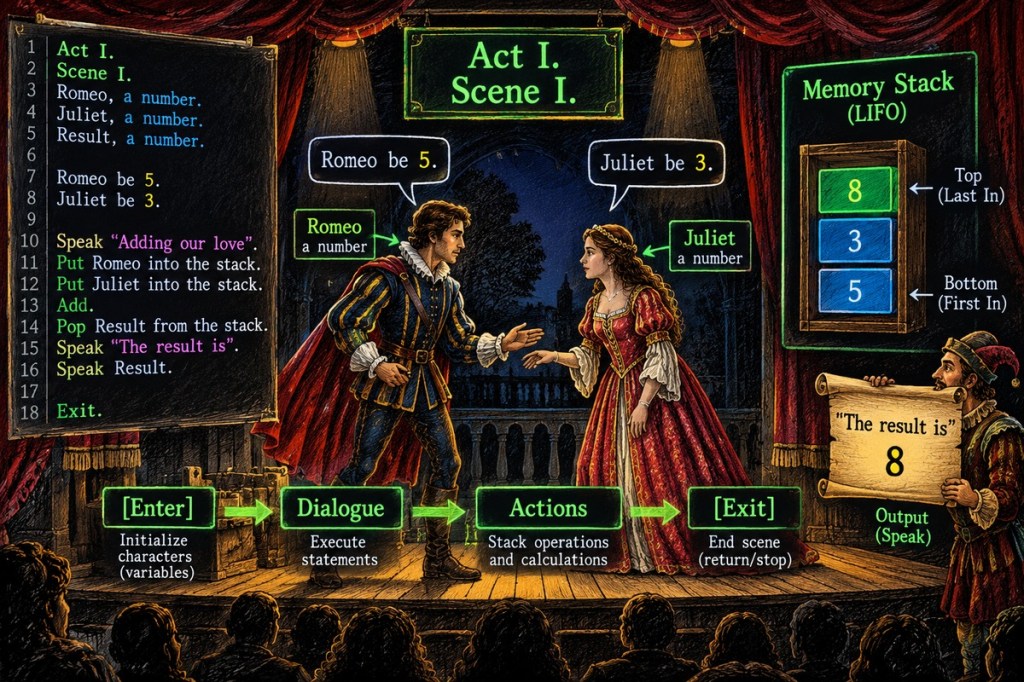
Every SPL program begins with a title ending in a period. The title is required syntactically, but it is effectively a comment rather than executable code. A valid program might begin with A Tiny Number. This gives the file the appearance of a play before any variables or instructions appear.
Characters Are Variables
After the title comes the equivalent of a Dramatis Personae section. Each recognized Shakespeare character declared here becomes a variable that stores a signed integer. The descriptive phrase after the character’s name is ignored by the language, so Hamlet, a quiet prince. and Hamlet, a temporary register. describe the same underlying variable. This is the first major mental translation: character name = variable name.
Acts and Scenes Organize the Program
SPL divides executable code into Acts and Scenes written with Roman numerals. They are more than decoration: Acts and Scenes also serve as labels that later control-flow statements can jump to. A first program can stay simple with one Act and one Scene. Later lessons can isolate SPL’s jump and conditional behavior instead of mixing control flow into this introduction.
Stage Directions Control Who Can Interact
Instructions such as [Enter Hamlet and Juliet], [Exit Hamlet], and [Exeunt] control which characters are currently on stage. This matters because dialogue operates on the characters present. A speaker generally addresses the other character on stage, so stage state determines which variable receives an assignment or output instruction. In programming terms, the theatrical scene helps define the active operands.
Dialogue Becomes Executable Statements
A character’s speech contains the actual work. Compliments, insults, nouns, adjectives, arithmetic phrases, questions, and commands are parsed as expressions or statements. For example, a speaker can assign a value to the character being addressed and then request output. The original language documentation defines Open your heart as numeric output and Speak your mind as character output. This is code, even though it reads like dialogue.
A Small Original SPL Program
The following original example keeps the program deliberately small. Hamlet and Juliet are declared as variables, both enter one Scene, Juliet assigns Hamlet the value represented by King, and Open your heart outputs Hamlet’s numeric value.
A Tiny Number.

Hamlet, a quiet prince.
Juliet, a careful speaker.

Act I: The Beginning.
Scene I: One Number.

[Enter Hamlet and Juliet]

Juliet:
Thou art a King. Open your heart.

[Exeunt]
The important lesson is structural rather than mathematical: title → character declarations → Act → Scene → stage entrance → speaker → executable dialogue → exit. Later lessons can isolate SPL’s expression rules, arithmetic vocabulary, stack operations, comparisons, and jumps.
Run SPL With the Python Interpreter
A practical modern implementation is shakespearelang, a Python-based interpreter with a console and debugger. Install it with python -m pip install shakespearelang, save a program as a .spl file, then run it with shakespeare run filename.spl. The surrounding package-management concept is covered in OSPython.010 on pip, while the PATH explainer helps if an installed command is not found from the terminal.
python -m pip install shakespearelang
shakespeare run tiny_number.splHow SPL Relates to Chef
SPL and Chef belong to the same broad esolang tradition but disguise computation differently. Chef maps variables and operations onto recipes, while Shakespeare maps them onto plays. Both demonstrate a useful computer-science idea: syntax can look radically different without changing the underlying need for state, operations, input/output, and control flow.
Exercises
- Identify the five major structural pieces in the example: title, character declarations, Act/Scene, stage direction, and dialogue.
- Rename the Scene while keeping its Roman numeral. Explain why the descriptive text does not change the program structure.
- Add a second valid Shakespeare character declaration without changing the executable Scene.
- Replace
Open your heartwithSpeak your mindand explain the difference between numeric and character output. - Install
shakespearelangin a disposable Python environment and run a small.splfile.
Knowledge Check + Answers
- What is SPL? The Shakespeare Programming Language, an esoteric language whose programs resemble Shakespeare plays.
- What does a character represent? A signed-integer variable.
- What do Acts and Scenes provide? Program organization and labels that can later be used for control flow.
- What do Enter, Exit, and Exeunt control? Which character variables are currently on stage and available for interaction.
- Where are executable operations usually written? In character dialogue.
- What is the difference between Open your heart and Speak your mind? Open your heart outputs a numeric value; Speak your mind outputs the corresponding character.
Elementary Review
The simplest translation is: characters are variables, Acts and Scenes are code sections and labels, stage directions manage active characters, and dialogue contains instructions. SPL looks theatrical, but its execution model is still programming. The next SPL lesson should focus narrowly on values, nouns, adjectives, and assignment expressions.
Editor’s Note
This lesson covers the Shakespeare Programming Language, not Shakespearean literature. Primary technical references are the original SPL documentation and the modern shakespearelang interpreter documentation. The featured image is a unique 1200×630 visual-learning cover and is not reused in the body. All YouTube videos use native responsive 16:9 Gutenberg YouTube embed blocks. No fixed-width lesson text boxes are used.
BitcoinVersus.Tech content is provided for informational and educational purposes.


Leave a Reply