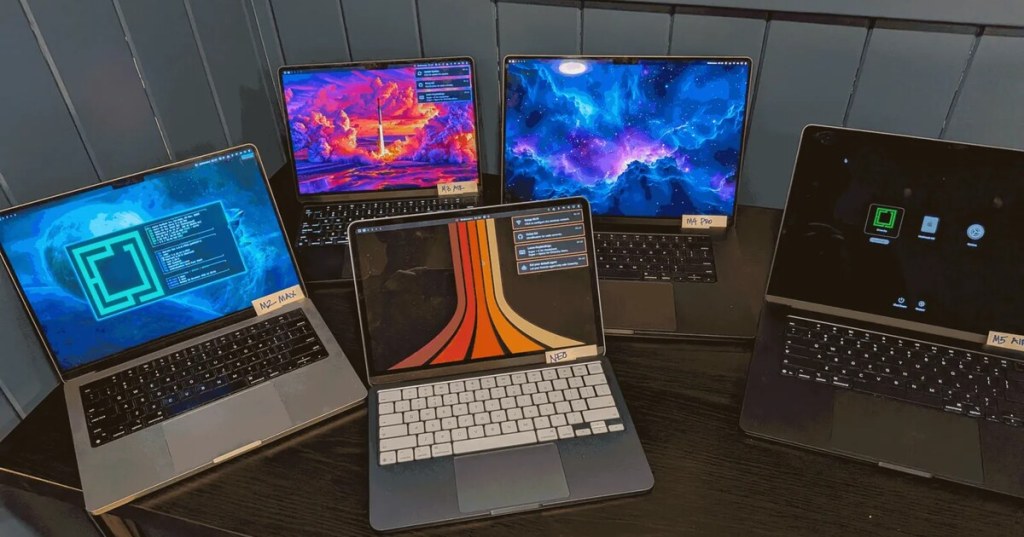
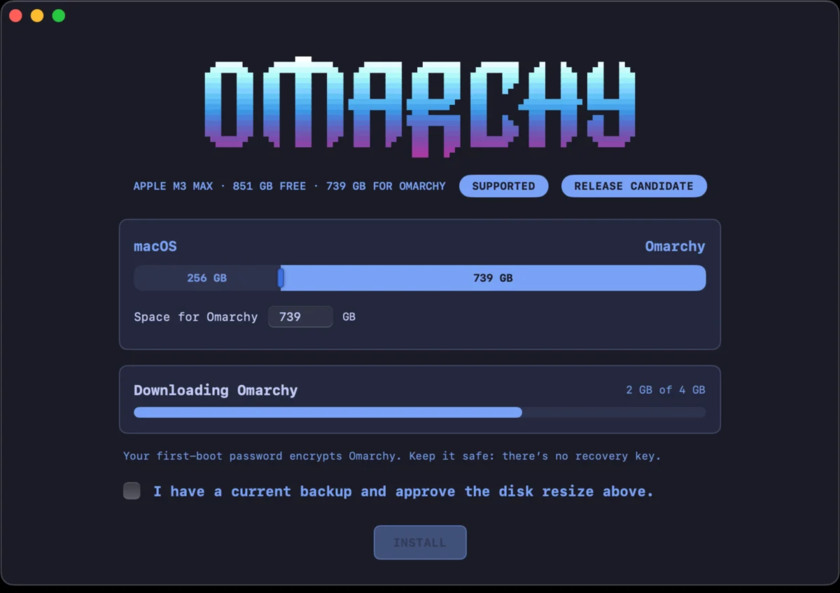
Omarchy 4.5 adds a native installer for supported Apple Silicon MacBooks and a desktop mode with floating windows and a dock. The November 4 announcement lists M1, M2 and M3 MacBooks and MacBook Neo for the native installer. The version 4.5.0 release moves the feature beyond the release-candidate channel.
Omarchy bundles Arch Linux with Hyprland, a compositor that manages windows and sends the result to the display. The project’s default tiling layout arranges windows automatically. The new floating layout lets users move and resize windows freely, pin applications to a dock and minimize windows. Users can switch between tiling, scrolling and floating separately for each workspace. Omarchy Central’s release coverage highlighted the floating mode as the largest desktop change.
Linux alongside macOS
The Mac installer runs from macOS and places Linux alongside the existing operating system. Dual boot gives users a choice at startup and allows Linux to run directly on supported hardware. It also changes disk layout, so access to a current backup and enough free storage matters. The project’s supported list is the relevant guide for choosing hardware. Its announcement describes newer M-series support as work in progress, even though the release photograph shows developers testing a broader group of laptops.
The new Mac installer and Omarchy’s first ARM ISO serve different hardware. The project describes support for NVIDIA DGX Spark and N1X laptops as preliminary. A processor’s ARM instruction set alone does not establish that Linux can use a particular machine’s display, power management or peripherals. Device-level support matters in much the same way that installation and storage choices matter for Fedora’s Stratis installer and the openSUSE Leap 16.1 installation paths.
Desktop changes beyond the Mac
Omarchy says its menus, desktop and notifications now support 50 languages. The release also offers input methods for Japanese, Korean, Simplified Chinese, and traditional Chinese input using Zhuyin and Cangjie. It detects Wi-Fi networks that require a browser sign-in and surfaces a way to open the portal. Like the planned desktop tools in Linux Mint 27, those changes address daily tasks that can matter as much as headline hardware compatibility.
For Mac users, the benefit is a native Linux environment on listed hardware while keeping access to macOS. The practical limits are model coverage and the need to verify that everyday hardware and applications behave as expected. For users on conventional Linux PCs, the bigger change may be the option to use a familiar floating desktop while keeping tiling for other workspaces. As with a Linux shell workflow, the desktop’s keyboard shortcuts can coexist with familiar tools. The two layouts can coexist without changing distributions or switching to a separate desktop session.
Editor’s Note. Hardware support is attributed to the Omarchy project. The cover shows its development hardware and does not establish release support for every pictured laptop. Photo: Omarchy project.

Scan the donation code from another device if your phone cannot scan its own screen.
We volunteer daily to ensure the information on this platform is Verifiably True. If you would like to support the research, please scan QR code.


Leave a Reply