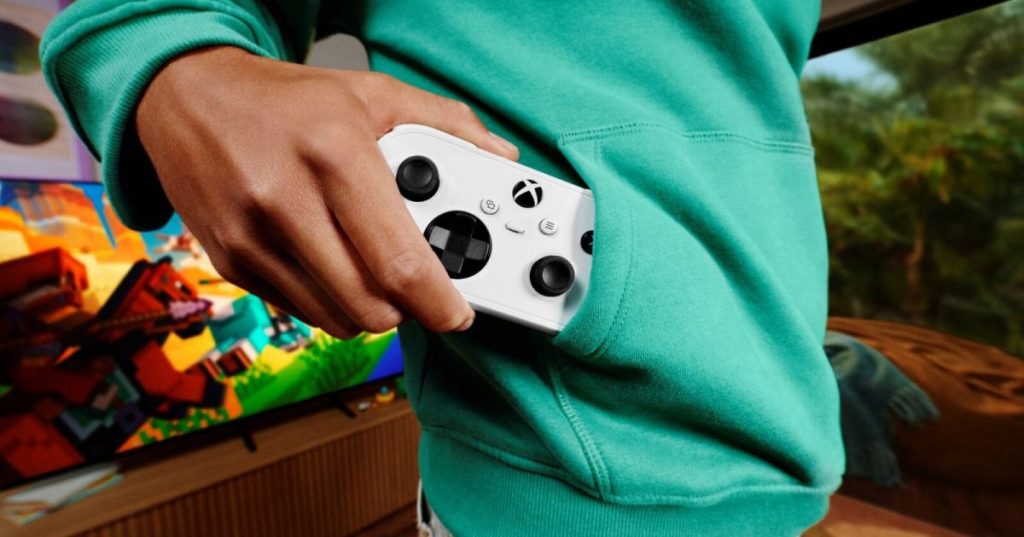
Microsoft began previewing two new ways to control Xbox Cloud Gaming on November 4, 2026: using a smartphone as a virtual gamepad on supported smart televisions and connecting the new Xbox Nano Controller directly to a cloud gaming session over Wi-Fi. The company says the previews are rolling out now, but regional, device and game compatibility remain limited.
The new options address different barriers. Phone controls allow a player to launch a cloud game without buying a separate physical controller. Nano Cloud Connect aims to reduce the delay between pressing a button and receiving a response from a remotely hosted game. Neither preview changes the need for a compatible television, a supported game and adequate internet connectivity.
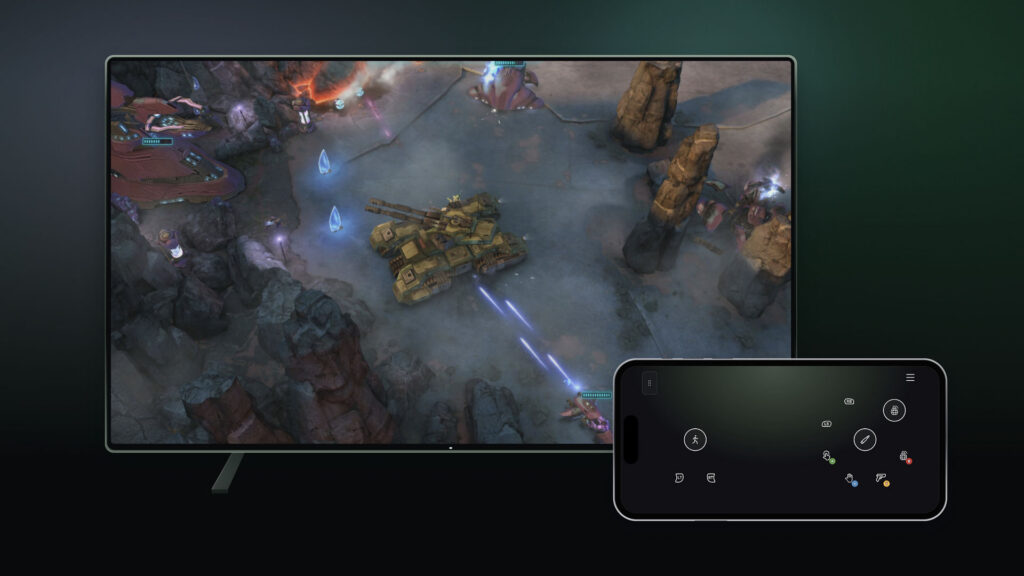
Smartphones become virtual gamepads
On supported Android and iOS phones, the controller interface opens in a web browser. Players enable Preview Features in Settings → Account on a compatible smart TV, then launch a cloud game without a connected controller. A prompt links the phone to the television session, with some games receiving customized touchscreen layouts. Microsoft says the preview is available in cloud-gaming-supported countries on compatible television platforms.
Touch controls can improve accessibility for casual sessions and households without spare accessories, but glass-screen inputs lack the physical feedback of triggers, buttons and thumbsticks. Action games requiring precise analog steering or rapid combinations may remain better suited to dedicated hardware. The preview also differs from playing a game locally on a phone: rendering and simulation continue on remote servers.
Nano Controller connects to the cloud over Wi-Fi
The second preview is limited to the United States. Microsoft’s $49.99 Xbox Nano Controller uses Wi-Fi to connect directly to the cloud session rather than routing inputs through a Bluetooth link to the display. The company says the approach can reduce input latency; it has not released independently reproducible before-and-after measurements. Wi-Fi still depends on network congestion, radio conditions, routing and server response time.
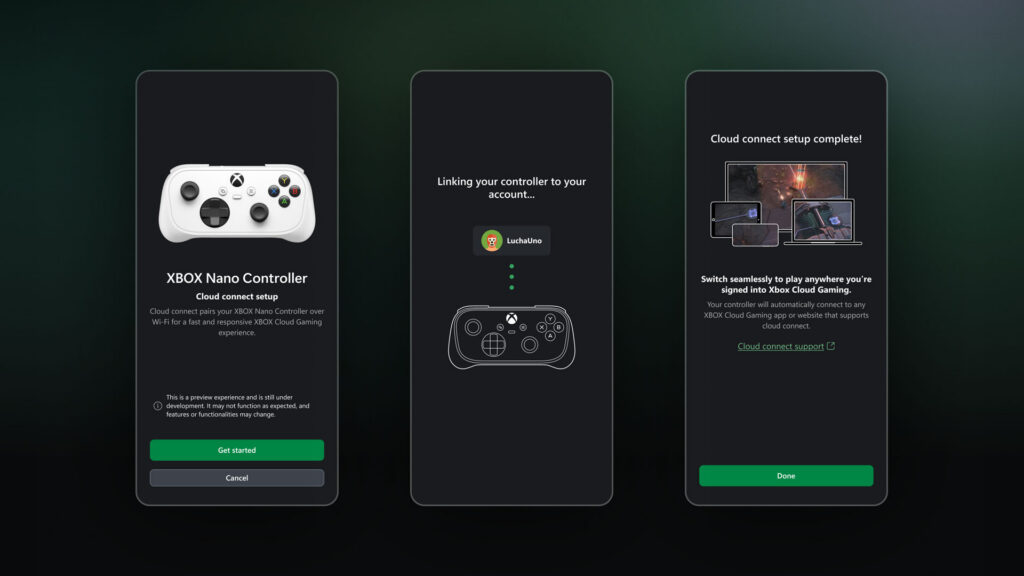
Players configure Cloud Connect using the Xbox beta app on Android or the Xbox Accessories app on PC. PC setup requires Xbox Insider enrollment. After connecting the Nano to Wi-Fi, players sign in to a supported cloud experience with the same Xbox account. Microsoft’s setup guide provides the detailed procedure.
BitcoinVersus.Tech covered the Nano’s original October announcement, when Microsoft emphasized its compact size, rechargeable battery and standard gameplay inputs. The newly disclosed Wi-Fi cloud pathway is a substantive follow-up rather than a repeat of the hardware launch. Earlier reporting on future Xbox hardware plans and GeForce NOW streaming improvements provides context for the industry’s push toward play across more screens.
Latency remains a measurable question
Cloud gaming input delay includes local input processing, upstream network transit, game-server simulation, rendering, video encoding, downstream delivery and display processing. Removing one Bluetooth hop cannot eliminate the other components. The relevant test is end-to-end button-to-photon latency measured with matched network conditions, titles, frame rates and displays. Microsoft has not supplied such controlled benchmark results for Cloud Connect.
The previews expand Microsoft’s device strategy but do not establish universal compatibility or production-grade reliability. The next milestones are broader television and browser support, better game-specific touch layouts and measured latency data. For now, both features should be described as limited previews rather than completed platform-wide rollouts.
Editor’s Note: Xbox Wire’s November 4 announcement is the primary source for the two previews; the October 14 Nano announcement and Microsoft support documentation establish hardware and setup context. Official Microsoft product images illustrate announced interfaces. Latency improvement is a vendor expectation, not a verified benchmark result.

Scan the donation QR from a laptop or larger screen to donate 5,000 sats. Bitcoin address: 3C9o19EH5HSiwEPyCTmEKzxhNCbo2X6TTb.
We volunteer daily to improve the credibility of the information on this platform. If you would like to support the research, please donate here: 3C9o19EH5HSiwEPyCTmEKzxhNCbo2X6TTb
BitcoinVersus.tech is not a financial advisor. This media platform reports on technical and financial subjects purely for informational purposes.


Leave a Reply