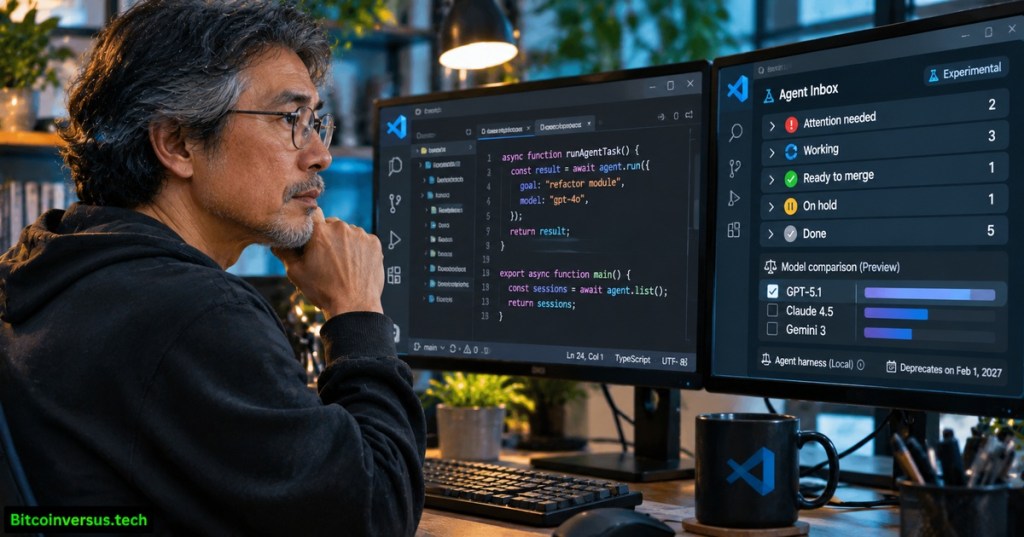
Visual Studio Code 1.146 introduces an experimental inbox for AI coding sessions, preview tools for comparing models, and detachable chat windows. Released by Microsoft on November 11, 2026, the stable editor also starts a consequential migration countdown: its older Local agent harness will be removed in February 2027. Developers and companies running coding agents now have new ways to supervise concurrent tasks, alongside a deadline to review their configuration and permissions.
The official 1.146 release notes distinguish production editor availability from preview and experimental functionality. Inbox grouping is disabled by default, separate chat windows remain an opt-in preview in Stable, and several automated model-evaluation capabilities require another experimental setting. The launch builds on VS Code 1.145’s remote agent previews and scheduling, rather than replacing standard source editing.
Microsoft’s official introduction to the VS Code Agents window, published May 13, 2026, explains how sessions span projects. Credit: Visual Studio Code/YouTube. The video predates version 1.146 and does not demonstrate every newly announced feature.
An inbox for agents that need attention
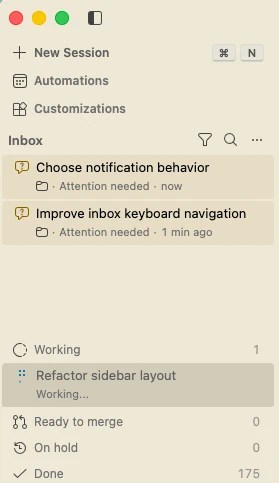
The new Inbox Mode groups sessions into Attention needed, Working, Ready to merge, On hold and Done. Developers enable sessions.list.inboxEnabled in settings, then select Grouping → Inbox Mode in the Agents window. Sessions can be dismissed, snoozed or placed on hold without being deleted. Dismiss is not Archive: completion requires marking a session Done.
An additional experimental setting, sessions.list.inlineActions, lets developers request fixes for failed checks or code-review comments directly from the session list. Those actions send work to the corresponding background session and do not silently grant new permissions. The workflow resembles the activity management described in BitcoinVersus.Tech’s Zellij 0.46 terminal-session report, but the products coordinate different kinds of work.
Model comparisons and detachable chats
The Compare Models preview runs a common prompt through several candidate models and can use a judge and synthesizer to evaluate or consolidate their responses. Version 1.146 adds Copilot Fusion support, including effort tiers, plus optional agent-accessible comparison tools under sessions.chat.compareAgents.tools.enabled. Automated comparison remains disabled by default. No universal quality improvement is established merely by generating a synthesized result; review still requires tests, reproducible prompts and attention to cost.
Detachable chat windows can hold conversations, editors and terminals arranged around a task. The setting sessions.chatWindows.enabled is off by default in Stable and enabled by default in Insiders. Sessions can be moved between windows and restore after restart. Related BitcoinVersus.Tech reporting on Copilot Fusion covers the orchestration concept, while Copilot Projects coverage examines multi-repository coordination.
Microsoft’s July 24, 2026 demonstration of the redesigned Agents window editor panel. Credit: Visual Studio Code/YouTube. The archived demonstration supplies interface context; 1.146’s detachable chat window is documented separately in Microsoft’s release notes.
The February 2027 migration deadline
Microsoft says the Copilot harness, built on the Copilot SDK and already the default for new sessions since version 1.143, supports background operation through Agent Host. Enterprise-managed sandbox and permissions policies apply through the newer harness. The older Local harness is frozen for feature work in 1.146 and is scheduled for removal in February 2027, along with the vscode.temporaryDefaultToLocalHarness enterprise setting.
Administrators should inventory legacy sessions, customizations and organization policy before upgrading workflows, then validate the replacement in an isolated repository. The new release also lets supported Copilot CLI sessions transfer into VS Code with /code; session history follows, but CLI-specific tool approvals do not. The feature requires Copilot CLI 1.0.107 or newer and experimental mode.
The development reflects an editor evolving into an agent-workflow manager, not evidence that autonomous software changes can be merged without oversight. Migration testing, permission review and reproducible code checks remain central as the deadline approaches.
Primary sources and verification
Primary documentation: Microsoft VS Code 1.146 release notes, November 11, 2026; official Agents window documentation; previous 1.145 release; official Agents window overview; and official editor-panel demonstration. Preview and experimental labels reflect Microsoft documentation, not verified production-readiness benchmarks.
Editor’s Note: The November 11 stable release, opt-in feature flags and February 2027 Local harness removal date were verified against Microsoft’s official release notes. The original 1200 × 630 photorealistic cover depicts a fictional developer and approximate software interface, not a documentary Microsoft screenshot. The in-story Inbox Mode screenshot is authentic Microsoft release media. Two official VS Code videos are archival interface explanations, not November 11 launch footage. Saved embed markup and playback are separate checks; successful end-user playback is not assumed.
Support BitcoinVersus.Tech
Optional 5,000-satoshi contributions help support independent reporting about software and systems engineering. Scan the original BitcoinVersus.Tech QR on a second device using a compatible Bitcoin wallet. On a phone, save the image and import it into a wallet that supports scanning stored QR images. Verify the recipient and amount before authorizing payment.

BitcoinVersus.Tech is volunteer-run and works to keep its independent technical journalism verifiably true. Contributions are voluntary, and Bitcoin transactions are generally irreversible. Confirm recipient 3C9o19EH5HSiwEPyCTmEKzxhNCbo2X6TTb and 5,000 satoshis before sending. Reporting is informational and not a guarantee of software quality, enterprise security compliance or investment performance.


Leave a Reply