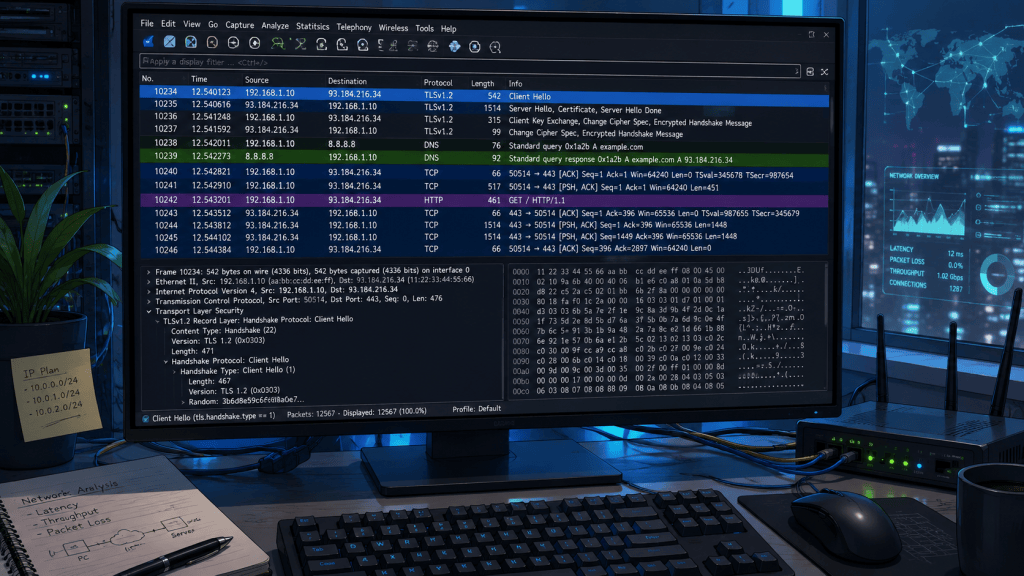
Packet capture is a network analysis technique used to collect and inspect individual packets of data traveling across a computer network.
Instead of only seeing whether a connection is working, packet capture allows engineers, administrators, and cybersecurity professionals to examine what is actually moving between devices.
A capture can reveal source and destination IP addresses, ports, protocols, packet timing, connection states, errors, retransmissions, and other details that help explain network behavior.
Tools such as Wireshark and tcpdump are commonly used to capture network traffic from Ethernet, Wi-Fi, servers, virtual machines, firewalls, and other network interfaces.
The captured information is often stored in PCAP or PCAPNG files, which can later be filtered and analyzed. An engineer might filter traffic by IP address, TCP or UDP port, protocol, or specific session to isolate a problem instead of reviewing thousands of unrelated packets.
Packet capture is especially useful when troubleshooting issues that are difficult to diagnose from a normal graphical interface.
DNS failures, TCP connection problems, DHCP configuration issues, excessive retransmissions, latency, dropped packets, malformed traffic, and application communication problems can often be identified directly from the packet stream.
A capture of a TCP connection, for example, can show the SYN, SYN-ACK, and ACK packets involved in the TCP three-way handshake and reveal where a connection attempt stops.
Cybersecurity teams also rely heavily on packet analysis. Suspicious connections, scanning activity, command-and-control traffic, unusual DNS requests, unexpected protocols, and other indicators of compromise may appear inside captured network traffic. Packet capture therefore sits at the intersection of network administration, cybersecurity, incident response, and digital forensics.
Modern networks increasingly use encryption, meaning packet capture does not automatically reveal the contents of every communication.
HTTPS, SSH, VPN tunnels, and encrypted application protocols may hide payload data while still exposing useful metadata such as IP addresses, ports, packet sizes, timing, and connection patterns.
Engineers can combine this information with firewall logs, system logs, SIEM platforms, and endpoint telemetry to build a more complete picture of network activity.
For technicians learning networking, packet capture provides one of the clearest ways to understand how protocols operate outside of diagrams and textbooks. Watching ARP requests, DNS queries, ICMP packets, TCP handshakes, and application traffic move across an interface turns abstract networking concepts into observable events.
Whether diagnosing a failed server connection or investigating suspicious traffic, packet capture remains one of the most important visibility tools available to modern network engineers.


Leave a Reply