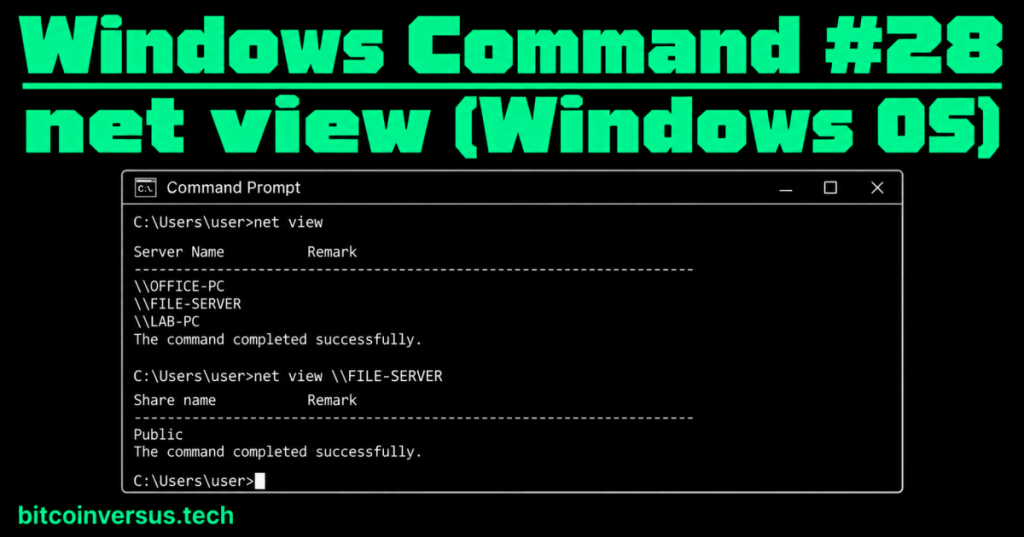
net view lets you view Windows computers or shared resources that are visible to the command.
The easiest way to remember it is:
net share: “What is this computer sharing?”net view: “What computers or shared resources can I view?”
Start with the smallest command
net viewWith no computer name added, net view can display computers available in the current network/domain browsing context.
A simple example might look like this:
Server Name
-------------------------
\\OFFICE-PC
\\FILE-SERVER
\\LAB-PC

The command completed successfully.
The names beginning with \\ are Windows network computer names.
Video 1: Viewing and managing Windows network shares from Command Prompt
View the shares on one computer
If you already know the computer name, add it after net view:
net view \\FILE-SERVERThis asks Windows to show resources shared by the computer named FILE-SERVER.
A simple result might include:
Share name
-------------------------
Public
Projects
That does not automatically mean your account has permission to open every share. It means the resource was listed for you; access permissions are a separate question.
A simple office example
Your team tells you that shared files are stored on a computer named FILE-SERVER.
First, ask what it is sharing:
net view \\FILE-SERVERIf you see a share named Public, its normal UNC path would be:
\\FILE-SERVER\PublicUNC is simply the common Windows format for naming a network computer and one of its shared resources.
Video 2: Windows network sharing
Why might net view show less than you expect?
A computer being connected to the same network does not guarantee that it will appear in every browsing list. Windows discovery and sharing settings, firewall rules, network configuration, permissions, and the target computer’s services can all affect what is visible.
So if net view does not show a computer, do not immediately conclude that the computer is powered off.
Video 3: Network Discovery troubleshooting
How the last three Windows commands fit together
- net use — connect to or inspect network resource connections.
- net share — display or manage resources shared by the local computer.
- net view — display computers or resources shared by a specified computer.
A simple memory trick is: use = connect, share = offer, view = look.
Simple data-center example
A technician is given a Windows file server named OPS-FILE-01 and needs to confirm which ordinary shares are being advertised to the account.
net view \\OPS-FILE-01The result gives the technician a quick starting point before opening File Explorer or mapping a share.
Common beginner mistakes
- Confusing
net viewwithnet share. - Forgetting the two leading backslashes before a computer name.
- Assuming every computer on the physical network must appear in
net view. - Assuming a listed share automatically means your account can open it.
- Assuming an empty or failed result proves the remote computer is offline.
Quick practice
Use only computers and network resources you are authorized to access.
- Open Command Prompt.
- Run
net view. - Choose an authorized Windows computer name from your lab.
- Run
net view \\COMPUTER-NAME. - Explain the difference between a computer name and a share name.
- Explain the difference between
net shareandnet view.
Key takeaway
net view is a simple Windows command for viewing network computers or resources shared by a specified computer. Use net view for the browsing list, and net view \\ComputerName when you want to ask what that specific computer is sharing.


Leave a Reply