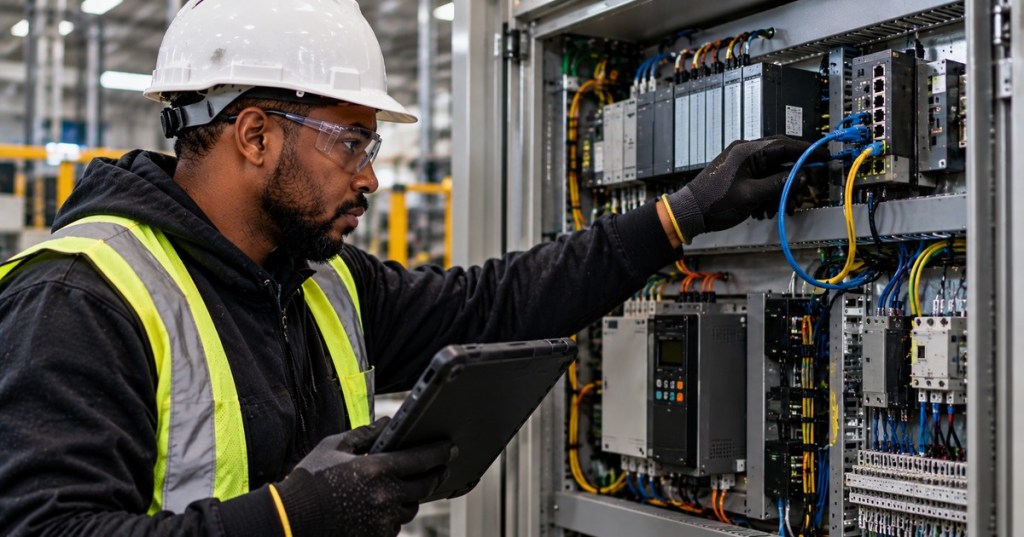
EtherNet/IP is an industrial automation protocol that carries the Common Industrial Protocol, or CIP, over standard Ethernet, IP, TCP, and UDP. For a technician, the important distinction is that a working Ethernet link does not automatically mean the EtherNet/IP application is healthy. IP addressing, CIP connections, Requested Packet Interval settings, device roles, I/O assemblies, switch behavior, and network load can all affect communication.
This lesson follows OSETC.032: Modbus RTU Over RS-485 and OSNTC.031: Modbus TCP over Ethernet. Modbus TCP introduced industrial communication over standard Ethernet. EtherNet/IP adds CIP’s object model, connection management, cyclic I/O, device profiles, and producer-consumer communication.
KEB America demonstrates EtherNet/IP implicit messaging in Logix 5000, including cyclic I/O exchange between a controller and a drive.
Learning Objectives
- Explain the relationship between Ethernet, IP, TCP/UDP, EtherNet/IP, and CIP.
- Distinguish explicit messaging from implicit I/O messaging.
- Identify the common EtherNet/IP ports used by many devices.
- Explain Scanner and Adapter roles.
- Explain Requested Packet Interval, or RPI.
- Distinguish unicast and multicast I/O behavior.
- Use a layered troubleshooting sequence for connection faults and timeouts.
- Recognize why industrial Ethernet networks require segmentation, monitoring, and security controls.
EtherNet/IP Uses Standard Ethernet and IP
ODVA defines EtherNet/IP as CIP implemented over standard Ethernet and the TCP/IP protocol suite. Standard switches, IP addressing, subnetting, routing, TCP, and UDP therefore remain relevant. EtherNet/IP does not replace Ethernet or IP; it uses them as the transport foundation for industrial automation data.
ODVA’s EtherNet/IP technology overview explains that CIP provides the upper-layer industrial services while standard Ethernet, TCP/IP, and UDP carry those services across the network.
CIP Is the Industrial Application Layer
CIP is object-oriented. Devices expose standardized and vendor-specific objects with attributes, services, and behaviors. That lets a controller or engineering tool interact with device identity, configuration, diagnostics, parameters, and real-time I/O through a common architecture.
This is one major difference from Modbus. Modbus is organized around coils and registers. CIP describes device functionality through objects and connections. A technician should therefore expect EtherNet/IP documentation to reference assemblies, instances, attributes, services, connection IDs, and device profiles rather than only register addresses.
Explicit Messaging
Explicit messaging is normally request-and-response communication used for configuration, diagnostics, parameter access, and other non-time-critical transactions. ODVA documents explicit messages as point-to-point CIP communications that use TCP/IP services.
A technician may encounter explicit messaging when a PLC reads a drive parameter, an engineering workstation queries device identity, or a controller sends a one-time configuration command. The application asks for a specific service, object, instance, or attribute and waits for the response.
KEB America demonstrates EtherNet/IP explicit messaging in Logix 5000 and shows how request-and-response parameter access differs from cyclic I/O transfer.
Implicit Messaging
Implicit messaging is the cyclic I/O path. ODVA describes implicit connections as application-specific I/O data transferred at regular intervals. Rockwell Automation’s current EtherNet/IP network documentation states that implicit messages use UDP and can operate as unicast or multicast.
The data layout is normally known ahead of time through an assembly or device profile. Because the devices already know what the bytes mean, cyclic I/O can move efficiently without repeating a full configuration-style request for every update.
Scanner and Adapter Roles
In common EtherNet/IP terminology, a Scanner originates real-time I/O connection requests and manages I/O relationships. A PLC controller often performs the Scanner role. An Adapter accepts I/O connection requests and exchanges real-time data after the connection is established. Remote I/O racks, drives, robots, valve manifolds, and instrumentation may act as Adapters.
Do not confuse Scanner and Adapter with Ethernet switch roles. They describe CIP communication behavior, not Layer 2 switching.
Common Ports
- TCP 44818 — commonly used for EtherNet/IP encapsulation and explicit messaging.
- UDP 44818 — also used by EtherNet/IP services on many products.
- UDP 2222 — commonly used for EtherNet/IP I/O traffic.
Rockwell Automation’s current product documentation lists TCP/UDP 44818 for EtherNet/IP and UDP 2222 for EtherNet/IP I/O on applicable devices. These are useful troubleshooting references, but technicians must still verify the actual product manual and security policy because a device may implement additional services or restrict traffic differently.
Requested Packet Interval
The Requested Packet Interval, or RPI, defines the requested cyclic update interval for an I/O connection. A smaller RPI requests more frequent updates and therefore increases packet rate. A larger RPI lowers update frequency and network load but also changes how quickly fresh I/O data arrives.
Rockwell Automation documents RPI as the rate at which data is exchanged between the controller and device. Valid ranges depend on the product. Do not copy an RPI from one module to another without checking that device’s supported range and the application’s real response-time requirement.
Setting every device to the fastest possible RPI is poor engineering. Hundreds of devices generating unnecessary high-rate traffic can overload controllers, adapters, links, switch queues, or diagnostic tools without improving the actual process.
Unicast Versus Multicast
Unicast sends a packet to one destination. Multicast allows one producer to send data that multiple consumers can receive. EtherNet/IP’s producer-consumer model can use multicast for efficient one-to-many I/O distribution.
Multicast still has to be engineered. On a poorly segmented network, excessive broadcast or multicast traffic can consume endpoint resources and switch bandwidth. Managed switches, proper VLAN design, IGMP-related features where applicable, and sensible I/O connection settings can keep industrial traffic predictable.
A 2026 r/PLC troubleshooting discussion examines an EtherNet/IP Adapter that becomes unstable on a large flat plant network and raises the practical question of whether broadcast traffic and weak segmentation are overwhelming the endpoint.
Electronic Data Sheets and Device Profiles
An EDS file describes device identity and communication capabilities so configuration software can recognize and integrate the device. Some controller platforms also use Add-On Profiles or vendor-specific device packages that expose richer configuration information.
If a controller reports electronic keying, product-code, revision, or module-definition errors, verify that the configured device actually matches the installed hardware and firmware. A physically reachable IP address does not prove that the controller’s expected device profile matches the real device.
Troubleshooting EtherNet/IP in Layers
- Power: confirm the PLC, Adapter, switch, and field device are powered and healthy.
- Physical link: check connectors, cable damage, link LEDs, port errors, and negotiated speed/duplex.
- IP addressing: confirm IP address, subnet mask, gateway, and duplicate-address conditions.
- Basic reachability: use approved tools such as
ping, ARP or neighbor-table inspection, and switch diagnostics. - Ports: confirm required EtherNet/IP services are reachable where policy permits.
- Device identity: verify the correct Adapter, firmware revision, EDS/AOP, and electronic-keying expectations.
- CIP connection: inspect connection fault codes rather than assuming every failure is an Ethernet problem.
- RPI: confirm the requested interval is supported and sensible.
- Unicast or multicast: verify that the configured connection type is supported and that the network handles it correctly.
- Packet capture: when authorized, use Wireshark or switch port mirroring to inspect TCP sessions, UDP I/O, retransmissions, ARP, multicast, and connection timing.
Connection Timeouts Are Symptoms
An EtherNet/IP timeout does not identify one universal root cause. Possible causes include a physical link problem, duplicate IP address, excessive network traffic, incompatible connection settings, RPI outside the supported range, controller resource limits, endpoint overload, switch configuration, device firmware, or an application-side connection fault.
A field discussion shows why adding more EtherNet/IP devices can expose controller-resource or connection-management limits even when cabling and raw Ethernet bandwidth appear adequate.
Security Matters
Industrial controllers and I/O should not be placed on uncontrolled flat networks merely because EtherNet/IP uses standard Ethernet. ODVA recommends defense-in-depth approaches and publishes CIP Security for supported devices. Practical controls include network segmentation, managed access between zones, firewall policy, asset inventory, switch monitoring, firmware management, and restricting engineering access to authorized systems.
Do not expose industrial EtherNet/IP services directly to untrusted networks. Security design should follow the device vendor’s guidance and the organization’s industrial-control security architecture.
Practice Lab
- Use an authorized lab with one EtherNet/IP Scanner and one Adapter.
- Record the MAC address, IP address, subnet mask, and firmware revision of each device.
- Verify physical link and basic IP reachability.
- Identify the EDS or device profile used by the controller software.
- Create one cyclic I/O connection at a conservative supported RPI.
- Identify whether the connection is unicast or multicast.
- Record the Input, Output, and Configuration assembly information if the device exposes it.
- Capture authorized traffic and identify TCP 44818 and UDP I/O traffic where applicable.
- Increase the RPI and compare packet frequency.
- Disconnect the Adapter and record the controller’s connection fault and recovery behavior.
Knowledge Check
- What protocol does EtherNet/IP use at its industrial application layer?
- What is the main difference between explicit and implicit messaging?
- Which transport does implicit I/O commonly use?
- What does RPI control?
- What is the difference between a Scanner and an Adapter?
- Which UDP port is commonly associated with EtherNet/IP I/O?
- Why can a successful ping still coexist with a failed EtherNet/IP connection?
- Why can an unnecessarily small RPI cause problems?
Answers
- CIP, the Common Industrial Protocol.
- Explicit messaging is normally request-response configuration or parameter access; implicit messaging carries cyclic real-time I/O data.
- UDP.
- The requested cyclic data-update interval for an I/O connection.
- A Scanner originates and manages I/O connections; an Adapter accepts those connections and exchanges I/O data.
- UDP 2222 on many EtherNet/IP products.
- Ping proves only basic IP/ICMP reachability; CIP connection settings, device identity, ports, RPI, assemblies, or application configuration can still be wrong.
- It increases packet rate and can waste controller, endpoint, and network resources without improving the process.
Key Takeaway
Troubleshoot EtherNet/IP from the bottom up. Prove power and Ethernet first, then IP addressing and reachability, then EtherNet/IP services, then CIP identity and connection settings, then RPI and I/O behavior. Do not treat every timeout as a bad cable and do not treat every successful ping as proof that industrial I/O is healthy.
Primary references: ODVA — EtherNet/IP, ODVA — EtherNet/IP Technology Overview, and Rockwell Automation — EtherNet/IP Network Devices User Manual.
BitcoinVersus.Tech Editor’s Note: Industrial Ethernet troubleshooting can affect active control systems. Use only authorized diagnostic tools, follow site change-control procedures, and avoid making network or controller changes on production equipment without an approved rollback plan.
Support independent technology education: Bitcoin donations help fund BitcoinVersus.Tech research and publishing.
BitcoinVersus.Tech provides technical education and analysis for informational purposes only.


Leave a Reply