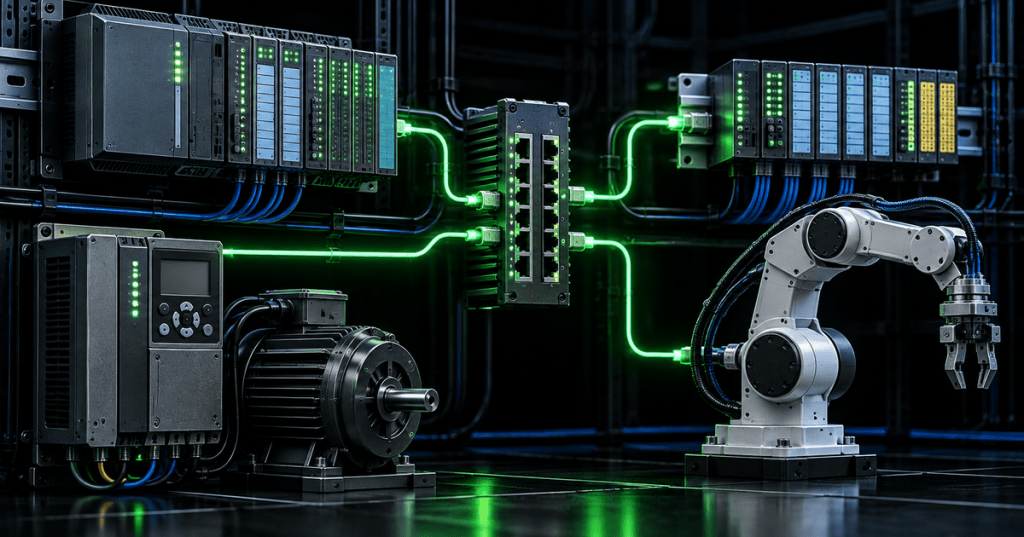
PROFINET is an Industrial Ethernet protocol used to exchange data between automation controllers and field devices. For a field technician, the most important ideas are knowing which device is the controller, which equipment is an IO device, how PROFINET device names and IP addresses are used, where the GSDML file fits, and how to separate a physical-network fault from a configuration fault.
This lesson follows OSNTC.032: EtherNet/IP Basics, OSNTC.031: Modbus TCP over Ethernet, and OSETC.032: Modbus RTU over RS-485. Those lessons make it easier to compare how different industrial networks identify devices and move process data.
PI North America’s MinutePROFINET introduction explains what PROFINET is and how it relates to standard Ethernet.
What You’ll Learn
- Explain the difference between PROFINET and Ethernet.
- Identify the Controller, Device, and Supervisor roles.
- Understand why the PROFINET device name matters during commissioning.
- Explain what DCP does.
- Understand the purpose of IP addressing in a PROFINET system.
- Explain what a GSDML file contains.
- Distinguish normal Ethernet traffic from PROFINET Real-Time traffic.
- Use a repeatable field workflow for commissioning and troubleshooting.
- Recognize common faults involving duplicate names, wrong device names, bad GSDML files, cabling, switches, and addressing.
PROFINET Is Not the Same Thing as Ethernet
Ethernet provides the underlying physical and data-link networking technology. PROFINET is an industrial communication protocol that uses Ethernet to exchange automation data. PI North America describes PROFINET as an open Industrial Ethernet standard designed for communication between controllers and devices.
This distinction matters during troubleshooting. A link light can prove that an Ethernet link exists, but it does not prove that the PROFINET configuration is correct. A technician can have good cabling, a working switch port, and successful Ethernet connectivity while the IO relationship still fails because of a wrong device name, wrong configuration, or device mismatch.
The Three PROFINET Roles
- IO Controller: usually a PLC, PAC, DCS controller, or another controller running the automation program. It provides output data and consumes input data.
- IO Device: remote I/O, drive, VFD, robot, encoder, sensor, gateway, process instrument, or another field device that exchanges cyclic data with the controller.
- IO Supervisor: an engineering workstation, programming device, PC, or HMI used for commissioning and diagnostics.
Thinking in these three roles makes a network easier to read. During commissioning, ask which controller owns the IO relationship, which physical device is expected at each configured position, and which engineering tool is being used to discover or configure the network.
The Device Name Is Critical
PROFINET field devices use a symbolic device name as part of the commissioning and startup process. PI documentation explains that an engineering tool can assign the device name through the Discovery and basic Configuration Protocol, or DCP. The controller can then use that configured identity when bringing the IO system online.
This creates a common field problem: a replacement device may be physically connected, have link lights, and even have an IP address, but the controller may still reject it because the PROFINET device name does not match the project configuration.
A PLC troubleshooting discussion shows how duplicate or incorrect PROFINET device names can fault otherwise connected remote-I/O systems after networks are combined.
What DCP Does
DCP is used for PROFINET discovery and basic configuration. It helps an engineering tool find devices on the local network and assign identity information such as the PROFINET device name. PI system documentation also describes the controller using the configured name during startup to resolve the device and apply IP information.
For a technician, this means DCP is especially important before normal cyclic IO exchange begins. If a device cannot be discovered locally, check the physical connection, the selected PC network adapter, VLAN or routing boundaries, switch configuration, and whether the tool is attached to the correct Layer-2 network.
Device Name vs. IP Address
Both matter, but they serve different purposes. PI documentation states that unique IP addresses are used for IP-based functions such as configuration, diagnostics, and parameterization. Time-critical PROFINET IO traffic can use its real-time Ethernet mechanisms rather than relying on the normal TCP/IP processing path.
A technician should therefore avoid assuming that a successful ping proves the IO configuration is correct. Ping tests IP reachability. It does not validate the configured PROFINET device name, the expected module layout, or the controller’s IO relationship with that device.
A PLC community discussion captures a frequent commissioning lesson: correct IP information alone may not restore a PROFINET IO device when its configured device name is missing or wrong.
What Is a GSDML File?
A PROFINET GSD file is written in XML, so it is commonly called a GSDML file. PI describes it as the device-description file containing configuration information, parameters, modules, diagnostics and alarms, plus vendor and device identification.
The engineering software uses the GSDML information to understand what modules and submodules the device supports and what the controller should expect. A missing, incorrect, or incompatible GSDML version can therefore produce configuration or device-mismatch faults even when the Ethernet network itself is healthy.
How PROFINET Real-Time I/O Works
PI documentation separates non-time-critical communication from PROFINET Real-Time communication. Configuration, diagnostics, and parameterization can use TCP/IP or UDP/IP. Time-critical PROFINET RT frames use Ethernet EtherType 0x8892 and can be delivered directly from Ethernet to the PROFINET application without normal TCP/IP processing.
This is one reason technicians should not think of every PROFINET problem as an ordinary IP-networking problem. The physical Ethernet infrastructure is shared, but cyclic industrial IO behavior has additional protocol rules and timing requirements.
PROFINET also defines Isochronous Real-Time, or IRT, for more demanding synchronized motion applications. IRT is an advanced feature; most field troubleshooting starts with basic link health, naming, configuration, device identity, and standard RT communication before moving into synchronization analysis.
PI North America demonstrates the standard PROFINET configuration workflow: import device information, configure the network, download the configuration to the controller, and establish automatic data exchange.
Switches and Topology
PROFINET can operate across standard full-duplex Ethernet switching infrastructure that meets the required performance. PI documents line, star, tree, and ring topologies. In real industrial installations, managed switches are often valuable because diagnostics such as port status, error counters, topology information, SNMP data, and LLDP neighbor information can shorten troubleshooting time.
LLDP is especially useful because topology-aware engineering tools can identify neighboring devices and ports. When a cable has been moved to the wrong switch port or the actual topology no longer matches the project, LLDP information can help show where the physical network differs from the intended design.
A Field Troubleshooting Workflow
- Start with safety. Follow machine-specific safe-state, LOTO, and access procedures before opening panels or moving cables.
- Check power and link. Verify the device is powered and the expected Ethernet port shows link/activity.
- Inspect the physical path. Check connectors, industrial Ethernet cable, switch port, shielding, obvious damage, and recent changes.
- Confirm the correct controller. Identify which PLC or controller owns the IO device.
- Read diagnostics. Check the controller, device LEDs, engineering software, and managed-switch information before changing configuration.
- Verify the PROFINET device name. Compare the live device name with the project configuration exactly.
- Check IP information. Confirm there are no duplicate addresses and that the management address and subnet are appropriate.
- Confirm the device identity. Make sure the physical part, firmware, vendor/device identity, and installed GSDML match what the project expects.
- Check modules and slots. A remote-I/O head may be reachable while the configured module order or submodule layout is wrong.
- Check topology. Use switch and LLDP information when available to confirm the device is connected where expected.
- Capture traffic only after basic checks. If the fault remains, a packet capture can help distinguish DCP discovery, PROFINET RT traffic, and higher-level IP communication.
- Change one thing at a time. Document the original configuration before renaming, readdressing, replacing, or downloading to a device.
Common PROFINET Faults
- Wrong device name: the controller cannot match the physical device to its configured identity.
- Duplicate device name: multiple devices compete for an identity that should be unique within the IO system.
- Duplicate IP address: diagnostics and engineering access can become unreliable even when some Layer-2 functions still appear active.
- Wrong GSDML or device version: the engineering project expects a different device or module structure.
- Module mismatch: the physical remote-I/O modules do not match the configured slots or subslots.
- Bad cable or connector: intermittent link, CRC errors, or complete loss of communication.
- Wrong switch or VLAN path: discovery may fail because the engineering station and device are not on the same required local network.
- Wrong PC adapter: the engineering tool sends discovery traffic through a different interface than the one connected to the machine network.
- Topology mismatch: a device or cable has been moved and the actual installation no longer matches the configured network.
Hands-On Exercise
- Use a training PLC or simulator with one PROFINET IO device or remote-I/O station.
- Identify the IO Controller, IO Device, and engineering Supervisor.
- Record the device’s MAC address, configured PROFINET name, IP address, and physical switch port.
- Open the engineering tool’s device-discovery view and confirm that the physical device can be discovered locally.
- Compare the live device name with the configured project name.
- Review the device’s GSDML-derived module layout in the engineering project.
- Record the controller diagnostics while the device is healthy.
- In a controlled training environment, intentionally change the device name or disconnect the Ethernet link and observe how the fault presentation differs.
- Restore the original configuration and confirm that cyclic IO returns without introducing any additional changes.
- Document the symptoms, root cause, and recovery steps as if writing a field-service report.
Knowledge Check
- What is the difference between Ethernet and PROFINET?
- What are the three major PROFINET roles?
- Why can a device have good Ethernet link but still fail as a PROFINET IO device?
- What protocol is used for PROFINET discovery and basic configuration?
- Why is the PROFINET device name important?
- What is a GSDML file?
- Does a successful ping prove that cyclic PROFINET IO is correct?
- What EtherType identifies PROFINET Real-Time frames?
- Why are managed-switch and LLDP diagnostics useful?
- What should a technician verify before replacing or renaming a field device?
Answers
- Ethernet is the underlying networking technology; PROFINET is the industrial automation protocol using that Ethernet infrastructure.
- IO Controller, IO Device, and IO Supervisor.
- Physical Ethernet connectivity does not validate the device name, project configuration, device identity, module layout, or IO relationship.
- DCP, the Discovery and basic Configuration Protocol.
- The configured identity is used to match the physical IO device to the controller’s project.
- An XML device-description file containing configuration, module, parameter, diagnostic, alarm, vendor, and device information.
- No. Ping verifies IP reachability only.
- 0x8892.
- They can expose port health, topology, neighbors, and network changes that are not obvious from the PLC alone.
- The original device name, addressing, exact hardware identity, configuration, module layout, firmware requirements, physical port, and safe replacement procedure.
Key Takeaway
PROFINET troubleshooting becomes much easier when you separate physical Ethernet health from PROFINET identity and configuration. Check power and link first, then the device name, DCP discovery, IP information, GSDML/device match, module configuration, topology, and controller diagnostics in a deliberate order.
References
Primary references: PI North America — PROFINET Basics FAQ, PI North America — PROFINET Controller vs. Device, PI North America — PROFINET Product Development and GSDML, and PI North America — PROFINET Configuration Demonstration.
Next: OSNTC.034 will continue the industrial networking sequence with another field-level protocol or troubleshooting skill.
Safety: industrial network troubleshooting can place technicians near energized control equipment and moving machinery. Follow site procedures, LOTO requirements, arc-flash boundaries, and approved diagnostic practices before opening enclosures or disturbing field wiring.


Leave a Reply