
Microsoft released Visual Studio Code 1.144 on October 28, 2026, expanding the free code editor’s AI-assisted development tools with persistent agent sessions, multi-model comparisons and experimental desktop-app control. Developers can now follow supported coding tasks across VS Code, GitHub’s website, its mobile app and the Copilot command-line interface without restarting the conversation each time they switch tools.
The update continues GitHub’s shift from AI autocomplete toward agents that can edit files, run tools and carry work through a software-development workflow. GitHub’s October 28 release notes also introduce new controls for reviewing changes and choosing the models that perform a task. Not every feature is generally available; several remain previews or experiments.
Agent Sessions Can Outlive the Editor Window
The new Agent Host runs separately from the editor window, allowing supported local sessions to continue after that window closes. Cloud sessions run on GitHub infrastructure and can be reopened from another client even when the developer’s computer is offline. Local and remote-hosted sessions still require their respective machines to remain running. An open Agent Host Protocol lets compatible clients communicate with those sessions.
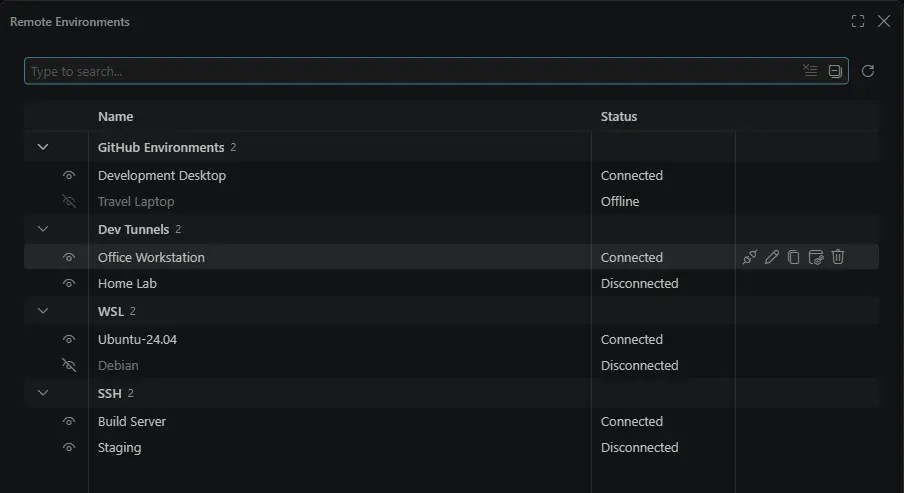
The practical benefit is continuity: a programmer can begin investigating a failing test on a workstation, check the agent’s progress from a phone and return to inspect changes in the editor. GitHub notes that its new cloud experience requires a paid Copilot plan and may be restricted by organizational policy.
Patrick Nikoletich demonstrates cross-device Copilot sessions and the Agent Host Protocol during GitHub Copilot Day.
The open protocol also matters to developers building their own interfaces. Rather than binding an agent to a single chat window, a client can reconnect to an existing session and receive its current state.
Copilot Fusion Chooses Models for Coding Tasks
Copilot Fusion is now generally available and can choose one or more models, reasoning effort and execution patterns for a request. The accompanying model-comparison interface runs the same prompt against different models so developers can examine alternative solutions. Fusion’s higher effort levels depend on the subscription tier, and multiple model calls can incur separate charges.
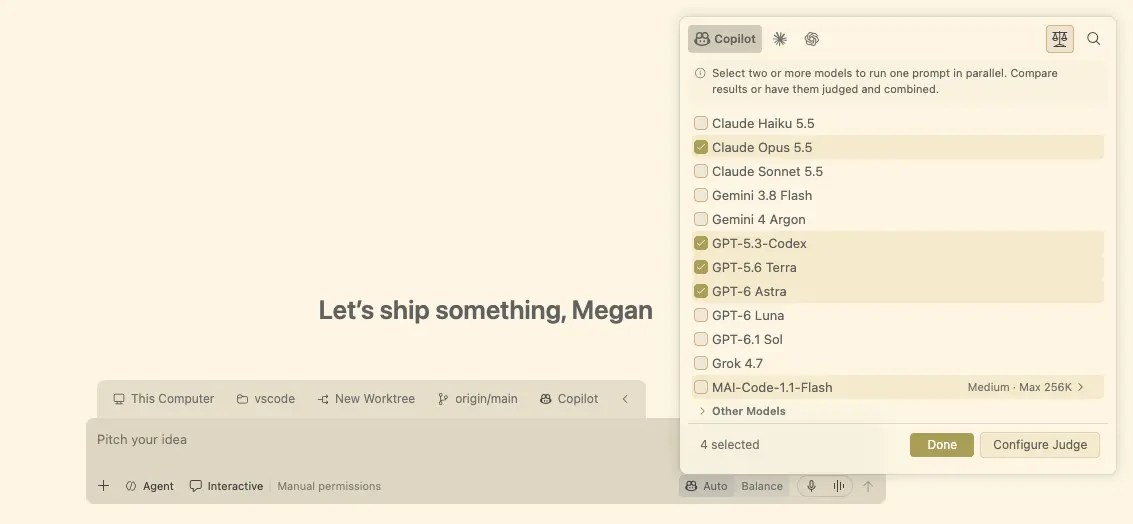
This does not remove the need for code review or tests. A generated patch may pass a benchmark yet introduce security issues, regressions or incompatible dependencies. VS Code’s experimental working set adds controls to keep or undo agent edits, although edits made through terminal commands do not appear there.
GitHub’s October 2026 Universe keynote recap demonstrates Copilot Fusion and other new developer tools.
Another experimental feature allows Copilot agents on macOS and Windows to interact with desktop applications, subject to user approval and organizational controls. Separately, assisted permissions can approve tool actions assessed as low risk, while higher-risk or uncertain actions still require confirmation. The result is a more capable coding workflow—but one where permissions, test evidence and a developer’s final review remain essential.
BitcoinVersus.Tech
BitcoinVersus.Tech Editor’s Note: We volunteer daily to ensure the credibility of the information on this platform is Verifiably True. If you would like to support our work and help further secure the integrity of our research initiatives, please scan the QR code below to donate 5,000 sats. For best results, scan the QR code from a laptop or larger screen.
Bitcoin address: 3C9o19EH5HSiwEPyCTmEKzxhNCbo2X6TTb. Confirm the destination address before sending.

BitcoinVersus.tech is not a financial advisor. This media platform reports on financial subjects purely for informational purposes.


Leave a Reply