
An OSPF router does not learn a complete network map from a single routing update. Routers exchange link-state advertisements (LSAs), maintain a link-state database (LSDB), and calculate a shortest-path tree using the Shortest Path First (SPF) algorithm. As topologies grow beyond a single router, recognizing the information contained in each LSA becomes essential for finding routing faults without guessing.
OSNEC.005 builds directly on OSNEC.001 — OSPF Fundamentals and OSNEC.004 — OSPF Areas and ABRs. Earlier lessons introduced route metrics, Area 0, and inter-area routing. The engineering objective now is to explain where routing information comes from, how it travels, and how routers turn it into preferred paths.
Learning Objectives and Prerequisites
- Explain the difference between an OSPF packet, an LSA, the LSDB, the SPF tree, and the installed routing table.
- Identify OSPFv2 LSA types 1, 2, 3, 4 and 5, plus the NSSA Type 7 extension, including their originators and flooding scopes.
- Read the major LSA header fields: type, Link State ID, Advertising Router, sequence, checksum, and age.
- Perform a worked shortest-path cost comparison and identify a lowest-cost route.
- Use documented Cisco IOS/IOS XE show commands to inspect OSPF neighbors, LSA records, and installed routes.
- Distinguish absent topology evidence from a database synchronization failure, a missing summary, or an external route problem.
Prerequisites include basic IPv4 addressing, OSPF adjacencies, and the ability to interpret a routed interface’s cost. Review route summarization fundamentals and OSPF default route origination if those ideas remain unfamiliar.
How a Link-State Router Builds Its View of the Network
Open Shortest Path First, standardized for IPv4 as RFC 2328, is a link-state interior gateway protocol. Each router originates advertisements describing eligible local topology information and exchanges them with adjacent OSPF neighbors. A router stores accepted advertisements in its LSDB, runs SPF for the relevant area, and evaluates routing candidates for installation into its routing information base. The forwarding table used to move packets is a further implementation-dependent stage.
Link-state flooding is not equivalent to a distance-vector router periodically sending its entire routing table. OSPF distributes advertisements describing a graph of routers, links, transit networks, and reachability. Routers use that graph to calculate paths locally. Within an area, routers with synchronized, fully established adjacencies converge toward consistent area-specific topology data, while an Area Border Router maintains data for each attached area.
Practical Networking, “OSPF Framework & OSPF Packets: LSDB, LSA, Hello, DBD, LSR, LSU, LSAck” (March 8, 2022). Demonstrates the distinction between the neighbor table, LSDB, route table, and five OSPF packet types. Video metadata was checked; playback remains a separate release check.
Five OSPF Packet Types Are Not the Same as LSA Types
OSPFv2 exchanges Hello packets to discover or maintain neighbors. Database Description (DBD) packets summarize LSDB contents; Link State Request (LSR) packets request particular LSA instances; Link State Update (LSU) packets carry one or more complete LSAs; and Link State Acknowledgment packets confirm receipt. Those are packet types used for protocol exchange. LSA types instead identify the kind of topology information inside the updates. Confusing the two categories makes packet captures hard to interpret.
A neighbor in the 2-Way state is not automatically fully adjacent on a broadcast segment. Designated Router (DR) and Backup Designated Router (BDR) relationships influence which adjacencies exchange complete database information. A meaningful troubleshooting record should include the interface, neighbor state, router ID, area, and what database entries were expected.
OSPFv2 LSA Types and Their Roles
- Type 1 — Router-LSA: generated by every router for each area to which it belongs, describing the router’s area-local links, states and advertised costs. Flooded within that area.
- Type 2 — Network-LSA: generated by the Designated Router for qualifying multiaccess transit networks; lists attached routers. Flooded within the area. A point-to-point-only topology may contain no Type 2 records.
- Type 3 — Summary Network-LSA: originated by an Area Border Router to convey reachability to IP networks across area boundaries. The term summary does not guarantee that configured aggregation has been performed.
- Type 4 — Summary ASBR-LSA: originated by an ABR to describe the reachability of an Autonomous System Boundary Router (ASBR) for routers in other areas, subject to OSPF area rules.
- Type 5 — AS-External-LSA: originated by an ASBR to announce an eligible route redistributed from outside the OSPF routing domain. Flooded across appropriate non-stub areas; filtered from stub and NSSA areas by design.
- Type 7 — NSSA External-LSA: defined by RFC 3101 for external routing information inside a Not-So-Stubby Area; area-local Type 7 records may be translated by an NSSA border router into Type 5 advertisements where permitted.
RFC 2328 defines the five fundamental OSPFv2 LSA types. RFC 3101 adds the NSSA Type 7 extension; it does not mean that every OSPF deployment contains a Type 7 LSA. OSPFv3 introduces different LSA structures and additional types, so an OSPFv2 Type 3 should not be described as though it were an OSPFv3 inter-area-prefix advertisement without qualification.

Reading an LSA Header Without Confusing Router IDs and Prefixes
Every OSPFv2 LSA includes a standard 20-byte header. Its LS type, Link State ID, and Advertising Router jointly identify a database item. The Link State ID is interpreted according to the LSA type: for a Type 1 record it identifies a router; for a Type 3 record it relates to the advertised network. The Advertising Router is the Router ID of the device that originally generated the record, not necessarily the last neighbor that transmitted it.
The sequence number, checksum, and age help a router determine which LSA instance is newer and whether an advertisement is stale. The fields should be interpreted together under the RFC’s ordering rules; sequence numbers are not interface metrics, and differing ages alone are not proof that routers contain different topology versions.
A missing Type 3 LSA in a receiving area can reflect ABR configuration, area type, route filtering or missing reachability, rather than a failure of the SPF algorithm. A missing Type 5 in a stub area may be the expected design rather than a defect.
How Dijkstra’s Algorithm Selects a Lowest-Cost Tree
OSPF computes paths from the local router as the root of a shortest-path tree. Link metrics express cost, not throughput in bits per second or measured round-trip delay. The cost of a candidate path in a simplified directed graph is the sum of the relevant advertised outgoing link costs. Dijkstra’s algorithm repeatedly selects the nearest unsettled vertex, records its lowest known cost, and evaluates adjacent candidates. RFC 2328 specifies the actual graph and SPF stages for routers and transit network vertices.
Consider four routers in a hypothetical single OSPF area. For teaching purposes, assume the graph has symmetric costs and no transit-network vertex complications: R1–R2 costs 10, R1–R3 costs 25, R2–R3 costs 5, R2–R4 costs 20, and R3–R4 costs 5. R1 is the root.
- Initialize: the root R1 has cost 0; tentative neighbors are R2 at cost 10 and R3 at cost 25.
- Visit R2: cost 10 is the smallest unsettled value. Through R2, R3 improves to 10 + 5 = 15 and R4 receives tentative cost 10 + 20 = 30.
- Visit R3: its settled cost is 15. Through R3, R4 improves to 15 + 5 = 20.
- Visit R4: the best discovered cost is 20, reached by R1 → R2 → R3 → R4.
The alternate R1 → R3 → R4 path costs 25 + 5 = 30, while R1 → R2 → R4 costs 10 + 20 = 30. The three-link route is therefore selected by lowest total cost, despite containing more hops. The correct conclusion for the simplified example is 20 < 30, not that the fewest-hop route always wins.
Real OSPF paths also depend on topology connectivity, LSA consistency, destination type, route-preference rules, and the behavior of platform routing processes. Equal-cost candidate paths can lead to equal-cost multipath when supported and enabled. A better metric does not override a route that cannot be resolved from valid topology data.
Why the Area LSDB and Routing Table May Look Different
The LSDB stores advertisements, not one final forwarding row for every advertisement. Several advertisements may describe transit networks, ABRs, or external reachability; SPF and later route-selection stages construct candidate routes from their relationships. A network may appear in the LSDB yet not appear as an installed OSPF route because an equal or more preferred route from another source wins under local routing policy, because a path cannot be resolved, or because the destination is directly connected.
An Area Border Router may have distinct LSDB views for Area 0 and Area 10, while a router confined to Area 10 does not need every Type 1 and Type 2 record from Area 0. ABRs exchange inter-area information primarily through appropriate summary LSAs. The separation is the central reason OSNEC.004 examined backbone design and ABR roles before the present lesson.
Practical Networking (November 16, 2022), an OSPF LSDB topology reconstruction demonstration. The instructor reconstructs a network from Type 1, Type 2 and external LSAs. The video is an independent practical demonstration, not evidence of a live lab performed for the article.
Read-Only Router Diagnostics on Cisco IOS and IOS XE
Cisco’s OSPF command reference documents show commands for OSPF processes and LSDB contents. In an authorized network environment, begin by inspecting the neighbors and the overall database summary. The following examples are read-only diagnostic commands, not a claim that hardware was accessed for the lesson:
show ip ospf neighbor
show ip ospf database
show ip ospf database database-summary
Inspect the relevant LSA family after identifying the area and route. A router LSA describes area-local links, a network LSA describes a DR-managed multiaccess network, and a summary LSA describes advertised inter-area networks:
show ip ospf database router
show ip ospf database network
show ip ospf database summary
show ip ospf database external
Compare advertised prefixes with the installed routes and router-specific cost settings. IOS variants and software releases can differ in command grammar and interface behavior, so check the target platform’s documentation before execution:
show ip route ospf
show ip ospf interface
The Cisco inter-area OSPF LSDB walkthrough demonstrates why Type 1 data differs across areas and where Type 3 records appear. A show ip ospf database output alone cannot prove correct forwarding; compare area membership, neighbor state, route installation, and the relevant live interface counters.
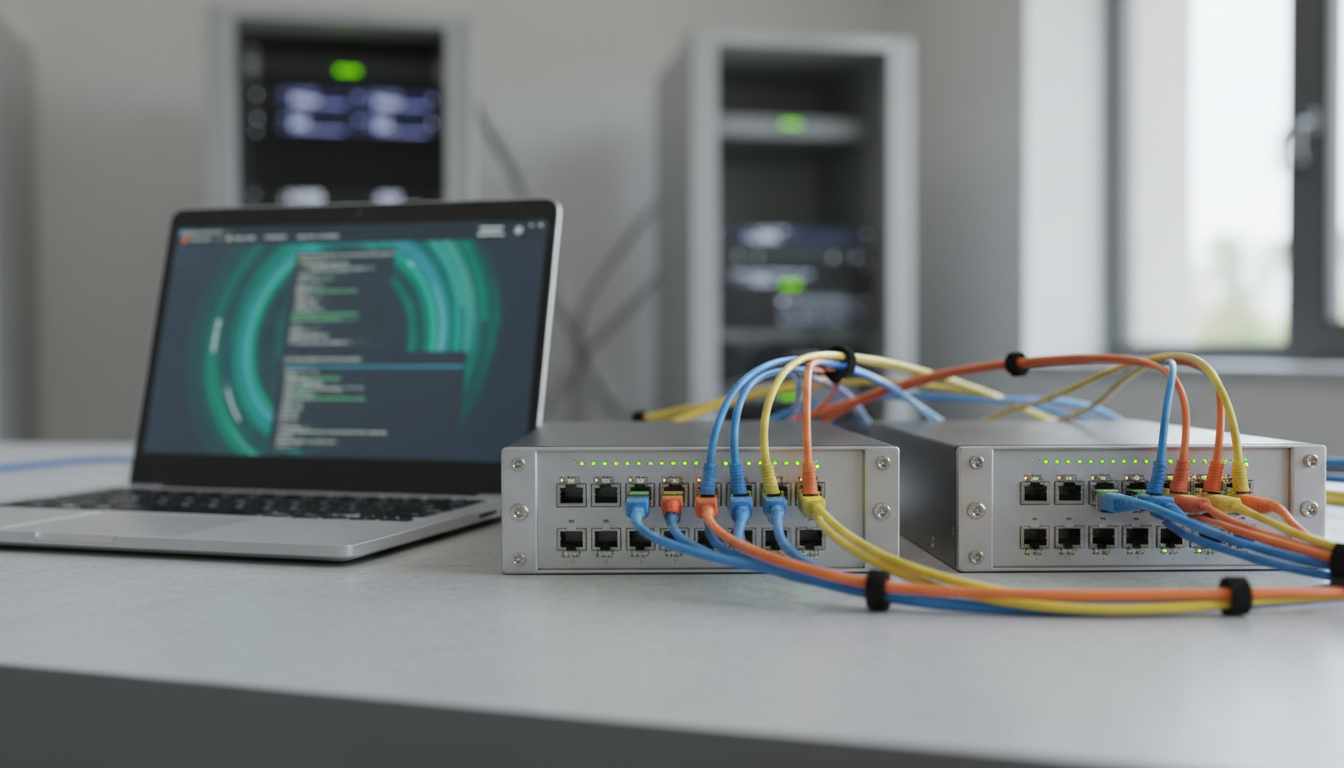
Practical Lab — Locate a Missing Inter-Area Prefix
The exercise is deliberately simulated and does not change a production router. Imagine R1 and R2 operating in Area 10 and R2 acting as an ABR connected to Area 0. Network 10.50.0.0/24 exists in Area 0, but R1 has no OSPF-installed route to the prefix. The laboratory aim is to distinguish a topology failure, missing advertisement, and route-selection issue.
- Check neighbor status: confirm whether R1 has the intended full OSPF adjacency to R2 on the correct area-local interface.
- Read the R1 LSDB: check whether a Type 3 advertisement for 10.50.0.0/24 is present and inspect its Advertising Router and age.
- Examine the ABR: compare the ABR’s area-local and backbone database views and confirm that the prefix exists and is allowed for advertisement into Area 10.
- Inspect routing: if R1 has the summary advertisement but no installed OSPF route, examine calculated next hops, other candidate routes and route-selection policy.
- Record evidence: note the topology, relevant router IDs, area, timestamps, commands, expected LSA type, actual result, and the approved next action.
Do not use a missing route as a reason to inject an unconditional default route or disable an area control. The earlier OSPF default-route lesson explains how an attractive but invalid exit can create a black hole. Verify the intended advertisement before proposing a configuration change.
Common Troubleshooting Errors
- Treating an LSU as an LSA: an update packet may carry several advertisements. Look inside the packet to identify the individual type and originator.
- Assuming every 2-Way neighbor must be Full: broadcast-network DR/BDR designs may intentionally leave some neighbors at 2-Way.
- Comparing LSDBs from unrelated areas: Type 1 and Type 2 flooding is intentionally scoped, so the databases need not look identical.
- Interpreting Link State ID as a next hop: its meaning varies with the LSA type.
- Choosing the fewest-hop path: OSPF relies on cost; hop count is not the general SPF selection metric.
- Ignoring route source preference: database presence does not guarantee an OSPF route will win installation.
- Overwriting evidence during troubleshooting: capture read-only records and obtain change approval before modifying OSPF cost, authentication, area membership or summarization.
Knowledge Check and Answer Guide
- Which OSPF packet carries complete LSAs? A Link State Update packet (LSU).
- Which LSA type describes a router’s area-local links? Type 1 Router-LSA.
- Which LSA type is normally generated by a DR for a qualifying multiaccess transit network? Type 2 Network-LSA.
- Which LSA type normally introduces network reachability between areas? Type 3 Summary Network-LSA from an ABR.
- Which LSA type tells routers about an ASBR in another area? Type 4 Summary ASBR-LSA, subject to area rules.
- Which types describe eligible external routes? Type 5 generally, and Type 7 inside NSSAs.
- What cost does R1 reach R4 with in the four-router exercise? 20, via R2 and R3. It is smaller than the two alternate costs of 30.
- Why might a route appear in the LSDB but not the final route table? The LSA is input data; next-hop resolution, policy, local routes and route-selection decisions determine installation.
- Does an ABR have to share Area 0’s complete Type 1 topology with Area 10? No. The areas maintain distinct topology data; ABRs advertise appropriate inter-area reachability.
Primary Documentation and Further Reading
The main protocol sources are RFC 2328 — OSPF Version 2 (LSA format and SPF calculation), RFC 3101 — The OSPF NSSA Option (Type 7), Cisco IOS OSPF Command Reference, and Cisco’s external-route database walkthrough. For independent video demonstrations, refer to the two Practical Networking lessons embedded above. The diagram and SPF numbers are original instructional examples and are not actual packet captures.
Elementary Review
An OSPF router learns connectivity through link-state advertisements, organizes the relevant records into an area-aware LSDB, calculates cost-based shortest-path trees, and selects routes from the resulting reachability information. Engineering verification should work through the stages in order: neighbor state, expected LSA type, originator, flood scope, LSDB presence, SPF result, and routing installation. A stable network is not merely one with a Full adjacency; it is one whose intended destinations remain reachable and whose failure conditions are understood.
Editor’s Note: OSNEC.005 advances the verified Network Engineer curriculum after OSNEC.004. RFC 2328, RFC 3101 and Cisco’s OSPF references ground the protocol descriptions. The sample graph, costs and laboratory failure cases are hypothetical and no production routing changes, packet captures, or console executions were performed for the lesson. Both instructional body images and the featured cover are original AI-generated conceptual editorial imagery; media-server rendering is verified separately from actual video playback.

For mobile scanning, open the lesson on another display and use a compatible Bitcoin wallet to scan the original QR code. Verify the destination before donating 5,000 sats: 3C9o19EH5HSiwEPyCTmEKzxhNCbo2X6TTb.
We volunteer daily to ensure the credibility of the information on this platform is Verifiably True. If you would like to support our work and help further secure the integrity of our research initiatives, please scan the QR code below to donate 5,000 sats.
BitcoinVersus.tech is not a financial advisor. This media platform reports on financial subjects purely for informational purposes.


Leave a Reply