A Bash function groups related shell commands behind a reusable name. Functions reduce repeated code in system administration, automate validation, and let a larger script express individual operations clearly. OSBash.006 explains defining functions, passing arguments, protecting local variables, distinguishing printed output from return status, and handling invalid inputs without calling external services or modifying real equipment.
The lesson builds directly on OSBash.005 — Loops and Safe Iteration. Earlier lessons established the shebang and first script, variables and quoting, and conditional tests. They are prerequisites for understanding the new examples.
Objectives and prerequisites
- Define a Bash function using
name() { ...; }and invoke it by name. - Explain how
$1,$2,$#, and quoted"$@"behave inside a function. - Protect a function’s working variables using
localand explain Bash’s dynamic scope. - Use
returnfor a command status, not as an arbitrary data-return mechanism. - Send useful output to standard output and diagnostics to standard error.
- Validate untrusted arguments before arithmetic or displaying results.
- Use
if command; then ... else ... fito inspect statuses safely and understand whyset -ehas exceptions. - Execute a safe equipment-reporting example and reproduce 27 local tests.
Prerequisites are a Bash-compatible terminal, a text editor, and the earlier Bash lessons. The lab was locally executed under GNU Bash 5.2.37 on Linux. It requires no root permissions, network access, external packages, connected sensors or database. The device names and watt values below are fictional training inputs, not engineering specifications or site telemetry.
Declaring and calling a function
In Bash, a function definition associates a name with a command list. The shell runs that command list when the function name is used as a command. The definition alone does not execute the body. A function normally executes in the calling shell context rather than starting a separate shell process; therefore, a simple assignment within a function can change a caller-visible variable unless the name is declared local. The GNU Bash Shell Functions manual is the primary reference.
greet() {
  local name=$1
  printf 'Hello, %s\n' "$name"
}
greet 'Linux engineer'
# Expected output: Hello, Linux engineer
Use whitespace or a semicolon before the closing brace; { and } are reserved words in the common Bash function syntax. A named function is called with arguments, not by adding parentheses to the invocation. The example prints one line and succeeds if printf succeeds.
Arguments and positional parameters
When a function is called, Bash temporarily assigns its arguments to numbered parameters. $1 names the first argument, $2 the second, and $# counts arguments. After the function completes, the caller’s positional parameters are restored. Quoted "$@" expands each input argument separately and preserves spaces in its contents. The unquoted version can split fields and expand wildcard patterns, which is generally dangerous for user-supplied values.
show_args() {
  printf 'Argument count: %s\n' "$#"
  local item
  for item in "$@"; do
    printf 'One argument: <%s>\n' "$item"
  done
}
show_args 'rack A' 'rack B'
# Argument count: 2
# One argument: <rack A>
# One argument: <rack B>
"$*" is not a substitute for "$@" when forwarding multiple inputs: under normal settings it creates a single joined word. Function arguments are not automatically typed. A string containing digits remains shell text until code validates it and explicitly performs arithmetic. Refer to the GNU positional parameters reference.
freeCodeCamp.org, “Bash Scripting Tutorial for Beginners” (April 11, 2023). The tutorial introduces positional arguments at 14:55, functions at 36:03, and exit codes at 41:31. Source: freeCodeCamp.org’s public video. Video identity verified; published-page playback is not independently confirmed.
Local scope and avoiding hidden state
Bash function variables are not automatically private. local creates a variable whose scope is limited to a function invocation and nested calls. Bash also uses dynamic scoping: a function called by another function may access the caller’s local variables unless names are carefully controlled. Avoid depending on hidden scope as a design strategy; pass arguments explicitly, and assign intermediate values to local names.
device='outside'
change_example() {
  local device='inside'
  printf 'During call: %s\n' "$device"
}
change_example
printf 'After call: %s\n' "$device"
# During call: inside
# After call: outside
The word local is a Bash builtin, not part of portable POSIX sh. State the expected shell in the shebang: #!/usr/bin/env bash. If the script is invoked with sh script.sh, Bash-specific expressions such as [[ ... ]] may fail or behave differently. The GNU Bash builtin reference documents local, return and related commands.
Return status is not returned text
Each shell command produces an exit status. By convention, status 0 denotes success and a nonzero status denotes failure or another documented outcome. In a function, return N stops the function and supplies that status to its caller, limited to the low eight bits of the numeric argument. It does not return the number N as a normal data object. To return a text value, print it to standard output and capture that output using command substitution.
get_name() {
  printf '%s\n' 'Training A'
}
name=$(get_name)
printf '%s\n' "$name"
# Training A

is_valid() {
  [[ $1 =~ ^[A-Z]$ ]] || return 2
}
if is_valid A; then
  printf 'valid\n'
fi
# valid
The temporary special parameter $? holds the most recent command’s status; it is easy to overwrite by running another command. Prefer checking a command directly in an if when possible. When a result is assigned from command substitution, separately declare the variable with local result and then perform if result=$(some_function); then .... Writing local result=$(some_function) may report the declaration command’s success rather than the failure of the substituted command.
stdout and stderr separate data from diagnostics
Standard output, commonly called stdout, can carry data that a program or caller intends to use. Standard error, stderr, can carry diagnostics without contaminating a command-substitution result. The redirection >&2 sends text to standard error. For a monitoring program, treat failed validation as a real failure and do not print a fabricated numeric success value.
validate_one() {
  local raw=$1
  if [[ ! $raw =~ ^[0-9]+$ ]]; then
    printf 'Expected digits.\n' >&2
    return 3
  fi
  printf '%s\n' "$raw"
}
if watts=$(validate_one 150); then
  printf 'Accepted: %s\n' "$watts"
else
  printf 'Rejected\n' >&2
fi
Shell expansion still matters: quote expansions such as "$raw" and "$watts" when passing them as arguments. Never put an untrusted string inside eval or interpolate it into executable shell commands. printf '%s\n' "$value" is safer for arbitrary strings than constructing a shell command with data inserted into its syntax.
A complete safe equipment-reporting script
The fully executable device_report.sh accepts two command-line arguments: a device label and an illustrative whole-watt input. It validates that the label contains 1–32 ASCII letters, digits, periods, underscores, or hyphens. It requires a numeric input with 1–4 decimal digits, converts the input with an explicit base-10 prefix to avoid interpreting leading zeroes as octal, and applies an arbitrary classroom upper limit of 1,000 W.
The script defines usage(), valid_label(), parse_watts(), report_device(), and main(). It calls main only when executed as a script rather than sourced as a library. The report_device() function returns distinct nonzero statuses for incorrect argument or label format, malformed watt values, and values beyond the artificial upper limit.
#!/usr/bin/env bash
set -u
set -o pipefail

valid_label() {
  local label=${1-}
  [[ $label =~ ^[A-Za-z0-9._-]+$ ]] && (( ${#label} <= 32 ))
}
parse_watts() {
  local raw=${1-}
  [[ $raw =~ ^[0-9]{1,4}$ ]] || return 3
  local watts=$((10#$raw))
  (( watts <= 1000 )) || return 4
  printf '%d\n' "$watts"
}
# The linked complete source also defines usage(), report_device(),
# main(), and clear diagnostics for every rejected input.
The excerpt shows core validation only. Download the complete file rather than trying to run the shortened listing by itself. The script is non-destructive: it never reads a sensor, scans a network, writes a file, invokes a privileged command, sends telemetry, or attempts remote execution. The 1,000 W limit is invented solely for a numeric-validation exercise, not a miner rating or electrical operating threshold.
Run the program and interpret exit codes
Download the complete script and the accompanying verify_device_report.sh into the same directory. Commands below use a Bash interpreter explicitly; making the source file executable is optional. A missing-arguments call returns status 2, malformed numeric input returns 3, and an out-of-range number returns 4. The successful call exits with status zero.
bash --version
bash -n device_report.sh
bash device_report.sh miner-01 150
# Device: miner-01
# Power (illustrative): 150 W

bash device_report.sh miner-01 1001
# Out of range: the teaching limit is 1000 W.
# exit status 4
The successful result uses an illustrative 150 W, and the failure is caused by the exercise’s intentionally restrictive input policy. A caller can detect failure directly: if bash device_report.sh miner-01 150; then ... else ... fi. Avoid using || true indiscriminately, since it can conceal important status information when running a job or automated health check.
set -u, pipefail, and the limits of set -e
The example enables set -u and set -o pipefail. set -u reports attempts to expand certain unset variables; defensive ${1-} expansions are used where absent arguments are permitted during validation. pipefail changes a pipeline’s exit status so failures in earlier pipeline stages can be surfaced instead of always returning the last command’s status.
The lab deliberately does not enable set -e, which asks the shell to exit on failures in specific circumstances. The behavior has significant exceptions in if tests, while conditions, most elements of &&/|| lists, and function calls in contexts where failure is being tested. A script should not treat set -e as comprehensive exception handling. Official documentation: GNU Bash set builtin.
if result=$(parse_watts "$raw_watts"); then
  printf 'Accepted: %s\n' "$result"
else
  status=$?
  printf 'Power input failed with status %s\n' "$status" >&2
  return "$status"
fi
When designing larger automation, decide which errors are recoverable and which require terminating the job. Preserve diagnostics and the failing command’s status. Sensitive information should not be printed to shared CI logs or exposed by shell tracing. set -x can leak environment variables, tokens, or command arguments and should not be used casually in production environments.
ProgrammingKnowledge, “Bash Scripting Tutorial for Beginners | Bash Scripting Full Course 3 Hours” (February 17, 2024). Function declarations are covered at 02:24:12, nested functions at 02:36:49, and globals at 02:41:58. Original educational upload; in-page playback remains unverified.
Twenty-seven locally executed checks
The independent test harness launches the Bash program with controlled arguments and examines both its exit status and a relevant output fragment. Tests cover zero, a 1,000 W boundary, leading zeroes, valid names, incorrect argument counts, negative values, decimals, scientific notation, invalid labels, overlong strings, and literal shell metacharacters. A final test sources the file and verifies that importing its function definitions does not run the main program.
Execution on the preparation system reported GNU Bash 5.2.37, with both scripts accepted by bash -n, and PASS: 27 checks. The test suite uses only Bash and does not require Bats, ShellCheck, Python, network permissions, or a real Linux infrastructure environment. Passing the tests verifies the listed inputs and script behavior; it is not a security certification or evidence that the program controls hardware.
bash -n device_report.sh
bash -n verify_device_report.sh
bash verify_device_report.sh
# Observed on GNU Bash 5.2.37:
# PASS: 27 checks
To extend the lab, add tests for unusual Unicode input, maximum-length labels, two device arguments containing whitespace, or a simulated log file in a disposable working directory. If building a real telemetry importer, change the data contract to include source authentication, timestamp, unit, transport validation, secure logging, and explicit failure behavior rather than treating a string that looks numeric as a trustworthy physical measurement.
Troubleshooting and security boundaries
- Function appears not to run: confirm the definition is evaluated before the call and the script is actually executed with Bash rather than another shell.
- An expected status disappears: avoid inserting another command between the failed operation and capturing
$?; use a direct if/else check. - Values leak between calls: declare temporary working variables with
localand pass dependencies explicitly. - Arguments containing spaces split unexpectedly: use quoted
"$@"for argument forwarding and quote ordinary variable expansions. - Numbers beginning with 0 behave unexpectedly: Bash arithmetic can treat such values as octal; validate decimal text and convert using an intentional base-10 expression.
- Script exits at the wrong point: inspect interaction with
set -e,pipefail, functions used in conditions, and traps instead of assuming global error propagation. - Unexpected shell execution: ensure user input is treated only as data; do not call
evalor assemble commands from untrusted strings. - Production limit confusion: arbitrary lab thresholds are not site policies, manufacturer specifications, or safe electrical limits.
Practice exercises and knowledge assessment
- Modify
greet()to accept two arguments and print both without losing spaces. - Write a function that reports
$#and prints each value from"$@"on a separate line. - Remove
localfrom a disposable version of a sample and explain why a caller’s variable changes. - Call
device_report.shwith0008and predict its normalized numeric value. - Compare running
parse_watts 1001with runningparse_watts abc. Explain their different return statuses. - Describe why
local result=$(command)may fail to preserve the command status. - Test a literal string
$(echo INJECTED)as the numeric argument and explain why the shell never executes the embedded text. - Extend the harness with one new rejected label and one successfully normalized numeric string.
- Explain why
set -eshould not replace explicit handling in a program intended to continue after a recoverable failure.
Answer key: quote each input when printing it; quoted "$@" preserves argument boundaries; local prevents an assignment from overwriting the caller’s same-named variable; 0008 becomes decimal 8; 1001 produces an out-of-range status 4 whereas alphabetic input yields malformed-input status 3; a combined declaration and assignment can mask command-substitution failure; quoted literal input is passed as a string and rejected by the digit validator instead of executed; and set -e has documented contexts where a nonzero command status does not automatically stop the shell.
Official references and curriculum continuation
Primary technical sources: GNU Bash — Shell Functions; Positional Parameters; Special Parameters; Bash Builtins; and The Set Builtin. The OSBash.002 commands-and-paths lesson explains shell execution environments. The two credited video lessons demonstrate functions and related mechanisms in practice.
Bash functions support small, testable automation units when their inputs, outputs and failure behavior are explicit. Quoted parameters protect argument boundaries, local limits unintended state mutation, printed output carries results, and return statuses communicate success or failure. The prepared shell script is an instructional starting point; future lessons can extend the same approach to argument parsing, files, traps, and operational safety.
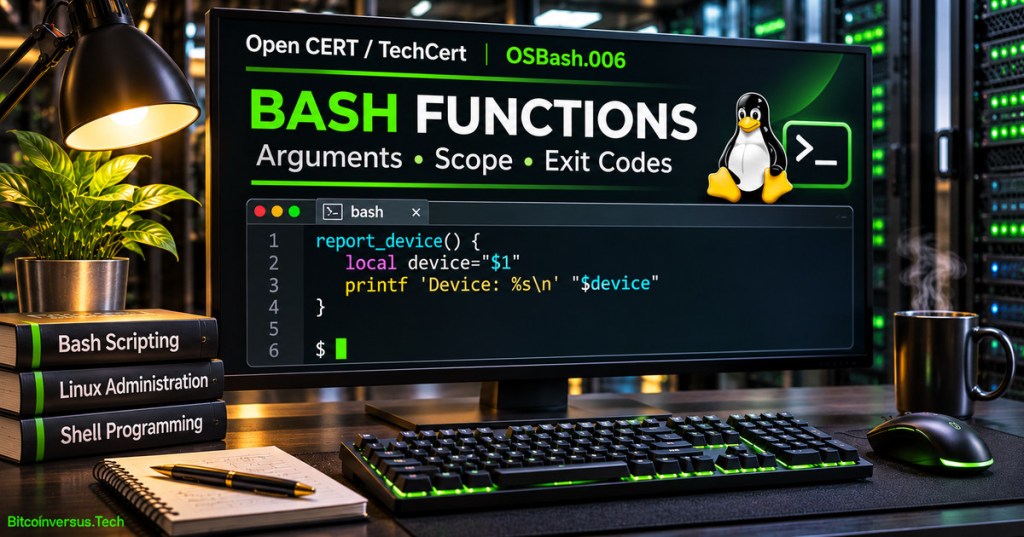
Editor’s Note: OSBash.006 follows the verified published Bash loops lesson. The 1200 × 630 featured cover is original AI-generated educational artwork depicting a Linux scripting workstation, not an actual terminal capture. The small exact “Bitcoinversus.Tech” signature is neon green and positioned at the bottom-left, at approximately 10-point visual size. All example device labels, power limits and wattage inputs are fictional. The source and test harness were executed locally under GNU Bash 5.2.37, with 27 passing checks and successful syntax checks. Video identities were verified, but actual end-to-end WordPress playback and mobile visual inspection require separate verification.

For mobile scanning, display the QR on a separate screen or use a compatible wallet’s saved-image scanning feature. Confirm the recipient and requested amount in the wallet before authorizing any payment.
We volunteer daily to ensure the information on this platform is Verifiably True. If you would like to support the research, please scan the QR code.
Educational command-line examples are not a substitute for verified production procedures, safety controls, or infrastructure security review.


Leave a Reply