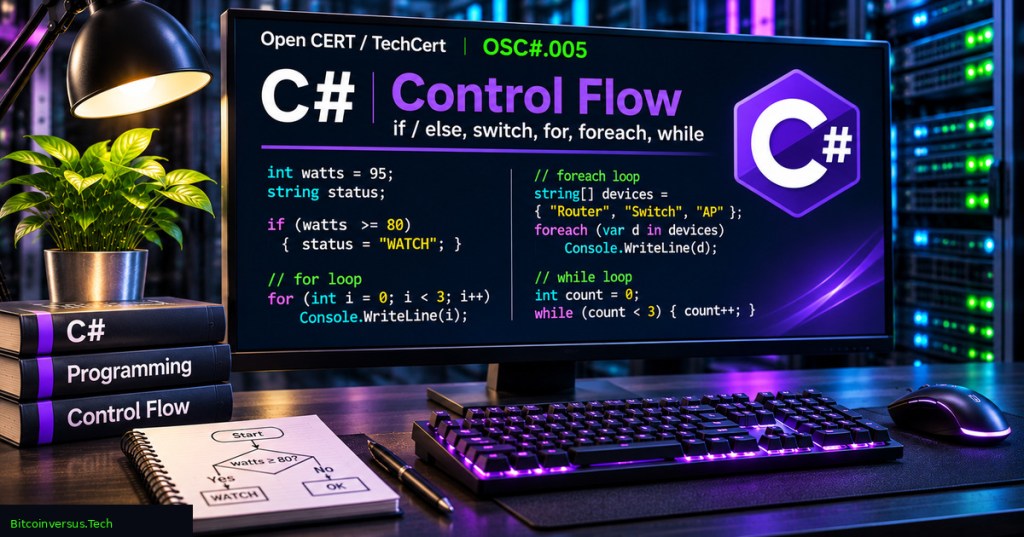
Control flow determines which instructions a C# program executes, how many times work repeats, and when a program deliberately stops or skips an operation. An if statement makes a Boolean decision; a switch selects one of several cases; and for, foreach, while, and do loops repeat tasks under defined conditions. OSC#.005 connects those fundamentals to a small monitoring-data exercise that runs without hardware, network access, privileged commands, or real production telemetry.
The lesson follows OSC#.004 on C# strings and builds on OSC#.003 on operators and expressions. A comparison such as watts >= 90 evaluates to true or false, while a larger program decides what to do with the result. The exact thresholds and wattage samples in the lab are invented educational values, not electrical safety limits or validated device specifications.
Learning objectives and prerequisites
- Construct
if,else if, andelsebranches with explicit Boolean conditions. - Use a
switchstatement for named statuses and explain why C# prevents accidental fall-through between nonempty case bodies. - Choose between
forfor indexed repetition,foreachfor collection values,whilefor a pre-tested condition, anddo...whilefor a post-tested condition. - Describe what
break,continue, andreturndo to control flow. - Validate nullable and out-of-range measurements before arithmetic; understand how a checked integer sum can fail rather than silently overflow.
- Build and run a sample application with the supported .NET 10 SDK, and use its separately authored 32-case self-test.
- Identify infinite-loop risks, off-by-one mistakes, untrusted input handling, and the limits of toy monitoring examples.
Prerequisites are variables, primitive types, strings, comparisons and basic console output. Review OSC#.002 on built-in types if int?, bool or integer arithmetic is unfamiliar. For the executable project, use an ordinary user account and the official .NET 10 SDK. Microsoft lists .NET 10 as an actively supported LTS release through November 14, 2028, whereas .NET 8 and 9 approach end-of-support in November 2026. The project’s target framework is net10.0.
Making decisions with if and else
An if branch runs its block when the condition is true. The optional else if branches are checked in order only after earlier tests fail; the optional final else handles remaining cases. C# conditions require Boolean expressions, not arbitrary integers. Braces make the scope of each block visible, which is especially important when another condition is added later.
int watts = 80;
if (watts >= 90)
{
    Console.WriteLine("ALERT");
}
else if (watts >= 70)
{
    Console.WriteLine("WATCH");
}
else
{
    Console.WriteLine("NORMAL");
}
// Expected output: WATCH
The order of comparisons matters. Checking watts >= 70 before watts >= 90 would classify 95 as WATCH unless the higher-priority condition were handled separately. Use a domain-specific range check first; a negative or extraordinarily large number should not be accepted as genuine equipment telemetry merely because it satisfies a comparison. The official C# selection-statements reference documents the syntax and evaluation rules.
Microsoft .NET, “Branching and While Loops [Pt 10] | C# for Beginners”, published November 10, 2023. Scott Hanselman and David Fowler demonstrate branching and repeating statements. Official .NET educational video; embedded playback on the final WordPress page has not been independently verified.
Choosing among cases with switch
A switch statement selects the first applicable case for a value or pattern. A status string such as ALERT, WATCH or NORMAL can be mapped to an integer priority. A default branch handles every value not explicitly recognized. The example deliberately throws ArgumentException for unknown statuses so an unexpected value cannot be mistaken for a normal state.
static int Priority(string status)
{
    switch (status)
    {
        case "ALERT": return 3;
        case "WATCH": return 2;
        case "NORMAL": return 1;
        default: throw new ArgumentException("Unknown status.");
    }
}
Console.WriteLine(Priority("WATCH")); // 2
Unlike C, JavaScript, and some other languages, C# does not allow implicit fall-through from a nonempty switch case to the next case. A case must transfer control using a construct such as break, return, throw, or an explicit permitted goto. Several adjacent case labels may intentionally share one body. The shorter switch expression is another tool, particularly when the goal is to return one value. The lab teaches the statement form first.
Repeating work with for
An ordinary for loop has an initializer, a Boolean continuation condition, and an update expression. Arrays and most indexed collections use zero-based positions. The condition index < readings.Length visits every legal index while avoiding a one-past-the-end access. index <= readings.Length would be incorrect for an array indexed from zero to Length - 1.
int?[] readings = [35, 70, null, 92, 80];
for (int index = 0; index < readings.Length; index++)
{
    Console.WriteLine($"Position {index}: {readings[index]}");
}
// Five iterations: positions 0 through 4
Use for when the index itself is important, for example when a report needs the exact position of a first abnormal reading. Keep the loop’s stopping condition and index update easy to audit. A loop that never advances can run indefinitely, wasting CPU and delaying work elsewhere.
Iterating values with foreach
The foreach statement retrieves each value from a collection without manually handling numeric indexes. It is usually the clearer option for examining device records when an index is unnecessary. Empty collections produce zero iterations. Calling foreach on a null reference is not the same as iterating an empty collection; validate the collection first or use a non-null type contract.
string[] devices = ["router-a", "switch-b", "server-c"];
foreach (string device in devices)
{
    Console.WriteLine(device);
}
// router-a
// switch-b
// server-c
The loop variable represents the current element. In a monitoring pipeline, a foreach might assign a classification to every measurement, whereas a for loop is convenient when tracking the index of a first alert. Both are valid tools, but the iteration goal should determine the choice. The Microsoft C# iteration reference documents their supported semantics.
Comparing while and do…while
A while loop checks its condition before running its body, so the body can execute zero times. A do...while loop evaluates the condition after the body, so the body executes at least once. Neither construct creates a delay by itself. In real polling software, a busy loop can consume CPU and block useful work; asynchronous timers, cancellation and bounded retry policies may be more appropriate.
int attempts = 0;
while (attempts < 3)
{
    attempts++;
    if (attempts == 2) break;
}
Console.WriteLine(attempts); // 2

int checks = 0;
do
{
    checks++;
} while (checks < 0);
Console.WriteLine(checks); // 1
The first sample stops when a fictitious condition becomes ready after two attempts. The second executes once even though checks < 0 is false on the first condition evaluation. The full lab explicitly caps retry attempts at 10,000 for educational input safety; production systems need policy-specific timeouts and cancellation handling as well.
Microsoft .NET, “C# for Beginners | Full 2-hour course”, published February 9, 2022. Relevant chapter markers: branches at 33:10, loops at 50:29, and combining branches and loops at 57:42. The official video teaches general C# concepts, while the current written lesson uses .NET 10. Embedded playback has not been independently verified.
Break, continue, and return
break exits the nearest enclosing loop or switch, continue skips the remaining statements in the current iteration and begins the next iteration, and return exits the current function. In nested loops, understand which loop receives the jump. An early break may be exactly right for finding the first alert, but wrong for calculating a total across every measurement.
int totalOdd = 0;
foreach (int value in new int[] { 2, 3, 4, 5 })
{
    if (value % 2 == 0) continue;
    totalOdd += value;
}
Console.WriteLine(totalOdd); // 8
The example skips even values and adds only 3 and 5. The Microsoft jump-statements reference explains all three transfers. Be wary of unexplained continue statements in a data pipeline: skipping bad data may protect a calculation, but a separate rejected-reading count or log is often necessary to preserve accountability.
Full lab: classify fictional readings
The complete Program.cs creates the five-element array [35, 70, null, 92, 80]. The null entry represents a missing measurement, and the numbers are invented whole-watt training values. The Classify function labels null as MISSING, numbers outside 0–1,000 as INVALID, values at least 90 as ALERT, values at least 70 as WATCH, and remaining valid values as NORMAL.
public static string Classify(int? watts)
{
    if (watts is null) return "MISSING";
    if (watts.Value is < 0 or > 1000) return "INVALID";
    if (watts.Value >= 90) return "ALERT";
    if (watts.Value >= 70) return "WATCH";
    return "NORMAL";
}
Because int? is nullable, the first check distinguishes a missing value from a genuine zero. The range check is a classroom rule, not a manufacturer-recommended operating limit. Notice the use of whole watts; a floating-point or decimal measurement would need a separately specified precision, parsing procedure, and unit policy.
The ScanUntilAlert function uses a for loop to inspect values by position. It increments a skipped counter for null or invalid values and uses continue rather than adding them. It accumulates accepted values using checked arithmetic, and stops using break after the first value at least 90. The final value, 80, is never visited by that function, even though a separate complete classification pass does inspect it.
// Input: [35, 70, null, 92, 80]
// Values visited by ScanUntilAlert: 35, 70, null, 92
// Anticipated summary:
// Accepted before stop: 3
// Skipped before stop: 1
// Sum before stop: 197 W (illustrative)
// First alert index: 3
Those totals follow directly from the sample: 35 + 70 + 92 = 197. The index of 92 is three because the array is zero-based. The lab uses a ScanResult record structure to return the valid count, skipped count, sum and first-alert index together. Recorded summary values in the article are analytically derived expectations, not captured output from a compiled C# program.
Build and run the reproducible project
Download the two files Program.cs and ControlFlowLab.csproj into the same local directory. A third README.md provides the commands and test limitations. Use the .NET 10 SDK. The project requires no external NuGet packages and the source does not access files, the network, attached devices or process control APIs.
dotnet --version
dotnet build ControlFlowLab.csproj
dotnet run --project ControlFlowLab.csproj
dotnet run --project ControlFlowLab.csproj -- --test
The double dash -- separates arguments intended for the application from options understood by dotnet run, as described in the official .NET CLI documentation. A successful build creates an executable console program. The normal run prints classifications and the summary. The --test mode calls an in-project SelfTests method, which counts passing checks and prints PASS: 32 C# checks only if every test condition succeeds.
What is tested and what remains unverified
The authored self-test contains 32 runtime assertions covering missing and invalid readings, 69/70 and 89/90 boundary cases, priority mapping, early termination, skipped counts, checked totals, full-array classification, even-number skipping, bounded while iterations, do-while behavior, and expected exceptions. The assertions reside in the source repository and are intended for execution with the command above.
Execution status: The authoring environment did not have the .NET SDK or C# compiler. Therefore, the project has not been compiled or run in the authoring session and none of the 32 C# runtime assertions have been counted as passed. A separate static audit passed 24 of 24 source-level checks for required constructs, project settings, no file/network execution APIs, the existence of 32 tests, and deterministic sample arithmetic. A static audit cannot certify compilation, runtime behavior, complete API safety or a cross-platform deployment.
Troubleshooting and engineering safety
- Build command not found: install the supported .NET SDK, not merely the runtime, and confirm
dotnet --versionfrom the same terminal. - Off-by-one exception: use
index < readings.Length, notindex <= readings.Length, when visiting array positions. - Invalid data reaches totals: check
HasValueor a null pattern, validate the numeric domain and count rejected values separately. - Unexpected loop duration: ensure the condition can change and enforce limits for retries or external operations.
- Unintended switch behavior: understand that C# blocks implicit fall-through between nonempty cases and handle unexpected values with a deliberate default.
- Misleading summary: the lab stops at the first alert; its sum is not the sum of the complete five-element array.
- Overflow handling: use checked arithmetic where appropriate; tested sample values are small, but an unbounded sum must have an intentional overflow policy.
- Safety and security: do not connect the toy thresholds to production electrical controls, expose private logs, or treat command-line data as authenticated sensor measurements.
Exercises and assessment
- Change 69 to 70 and 89 to 90. Identify which classification changes occur at each boundary.
- Move the first alert to array position zero and predict the resulting valid count and sum.
- Remove the
breakfrom a disposable copy of the scan, then explain why the final 80 would enter the total. - Compare a zero-limit
whileloop and a zero-limitdo...whileloop. - Use
foreachto print all five statuses, including the missing measurement. - Create a switch case for an additional status and define what an unknown status should do.
- Add an intentionally invalid negative sample and predict how the skipped counter changes.
- Run the 32-check self-test on a supported .NET 10 installation and record its actual output before claiming the runtime test passed.
Answer key: 70 is WATCH and 90 is ALERT; when an alert is first, scanning stops after one valid item; removing the break includes any later valid values; while can execute zero times whereas do-while executes at least once; complete foreach classification includes every supplied element; unknown statuses should not silently become NORMAL; rejected values should be counted rather than included in sums. After editing code, predicted behavior should be confirmed through compilation and execution.
Sources and next steps
Primary references are Microsoft Learn — Selection Statements, Iteration Statements, Jump Statements, dotnet run, and .NET Support Policy. The Microsoft .NET videos above supply additional visual instruction. Related courses include OSBash.006 on functions and exit statuses, highlighting similarities and differences across programming environments.
C# control flow combines comparisons with deliberate program behavior. Safe loops have understandable stopping conditions, branches account for valid and invalid inputs, and early exits clearly identify which work was skipped. The self-contained exercise provides a basis for later collections, functions, exception handling and application debugging.
Editor’s Note: OSC#.005 follows the verified published OSC#.004. The original 1200 × 630 illustrated cover uses a small bottom-left neon-green Bitcoinversus.Tech label at approximately 10 pt. The graphic is AI-generated editorial artwork, not a screenshot of an actual compiled program. All example equipment readings and thresholds are fictional. The C# files and 32-case self-test were prepared for execution on the .NET 10 SDK, but the .NET SDK was unavailable in the authoring environment; therefore runtime compilation and all 32 test results are unverified. The 24 source-level checks passed. Video identities were verified from Microsoft .NET’s official channel, while published-page playback and independent mobile visual inspection remain unverified.

For mobile scanning, display the QR on another screen or use a compatible wallet’s saved-image scanner. Verify the receiving address and requested amount independently before sending funds.
We volunteer daily to ensure the information on this platform is Verifiably True. If you would like to support the research, please scan the QR code.
Educational examples do not replace validated engineering controls, security review, or production operating procedures.


Leave a Reply