Learning Objectives and Prerequisites
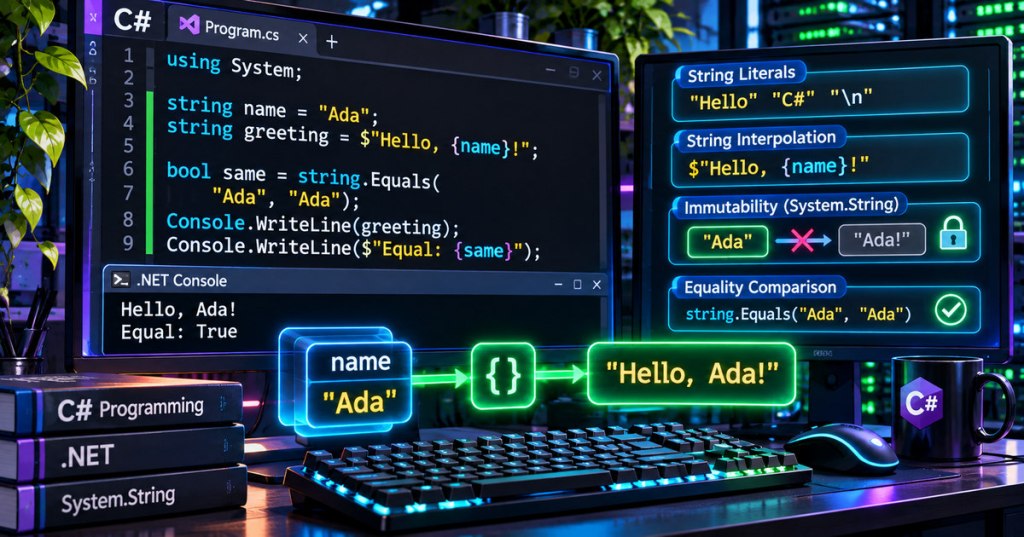
C# strings represent text using the string keyword and the System.String type. After completing the C# toolchain and compiler, C# variables and types, and operators and expressions lessons, learners should be able to create string literals, insert values into messages, compare text deliberately, identify the limits of Length, and explain why modifying a string produces a new value. The practical lab uses a console application and requires a working .NET SDK.
Elementary Overview
A string is a piece of text a program remembers, such as a server label, a warning message, or a filename. A variable holds a reference to the text. The program can ask how long the text is, check whether it matches a stored value, or build a new message around it. C# calls its text type string.
Imagine writing a message on a card. Changing the message does not erase the original card; the program makes another text value and can point the same variable name to the new value. That behavior is called immutability. It helps programmers reason about saved labels, comparisons, and repeated operations.
The String Type and Literal Text
C# uses the string keyword as an alias for System.String. A regular string literal is enclosed in double quotation marks. The + operator can combine strings, while Console.WriteLine sends the resulting message to the console. Unlike a numeric operation, combining two string values produces another sequence of text.
string left = "Data";
string right = "Center";
string label = left + " " + right;
Console.WriteLine(label);
// Expected output: Data Center
A string variable holds a reference to an object; the .NET runtime and the Common Language Runtime provide the wider context for the runtime. C# strings are stored as sequences of UTF-16 code units. A char represents one UTF-16 code unit, so Length reports code units, not necessarily human-perceived characters. Some emoji and other Unicode characters require multiple code units.
string rack = "A7";
Console.WriteLine(rack.Length);  // 2
Console.WriteLine(rack[0]);     // A
Console.WriteLine(rack[1]);     // 7
Quotes, Escapes, and Raw String Literals
Ordinary quoted strings recognize escape sequences: \n represents a newline, \t a tab, \" a quote, and \\ a literal backslash. A verbatim literal begins with @ and treats backslashes literally. Raw literals, supported in C# 11 and later, use three or more quotation marks and are particularly useful when embedded text contains quotes or formatting.
string status = "Online\nReady";
string path = @"C:\logs\rack.txt";
string json = """{"rack":"A7","online":true}""";

Console.WriteLine(path);
Console.WriteLine(json);
Raw string literals improve readability; they do not make embedded commands or database queries safe. Never interpolate untrusted input directly into SQL commands. Use parameterized database APIs instead. When developing across Windows, macOS, and Linux, filesystem paths should be assembled with Path.Combine rather than hand-written platform separators.
Interpolation and Formatting
Prefix a quoted string with $ to enable interpolation. The expression inside each pair of braces is evaluated, converted to text, and inserted into the resulting string. Interpolation is often clearer than joining a long series of values with +. Formatting may follow a colon, such as :F2 for two fractional digits; the output can depend on the current culture.
string machine = "miner-04";
int boards = 3;
double efficiency = 12.5;

Console.WriteLine($"Machine {machine} has {boards} boards.");
Console.WriteLine($"Efficiency: {efficiency:F2} J/TH");
// Expected on an en-US culture:
// Machine miner-04 has 3 boards.
// Efficiency: 12.50 J/THImmutability and Common Text Operations
Calling ToUpperInvariant(), Trim(), or Replace() returns another string rather than modifying the existing object’s characters. A variable can then refer to the returned value. When combining many pieces repeatedly in a large loop, StringBuilder may reduce temporary allocations, but ordinary interpolation is the better default for short messages.
string original = "  rack-a7  ";
string clean = original.Trim().ToUpperInvariant();

Console.WriteLine($"Original: [{original}]");
Console.WriteLine($"Clean: [{clean}]");
// Expected:
// Original: [  rack-a7  ]
// Clean: [RACK-A7]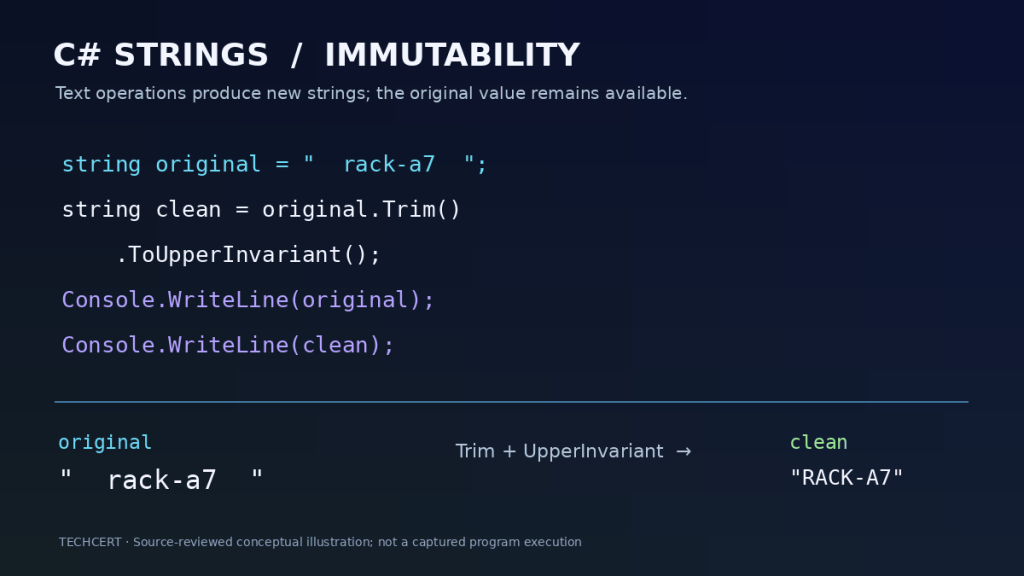
String immutability is shared with languages such as Java; compare the related treatment in the existing Java string fundamentals lesson. A string can also be null when its declared nullability permits it, which is different from "" (empty text) or " " (one space). Use string.IsNullOrWhiteSpace when deciding whether a field contains meaningful visible text.
Text Equality and Defensive Comparison
The == operator compares string contents using ordinal, case-sensitive equality. Case-insensitive comparisons should state their intended rules explicitly: StringComparison.OrdinalIgnoreCase is useful for many protocol identifiers, but human-language names may require culture-sensitive comparison rules. Avoid assuming a comparison automatically ignores spaces or punctuation.
string a = "READY";
string b = "ready";
Console.WriteLine(a == b);   // False
Console.WriteLine(string.Equals(a, b, StringComparison.OrdinalIgnoreCase)); // True
Console.WriteLine(string.IsNullOrWhiteSpace("   ")); // True
For security-sensitive identifiers, comparison behavior should be chosen from the relevant protocol or application requirements. Even a case-insensitive comparison does not validate a user’s authorization, and equality checks involving secrets may require specialized timing-safe techniques.
Practical Lab — Build a String Report
Open a terminal with the .NET SDK installed. Run dotnet --info to check the local toolchain. Create a disposable console project and replace its Program.cs contents with the complete C# example below. Run the application in the project folder. The lab reads and transforms literal strings only; it does not edit the registry, control services, or transmit network data.
dotnet new console -n StringLab
cd StringLab
# Replace Program.cs with the sample, then run:
dotnet run
using System;
string source = " rack-07 ";
string cleaned = source.Trim().ToUpperInvariant();
string renamed = cleaned.Replace("RACK", "NODE", StringComparison.Ordinal);
bool matches = string.Equals("ok", "OK", StringComparison.OrdinalIgnoreCase);
Console.WriteLine($"Original: [{source}]");
Console.WriteLine($"Cleaned: [{cleaned}]");
Console.WriteLine($"Renamed: [{renamed}]");
Console.WriteLine($"Equal ignoring case: {matches}");Expected output: The bracketed original retains its leading and trailing spaces, the cleaned label reads RACK-07, the renamed label reads NODE-07, and the last line reports True. The examples have been checked against Microsoft’s documented C# syntax and semantics; C# compilation and runtime execution were not independently performed in the publishing environment.
Troubleshooting and Diagnostics
- Compiler errors near quotes: verify matching delimiters, escaped quotation marks, and correctly opened raw strings.
- Unexpected whitespace: inspect the string inside visible delimiters such as
[{value}];Trim()returns a new string. - Unexpected case-sensitive results: use an explicit
StringComparisonrule where the application requires it. - An incorrect character count: remember that
Lengthcounts UTF-16 code units, not grapheme clusters. - Unexpected numeric formatting: confirm the current culture before comparing formatted output with sample results.
Practice, Knowledge Check, and Answers
Change the lab’s source to " miner-12 " and predict the cleaned value before running it. Replace the case-insensitive comparison with StringComparison.Ordinal and explain why the result changes. Create a new "A7" string, inspect Length, and print each indexed character.
Question: Does Trim() change the original string? Answer: No, it returns another string. Question: Why does interpolation use a $ prefix? Answer: It tells the compiler to evaluate expressions inside braces. Question: Is "a" == "A" true? Answer: No, ordinary string equality is case-sensitive. Question: Does Length always equal the number of visible characters? Answer: No; Unicode text may contain multiple UTF-16 code units for one visible symbol.
Authoritative Sources and Further Reading
- Microsoft Learn — C# strings and immutability
- Microsoft Learn — String interpolation
- Microsoft Learn — Raw string literals
- Microsoft Learn — Working with strings
- Microsoft Learn — dotnet run
- Microsoft Learn — String-formatting exercises
Elementary Conclusion
A C# string is a nameable text value that a program can display, compare, and use to build messages. Quotation marks create text, a dollar sign allows variables to appear inside it, and explicit comparison rules help prevent mistaken matches. Strings cannot have their characters changed in place; transformations produce new strings. Reliable text handling is a foundation for later lessons on arrays, file operations, APIs, and application debugging.
Editor’s Note: We volunteer daily to ensure the credibility of the information on this platform is Verifiably True. If you would like to support our work and help further secure the integrity of our research initiatives, please scan the QR code below to donate 5,000 sats.

For mobile scanning, open this lesson on a larger screen and use a compatible Bitcoin wallet to scan the original QR code. Verify the address before sending 5,000 sats: 3C9o19EH5HSiwEPyCTmEKzxhNCbo2X6TTb.
BitcoinVersus.tech is not a financial advisor. This media platform reports on financial subjects purely for informational purposes.


Leave a Reply