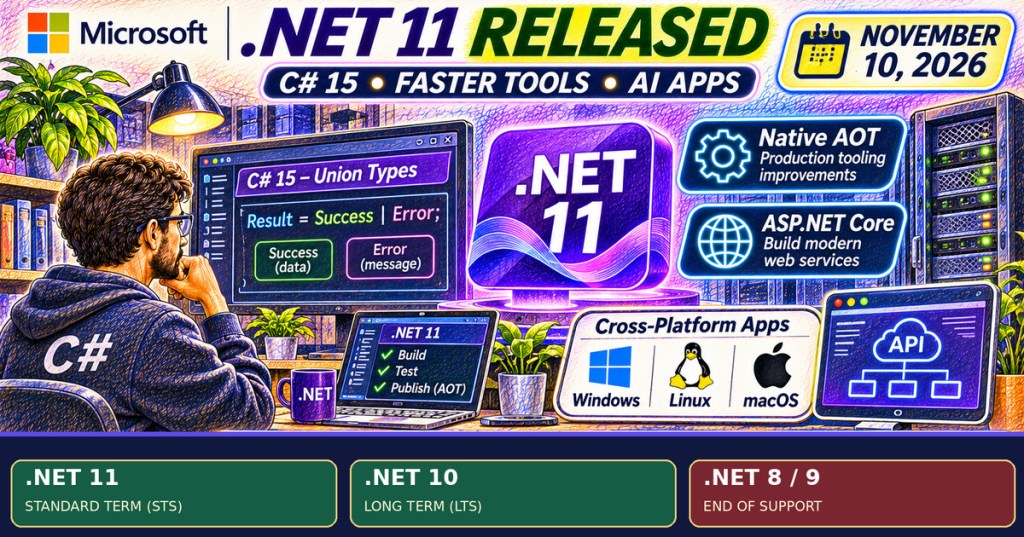
Microsoft released .NET 11 on November 10, 2026, adding new C# language constructs, faster development tooling, and web, desktop and AI application features. The announcement also marks an immediate maintenance deadline: .NET 8 and .NET 9 reached end of support on the same date. Organizations still deploying those runtimes need a migration plan to continue receiving Microsoft security fixes.
Official Microsoft .NET Conf 2026 Day 1 launch stream, November 10. The event is linked from Microsoft’s own .NET Conf website and includes the .NET 11 keynote. Credit: Microsoft / YouTube.
C# 15 gains compiler-checked union types
Microsoft’s launch announcement identifies union types and closed class hierarchies as major C# 15 additions. A union describes a value that must be one of a defined set of alternatives, such as an operation returning either a successful result or an error. The compiler can detect incomplete pattern handling where the cases are known. The feature improves the expressiveness of application code; it does not automatically eliminate runtime errors.
The SDK also enables a Native AOT command-line host by default for some lightweight commands and maintains a warm MSBuild server to reduce repeated startup overhead. Microsoft reports hundreds of runtime and library optimizations, including JIT and Native AOT improvements. Performance gains still depend on the actual application, operating system and deployment method.

Web applications and AI tooling expand
ASP.NET Core 11 adds asynchronous validation, OpenAPI 3.2 support and improvements to Blazor and SignalR. The SDK includes a template for building Model Context Protocol servers, allowing .NET services to expose tools to compatible AI applications. Microsoft also highlights its Agent Framework and extensions for AI model access.
Some capabilities remain experimental. Blazor AI components and Runtime Async are preview features rather than universally supported production defaults. The latter changes asynchronous execution mechanics and requires an explicit opt-in for application code. Teams should assess diagnostics, dependency compatibility and support commitments before using previews in production.
Support lifecycle changes are the immediate priority
Microsoft’s November 10 support policy lists .NET 11 as Standard Term Support (STS) and .NET 10 as Long Term Support (LTS). Both currently have support end dates of November 14, 2028, because .NET 10 was released one year earlier. .NET 8 and .NET 9 stopped receiving routine servicing on November 10, 2026. LTS and STS share the same servicing quality standards but have different release-to-support lifetimes.
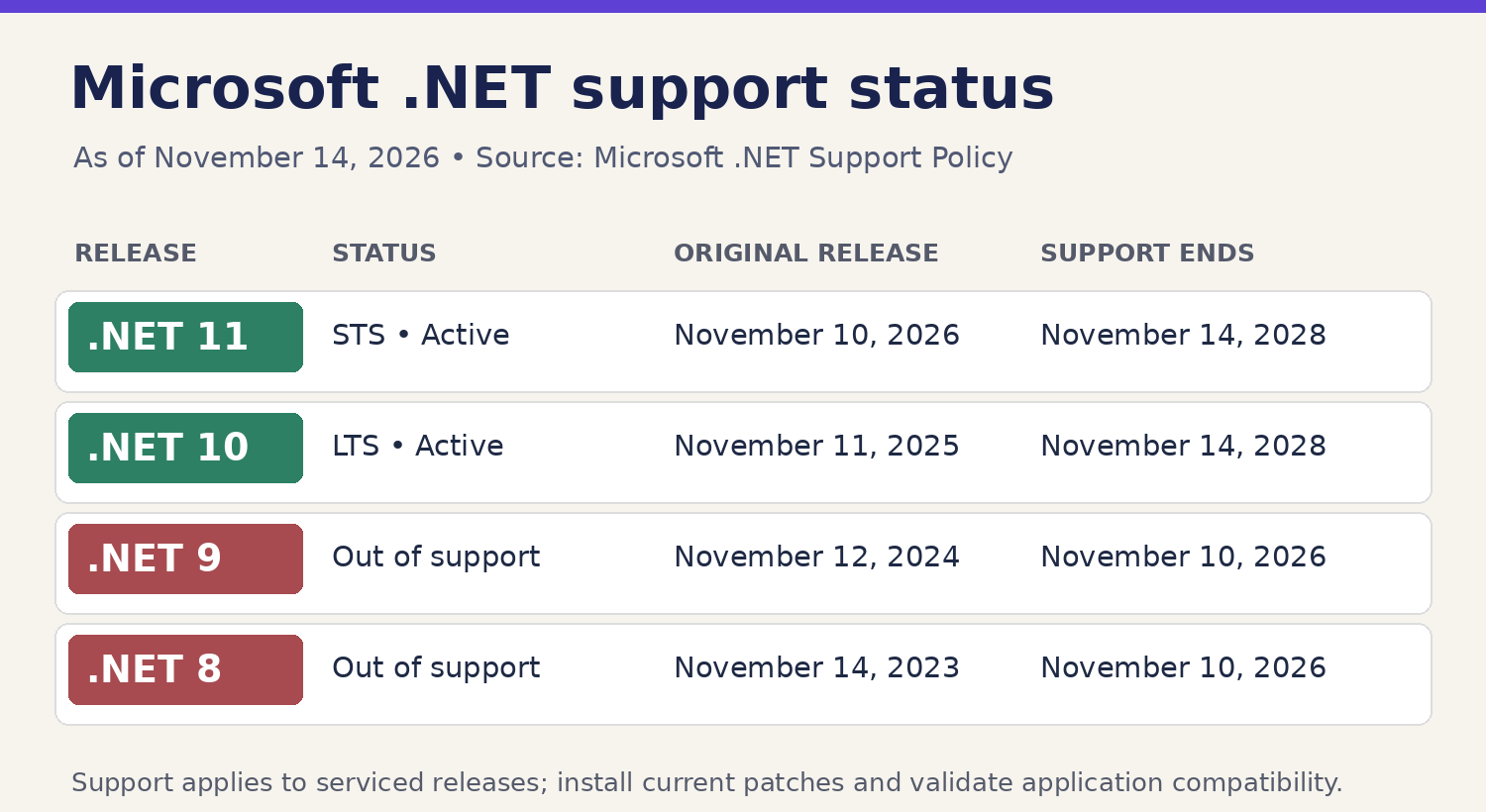
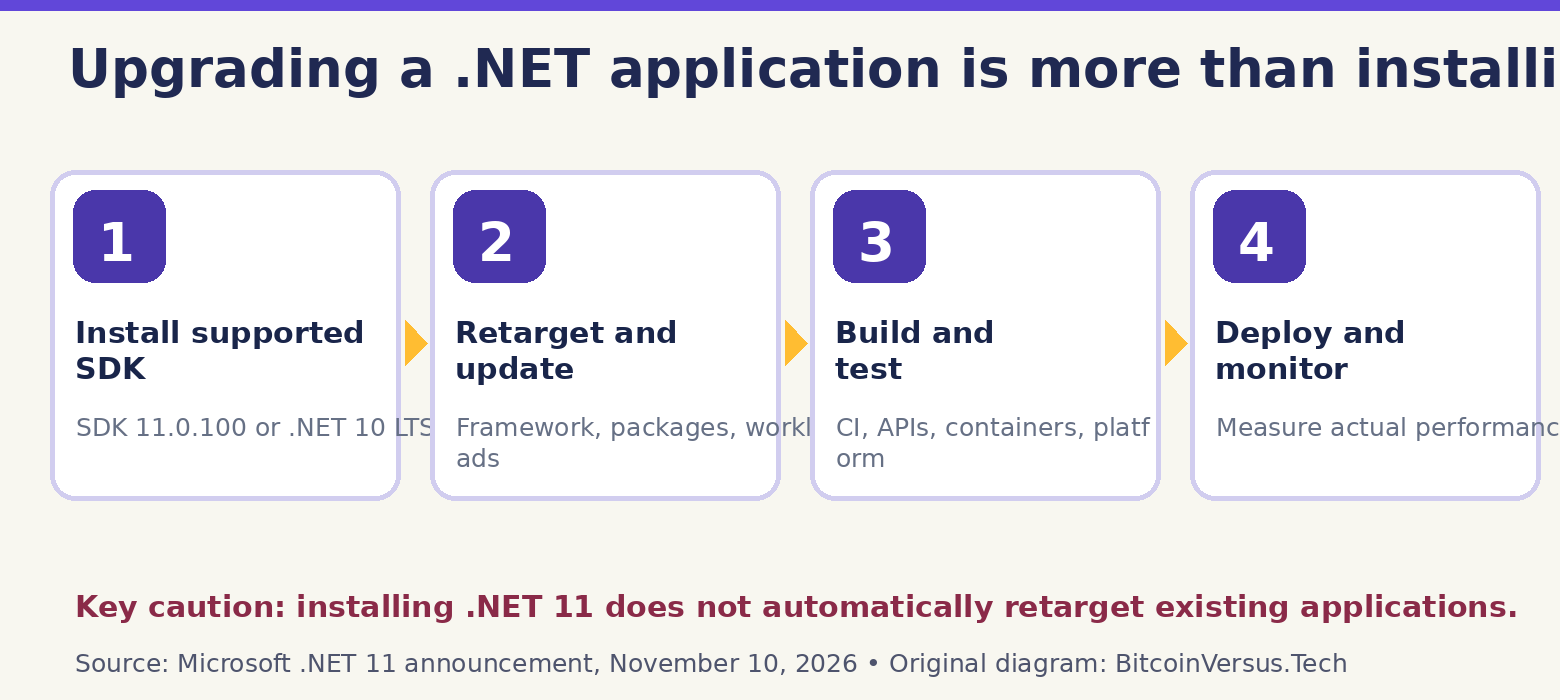
Developers already maintaining .NET applications should distinguish the SDK from the application’s runtime target. Installing SDK 11 alone does not change a repository’s target framework. For teams using SDK-style project files and MSBuild, migration can also require updated package versions, test runners, container images, and host dependencies.
A controlled migration matters more than a version number
Microsoft recommends reviewing breaking changes and testing real workloads. The process begins with SDK installation, target framework updates, dependency compatibility checks, and build/test runs on deployment platforms. Our guide to the C# compilation toolchain explains why building successfully on a developer computer does not prove the deployed service runs correctly.
For desktop applications, .NET MAUI now defaults to CoreCLR across platforms, while selected Native AOT modes remain optional or experimental. The shift warrants UI testing and careful review of platform-specific behavior. Related C# language fundamentals remain applicable, while newer syntax requires toolchain support.
Bottom line: .NET 11 ships meaningful software improvements, but the most urgent operational issue is unsupported .NET 8 and 9 installations. Teams can choose .NET 10 LTS or .NET 11 STS based on features, compatibility and servicing plans rather than upgrading blindly.
Primary sources: Microsoft .NET 11 release announcement, November 10; Microsoft .NET support policy, updated November 10; official SDK 11.0.100 download; 11.0.0 release notes; Microsoft .NET Conf 2026 recordings; official Day 1 launch stream. Software features and support timelines are grounded in Microsoft documentation; no independent runtime benchmark was performed.
Editor’s Note: .NET 11 became generally available November 10, 2026. Microsoft’s support table identifies .NET 11 as STS and .NET 10 as LTS, both supported through November 14, 2028; .NET 8 and 9 reached end of support November 10, 2026. Blazor AI components, Runtime Async and selected publishing capabilities remain experimental or preview-only. The original 1200 × 630 colored-pencil featured cover and two explanatory graphics are conceptual editorial illustrations, not screenshots of tested production applications. The .NET Conf video and thumbnail are authentic Microsoft event media. A rendered iframe is distinct from confirmed live playback or mobile layout inspection.

BitcoinVersus.Tech is volunteer-run and publishes independent educational technology reporting. An optional 5,000-satoshi donation supports ongoing research. Scan the original QR from a second screen with a compatible Bitcoin wallet; on mobile, use a wallet that supports scanning a saved image. Independently verify the recipient address 3C9o19EH5HSiwEPyCTmEKzxhNCbo2X6TTb and the payment amount before sending. Bitcoin transfers are generally irreversible.
We volunteer daily to ensure information on the BitcoinVersus.Tech platform is Verifiably True. Coverage is educational and informational and does not constitute financial or investment advice.


Leave a Reply