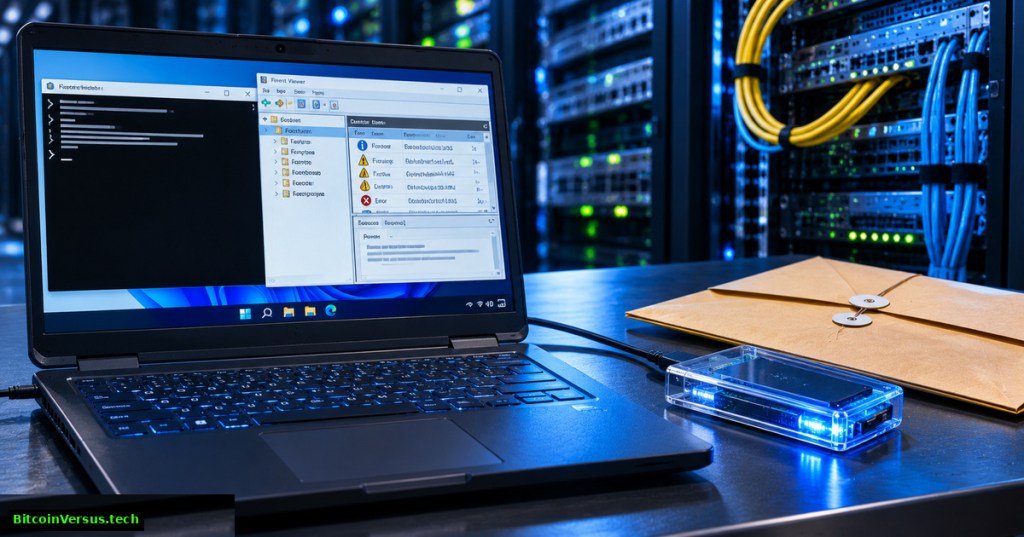
Windows Command #55 explains wevtutil epl, the built-in Windows command for exporting event records to a native .evtx file. Preserving relevant logs before troubleshooting helps investigators compare a service failure, update problem or unexpected shutdown without relying solely on a live Event Viewer session. The lesson follows Windows Command #54, which queried events on screen. Exporting creates a separate file for authorized offline review; it does not clear the original log. Microsoft’s wevtutil command reference documents the operation for Windows 10, Windows 11 and supported Windows Server releases.
Choose the correct log and storage location
Run wevtutil el to list available channels. Common channels include System for operating-system and service activity, Application for application-generated entries, and Security for audit records when enabled. Access to protected channels may require elevated privileges or specific audit-log rights. Collect only records relevant to an approved investigation, because logs may reveal usernames, computer names, network addresses and application details.
For a classroom exercise, create a separate folder under your own Windows profile. The examples below are intended for Command Prompt on an authorized Windows machine. Confirm the destination is not automatically synchronized to an unauthorized cloud account. Use secured organizational evidence storage for real incident files.
mkdir "%USERPROFILE%\Documents\BV-Lesson55"
wevtutil el
wevtutil gl System
Export a complete System log without clearing it
The epl subcommand means export-log. Give the source channel and an absolute output path. A successful command produces an EVTX file containing the exported records. The destination directory must already exist, and the account must have permission to read the channel and write the file.
wevtutil epl System "%USERPROFILE%\Documents\BV-Lesson55\System-Lab.evtx"
wevtutil epl Application "%USERPROFILE%\Documents\BV-Lesson55\Application-Lab.evtx"
Keep the two channels separate: merging them manually or renaming a plain-text listing to .evtx does not create a valid Event Log archive. Export is preferable to copying a live, locked log file from the operating system’s event directory. Microsoft’s Windows Event Log tools reference establishes wevtutil.exe as a supported event-log utility.
Export only matching events
For a focused service incident, /q: accepts an XPath event query. The following example selects Event ID 7031 from the System channel. Event IDs must be interpreted alongside the provider, message, timestamp and incident context; a matching number alone does not prove a particular root cause.
wevtutil epl System "%USERPROFILE%\Documents\BV-Lesson55\Service7031-Lab.evtx" /q:"*[System[(EventID=7031)]]"The query creates a filtered export, which is useful for triage but is not a complete preservation of the original channel. Keep a full export when investigation policy requires it. Microsoft documents /q: for filtering and /sq:true for reading a structured query from a separate file. For a broader event-context tutorial, review OSITC.004 on Event Viewer.
Inspect the exported file
Verify the output exists and is nonempty. Then ask wevtutil qe to read from the file by setting /lf:true, which treats the first argument as an EVTX path. Alternatively, PowerShell’s Get-WinEvent supports -Path for offline log files. Read access to the file remains subject to normal Windows permissions.
dir "%USERPROFILE%\Documents\BV-Lesson55\*.evtx"
wevtutil qe "%USERPROFILE%\Documents\BV-Lesson55\System-Lab.evtx" /lf:true /c:3 /rd:true /f:text
The listing proves only that a file exists; the second command helps establish that its contents are readable. No particular number of events or error messages is guaranteed in a teaching environment. An EVTX export may lack the provider resources needed to render full human-readable messages on another computer; archival metadata handling is covered by wevtutil al in Microsoft’s command reference.
Avoid accidental overwrites and protect evidence
By default, an existing export destination can cause the export to fail. The /ow:true option allows replacement without confirmation. For investigations, use unique filenames rather than overwriting an earlier export. Never confuse epl with cl, which clears a channel. Clearing the source log could destroy evidence and violate organizational incident-handling requirements.
For stronger handling, record the source host, collection time with timezone, log name, operator, and a SHA-256 hash of the completed file. A hash allows a later analyst to check whether the file bytes match the collected version; it does not prove an event was truthful or that the collection captured every record. See OSITC.010 on Reliability Monitor for a complementary crash timeline and Windows Command #53 for understanding service recovery settings.
certutil -hashfile "%USERPROFILE%\Documents\BV-Lesson55\System-Lab.evtx" SHA256Exercise: produce a defensible collection note
On an authorized lab computer, export the System channel and identify the filename, exact channel, host, export time, file size and SHA-256 digest. Then inspect three exported records without modifying the original channel. Explain why a full export and a query-filtered subset answer different questions, and why file hashes should be stored with controlled access. Avoid including raw usernames or private incident details in a public submission.
Takeaway: wevtutil epl preserves event records in an EVTX file for subsequent analysis. Confirm the export is readable, restrict access, document its origin and refrain from clearing or overwriting evidence.
Editor’s Note: Syntax and option meanings were checked against Microsoft Learn’s wevtutil and Get-WinEvent documentation. No native Windows commands or live log exports were executed in the editorial environment. Three YouTube source identities were checked against their public listings; iframe rendering, player playback and mobile appearance require separate checks. The cover is original 1200 × 630 photorealistic conceptual editorial artwork, not a screenshot of actual collected records. No numerical chart was included because the exercise provides no measured dataset.
We volunteer daily to ensure the credibility of the information on this platform is Verifiably True. If you would like to support to help further secure the integrity of our research initiatives, please scan the QR code below

BitcoinVersus.Tech is volunteer-run and publishes independent technical education. An optional 5,000-satoshi donation supports verification work. Confirm recipient 3C9o19EH5HSiwEPyCTmEKzxhNCbo2X6TTb and amount using a compatible wallet before sending. Bitcoin transfers are generally irreversible.
Disclaimer: Educational instructions are not authorization to access another person’s logs, alter production systems, disclose confidential event data, or make financial or investment decisions.


Leave a Reply