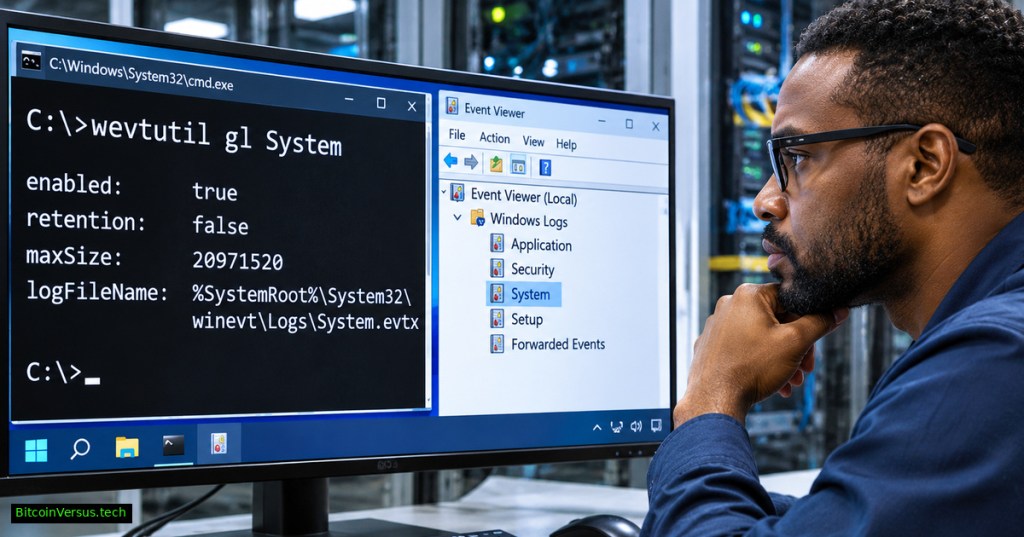
Windows Command #56 teaches a useful question before an incident-response export: is the Windows event log configured to retain the records investigators expect? The built-in wevtutil gl command displays channel settings without editing them. Its companion wevtutil gli reports current log status. Together they distinguish a full log, a disabled channel, a small capacity limit and a simple query mistake. Microsoft documents both commands for Windows 10, Windows 11 and supported Windows Server releases. Begin with Windows Command #54 for event queries and Windows Command #55 for exporting evidence.
1. List the available event-log channels
Open Command Prompt or PowerShell on a Windows machine where you have permission to inspect logs. Use wevtutil el to enumerate available channels. System, Application and Security are familiar examples, but provider-specific operational channels can have longer names. Visibility and access vary by account and log permissions; protected channels may require elevation.
wevtutil el2. Inspect configuration with gl
Run gl, short for get-log, against a named channel. The default output is text; /f:xml produces XML for structured review. Neither command changes retention settings, clears events or exports their contents. Compare fields against the approved monitoring baseline rather than guessing what a factory default should be.
wevtutil gl System
wevtutil gl Application /f:xml| Field | What it tells an engineer |
|---|---|
enabled | Whether the channel is enabled for collection. |
maxSize | Configured file-size ceiling, in bytes. |
retention | Whether existing events are retained rather than overwritten when full. |
autoBackup | Whether automatic backup is configured for a full retained log. |
logFileName | Location of the backing event-log file. |
3. Check live status with gli
gli, short for get-loginfo, reports status information about a channel or an EVTX file. Compare the reported record count, file size and full-state indicators with the policy visible in gl. A low record count alone cannot prove that events were deleted; application activity, collection settings and capacity also affect what remains available. For individual event timestamps and IDs, continue with the read-only qe queries covered in lesson #54.
wevtutil gli System
wevtutil gli Application4. Read retention settings correctly
Microsoft defines retention:false as permitting newer events to overwrite the oldest records when a log reaches capacity. With retention:true, existing events are retained and incoming events can be discarded after the log fills. Automatic backup adds another policy consideration; Microsoft states that enabling autoBackup requires retention mode. A maxSize value is in bytes, not megabytes. For example, 20,971,520 bytes equal exactly 20 MiB when divided by 1,048,576. The example is arithmetic, not a measured log size.
A misconfigured policy can leave a false impression of complete audit coverage. In enterprise environments, Group Policy or MDM may enforce settings, so the effective configuration should be assessed against organizational policy. Microsoft’s EventLogService policy documentation explains managed retention and maximum-size controls. Avoid changing either setting during evidence collection without approval.
5. Build a safe investigation trail
Suppose a service restarted overnight, yet the relevant System events appear absent. Inspect the channel name and enabled state first, then read the size and retention policy. Check current status using gli before performing a targeted qe search. Record the command, time, hostname and relevant non-sensitive field values in an authorized incident ticket. Where preservation is required, use the established EVTX export procedure and restricted storage; never clear the original event log as a troubleshooting shortcut.
Try a read-only lab
On a lab Windows system, run wevtutil gl System, wevtutil gli System and wevtutil gl Application /f:xml. Identify each channel’s maximum size, retention mode and backing file location. Record whether the channel is enabled, then explain how a full log would behave under the observed retention setting. Do not run wevtutil cl (clear-log) or wevtutil sl (set-log); both alter state and fall outside the exercise.
For deeper root-cause analysis, correlate events with the relevant service trigger information in Windows Command #52 and with system performance measurements from the Performance Monitor lesson. A sound diagnosis considers event availability, actual symptoms and documented collection policy, not an isolated warning label.
Takeaway: gl tells you how a Windows log is configured; gli tells you about its current status. Read both before deciding whether missing records signal a retention problem, disabled collection or an incomplete search.
Editor’s Note: Command behavior and retention rules were checked against Microsoft’s wevtutil and EventLogService documentation. The videos are externally identified educational demonstrations, not independent verification of every command used in the lesson. No Windows event logs were accessed or altered during preparation. The featured cover is original conceptual artwork, not a real administrative session. Actual YouTube playback and mobile-browser rendering require separate device-level checks. No chart was included because the exercise has no empirical dataset.
We volunteer daily to ensure the credibility of the information on this platform is Verifiably True. If you would like to support to help further secure the integrity of our research initiatives, please scan the QR code below

BitcoinVersus.Tech is volunteer-run and publishes independent technical education. Any contribution is optional; an example amount is 5,000 satoshis. Confirm recipient 3C9o19EH5HSiwEPyCTmEKzxhNCbo2X6TTb and the transaction amount independently before transfer. Bitcoin transactions are generally irreversible.
Disclaimer: Educational material is not authorization to access another person’s logs, disclose sensitive event data, alter enterprise policies or clear production evidence. Perform administrative actions only under approved change-control and security procedures.


Leave a Reply