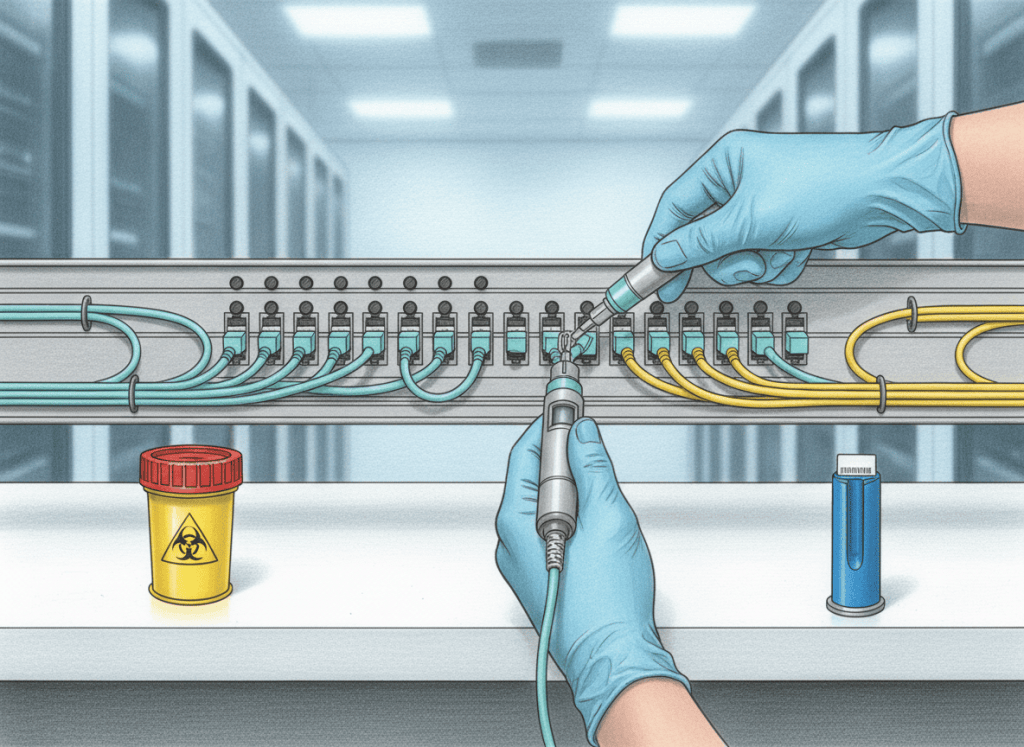
Fiber optic work is precision work: eye protection, glass-scrap control, optical-source awareness, bend-limit discipline, and clean connector endfaces are fundamental safety and reliability requirements.
This is OSFOTC.001, the first lesson in the Open Source Fiber Optics Technician Certification track. It establishes the habits that every later lesson depends on: safe handling, connector discipline, inspection, cleaning, bend-radius control, labeling, and verification.
The technician workflow in one line
identify the circuit → make the work area safe → verify source state → protect eyes and hands → inspect → clean if needed → inspect again → connect → route without stress → label → test → document
That sequence prevents many avoidable failures before an optical power meter, OLTS, OTDR, fusion splicer, or other advanced tool ever comes out of the case.
1. What fiber is actually carrying
Fiber optic links transmit information as modulated light through a glass or plastic waveguide. A communications link normally includes a transmitter, optical fiber, connectors or splices, and a receiver.
The lesson on refraction explains one of the optical principles behind how light changes direction between materials. Later lessons examine total internal reflection, numerical aperture, wavelength, singlemode, multimode, attenuation, dispersion, and link budgets in greater depth.
Video 1: Fiber optics and communications overview
2. The first hazard: invisible optical energy
Many fiber systems use infrared wavelengths that the human eye cannot see. A fiber can therefore appear dark while still carrying optical power.
Never look into the end of a fiber, connector, transceiver, adapter, or test source. Visual inspection by eye must not be used to determine whether a circuit is active. Site procedures and approved test equipment are required.
The Fiber Optic Association’s basic fiber-optic safety guidance also emphasizes safe handling of light sources, glass scraps, and chemicals used in termination and cleaning.
3. The second hazard: tiny glass shards
Cleaving, stripping, splicing, or terminating glass fiber can create extremely small, sharp glass fragments. These scraps can penetrate skin, stick to clothing, migrate into carpets, or become difficult to see on a normal work surface.
- Use a controlled work area.
- Keep food and drinks away from fiber work.
- Place glass scraps immediately into an approved closed disposal container.
- Do not brush scraps away by hand.
- Use the site’s approved cleanup method.
- Wash hands after completing fiber preparation or splicing work.
Tasks that include stripping or cleaving bare glass require the PPE and procedures specified by the employer, tool manufacturer, and site safety program.
Video 2: Safety when working with fiber optics
4. Identify the fiber before touching it
Before disconnecting anything, verify:
- rack, panel, tray, cassette, and port;
- near-end and far-end labels;
- fiber count and strand identity;
- connector type;
- singlemode or multimode system;
- transceiver or optical-source type;
- whether the circuit is production, spare, test, or unknown;
- whether redundant traffic is actually healthy before disturbing one path.
This connects directly to Data Center Cabling Fundamentals 101: labeling and route identity are part of the infrastructure, not paperwork added afterward.
5. Connector endfaces are precision surfaces
A connector aligns two fiber cores across a very small interface. Dust, skin oil, dried cleaning residue, lint, scratches, or debris can increase loss and reflectance or transfer contamination into a previously clean adapter or transceiver.
The lesson on fiber connectors introduces connector families and mating. In technician practice, the important rule is simple: do not touch the ferrule endface.
6. Inspect → clean → inspect again
A practical connector workflow is:
- Disconnect using the proper latch or pull method.
- Maintain protection from active optical sources.
- Inspect the endface with an approved video inspection scope when required by procedure.
- If contamination is present, clean with an approved fiber-cleaning method.
- Inspect again.
- Mate only when the endface is acceptably clean.
- Protect unused connectors and ports with clean dust caps.
The FOA’s connector inspection and cleaning guide explains why contamination is a major source of optical connection problems. Its cleaning reference also recommends cleaning connectors before mating and inspecting again after cleaning.
Never wipe a connector on clothing, blow on the ferrule, or improvise with an unapproved material. Use tools designed for the connector and follow the cleaner and equipment manufacturer’s instructions.
Video 3: Connector inspection and cleaning
7. Dust caps help, but a dust cap does not prove cleanliness
Keep unused connectors and adapters capped, but do not assume a capped connector is automatically clean. Dust caps themselves can contain contamination, and a dirty cap can transfer debris to the ferrule.
The correct mindset is: protected does not mean verified. Inspect according to procedure before mating critical links.
8. Bend radius is a reliability limit
Fiber cable can suffer increased optical loss or physical damage when bent too tightly. The minimum permitted bend radius depends on the cable design and whether the cable is under installation tension or resting in its final installed state.
The FOA’s bend-radius reference gives a common general rule of about 20× cable diameter while under pulling tension and 10× cable diameter after installation, while also noting that actual cable specifications can differ. Always use the manufacturer’s specified minimum radius when available.
- Do not kink fiber.
- Do not crush it under rack doors or cable bundles.
- Do not cinch hook-and-loop straps so tightly that the jacket deforms.
- Do not force service loops into corners smaller than the specified bend radius.
- Use cable-management hardware that supports gradual bends.
9. Pulling tension matters too
A cable can be damaged even if its final bend radius looks acceptable. Excessive pulling force can stretch strength members, deform the cable, or stress the fibers internally.
For installed cable, follow the manufacturer’s maximum pulling tension, approved pulling eye or grip method, and pathway rules. Never pull on individual connectorized fibers as though they were a rope.
10. Attenuation and insertion loss: the technician connection
Attenuation is the reduction in optical power as light travels through the link. Insertion loss is the measured loss added by a component, connection, or complete link relative to a reference.
Dirty connectors, poor mating, excessive bends, bad splices, damaged cable, and incorrect test references can all increase measured loss. That is why cleaning and handling discipline come before troubleshooting with numbers.
11. A visual fault locator is useful—but it is still an optical source
A visual fault locator (VFL) injects visible red light into a fiber and can help identify continuity, gross bends, breaks, or routing.
Do not look directly into a VFL output or fiber end. Follow the tool’s safety labeling and the site’s procedure. A VFL is not a substitute for optical loss testing or an OTDR; it answers a different troubleshooting question.
12. Optical power meters come later, but cleanliness starts now
Optical power measurements depend on the correct wavelength, compatible adapters, known-good reference cords, and clean connectors. The FOA’s optical-power testing quick-start guide specifically calls for cleaning connectors and mating adapters before measurements.
When this track reaches optical power meters and OLTS testing, the test procedure will only be trustworthy if the reference cords, adapters, detector, and link connectors are handled correctly.
13. Connector handling checklist
- Confirm port and circuit identity.
- Confirm the circuit can be disturbed.
- Use the connector body or approved pull tab—never pull by the fiber.
- Keep faces and eyes away from connector ends.
- Inspect according to procedure.
- Clean only with approved tools and materials.
- Inspect again.
- Mate straight and fully; do not force the connector.
- Route the patch cord with enough slack for service but without uncontrolled loops.
- Maintain bend radius.
- Replace clean dust caps on unused ports.
- Verify link state and document the work.
14. Common technician mistakes
- looking into a connector to see whether light is present;
- disconnecting before checking redundancy or change authorization;
- touching the ferrule;
- wiping an endface on clothing;
- assuming a dust cap means a connector is clean;
- reusing a dirty cleaning surface;
- mixing up near-end and far-end labels;
- pulling a cable by the connector;
- creating tight service loops;
- pinching fiber in rack doors;
- using a VFL where an optical power or loss test is required;
- clearing the work area without controlling glass shards.
15. Practical exercise: patch-panel inspection
Given a live production patch panel, do not disconnect anything. Perform a visual walkdown and document:
- panel and rack identity;
- connector types present;
- singlemode/multimode color and labeling conventions used by the site;
- which ports are capped;
- which patch cords have questionable bends or strain;
- whether labels are readable at both ends;
- whether cable management prevents crushing and door interference;
- which circuits would require approval before inspection or cleaning.
The point is to build identification discipline before hands-on work.
Knowledge check
1. Why must personnel never look into a fiber to determine whether it is active?
Because communications systems may use invisible optical wavelengths, so the absence of visible light does not prove the fiber is safe to view.
2. What should happen to fiber scraps immediately?
Place them in an approved closed disposal container using the site’s procedure.
3. What is the basic connector workflow?
Inspect, clean if needed, inspect again, then mate the connector.
4. Does a dust cap prove the ferrule is clean?
No. It protects the connector but does not replace inspection.
5. Why does bend radius matter?
Excessively tight bends can increase optical loss or physically damage the cable or fiber.
6. What specification overrides a generic bend-radius rule?
The actual cable manufacturer’s specified minimum bend radius and installation requirements.
7. Why clean before testing?
Contamination can create extra loss and make the measurement represent a dirty connection instead of the actual condition of the link.
Key takeaway
Fiber reliability begins with technician discipline. Maintain eye protection. Control glass shards. Identify the circuit. Keep endfaces clean. Respect bend radius and pulling tension. Protect unused ports. Test with the correct tool. Document every change.
Safety note: This lesson is general training, not authorization to work on live optical systems. Follow employer procedures, equipment labels, applicable standards, and manufacturer instructions.
BitcoinVersus.Tech
Advertisement
Editor’s Note:
We volunteer daily to ensure the credibility of the information on this platform is Verifiably True. If you would like to support our research initiatives, please donate here: 3C9o19EH5HSiwEPyCTmEKzxhNCbo2X6TTb
BitcoinVersus.tech is not a financial advisor. This media platform reports on financial subjects purely for informational purposes.


Leave a Reply