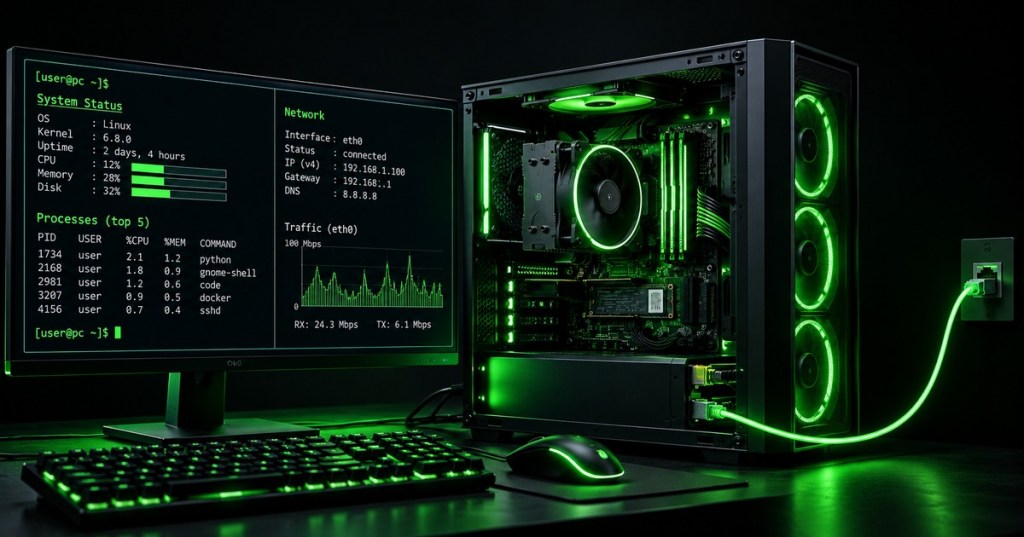
Information technology connects hardware, software, networks, data, users, and support processes into working systems. OSITC.001 begins the Open-Source Information Technology Certificate with the four foundations used throughout the track: computer hardware, operating systems, networking, and structured troubleshooting. These foundations also connect directly to BitcoinVersus lessons on Linux, Windows, networking, fiber, and data centers.
1. The Basic IT System Model
User
↓
Application
↓
Operating System
↓
Drivers / Services
↓
CPU • RAM • Storage • NIC • GPU • Peripherals
↓
Local Network → Router → Internet / Cloud / Remote Systems
- User: creates the requirement or reports the problem.
- Application: performs the user-facing task.
- Operating system: manages hardware, files, memory, processes, security, networking, and applications.
- Drivers and services: connect operating-system functions to devices and background functions.
- Hardware: provides processing, memory, storage, networking, display, input, and power.
- Network: connects the local system to other hosts, services, and the Internet.
2. Hardware: The Physical Layer
Computer hardware is the physical platform that executes instructions and moves data. The CPU processes instructions, RAM holds active working data, storage preserves data across reboots, the motherboard connects components, the NIC moves network traffic, and the power and cooling systems keep the platform electrically and thermally stable. Effective IT support starts by knowing which physical component is responsible for each symptom before replacing parts.
Hardware Responsibilities
- CPU: Executes instructions. Common symptoms: high utilization, thermal throttling, or failure to POST.
- RAM: Holds temporary working data. Common symptoms: crashes, memory errors, or poor multitasking.
- SSD/HDD: Provides persistent storage. Common symptoms: slow I/O, boot failures, or missing files.
- Motherboard: Interconnects components. Common symptoms: no POST, missing devices, or unstable buses.
- NIC: Provides network connectivity. Common symptoms: no link, packet loss, or a missing interface.
- PSU: Supplies electrical power. Common symptoms: no power, resets, or instability under load.
- Cooling: Removes heat. Common symptoms: high temperature, throttling, or shutdowns.
3. Operating Systems: The Control Layer
An operating system manages the computer’s resources and provides interfaces for users and applications. Its kernel coordinates CPU time, memory, devices, filesystems, networking, and security, while user-space tools provide graphical interfaces, command shells, services, and applications. IT technicians must be comfortable moving between GUI tools and the command line because the same system state often needs to be inspected from both views.
First Operating-System Checks
Windowssysteminfowhoamiipconfig /alltasklist
Linuxuname -awhoamiip addrps aux
- Identify the operating system and version.
- Identify the current user and privilege context.
- Inspect interfaces and addressing.
- Inspect running processes.
- Record evidence before changing configuration.
4. Networking: Moving Data Between Systems
A network allows computers, servers, printers, phones, switches, routers, and cloud services to exchange data using agreed protocols. A useful support model starts with the physical link, then checks local addressing, the default gateway, DNS, routing, transport ports, and finally the application. This layered approach prevents an application error from being misdiagnosed as a cable problem—or a disconnected cable from becoming an hour-long software investigation.
Basic Network Troubleshooting Ladder
- Check power and physical link.
- Check interface state.
- Check IP address and subnet mask/prefix.
- Check default gateway.
- Test the gateway.
- Test a remote IP address.
- Test DNS name resolution.
- Test the required TCP/UDP port.
- Test the application.
Windowsipconfig /allping 127.0.0.1ping GATEWAY_IPnslookup example.comtracert example.com
Linuxip addrip routeping -c 4 127.0.0.1ping -c 4 GATEWAY_IPnslookup example.comtraceroute example.com
5. Troubleshooting: Evidence Before Action
Professional troubleshooting is a repeatable evidence process rather than random experimentation. Define the symptom, establish what changed, identify the smallest likely fault domain, test one hypothesis at a time, implement the least disruptive fix, verify full functionality, and document what happened. The strongest technicians separate observation from assumption so that each command, measurement, or replacement answers a specific question.
Core Troubleshooting Method
- Identify the problem. Gather symptoms, users affected, scope, timing, and recent changes.
- Establish a theory. Start with the most likely and least destructive explanations.
- Test the theory. Use commands, logs, substitution, measurements, or controlled reproduction.
- Plan the fix. Consider backups, outage impact, dependencies, permissions, and rollback.
- Implement. Make the smallest justified change.
- Verify. Confirm the original problem is resolved and no new problem was introduced.
- Document. Record symptoms, cause, evidence, actions, and final state.
6. A Simple End-to-End IT Check
PHYSICAL → BOOT → OS → USER → NETWORK → SERVICE → APPLICATION → VERIFY
- Physical: power, cables, LEDs, temperature, obvious damage.
- Boot: POST, firmware, boot device, startup errors.
- OS: version, disk space, drivers, processes, logs.
- User: identity, permissions, profile, authentication.
- Network: link, IP, gateway, DNS, route, port.
- Service: required background service or daemon.
- Application: configuration, dependencies, logs, server response.
- Verify: reproduce the original task successfully.
7. Practical Exercise
- Use a Windows or Linux lab machine.
- Identify CPU, RAM, storage, NIC, and operating-system version.
- Record the current user and running processes.
- Record IP address, prefix/subnet mask, gateway, and DNS server.
- Test the loopback address.
- Test the default gateway.
- Resolve a public DNS name.
- Trace the path toward a public destination.
- Disconnect the network cable or disable the lab adapter and predict which tests should fail.
- Restore connectivity and verify the complete application path again.
- Write a short incident note containing symptom, evidence, root cause, fix, and verification.
8. Knowledge Check + Answers
- What is the CPU’s basic role? Execute instructions and process data.
- What is RAM used for? Temporary working data needed by active processes.
- What does an operating system manage? Hardware resources, processes, memory, storage, files, devices, networking, security, and application interfaces.
- What should be checked before DNS? Physical link, interface state, IP configuration, gateway, and basic IP reachability.
- Why test one hypothesis at a time? So the technician knows which change or observation actually explains the result.
- Why document the final state? Documentation creates repeatable knowledge, supports escalation, and proves what was changed and verified.
- What is the difference between a symptom and a root cause? A symptom is the observed failure; the root cause is the underlying condition that produced it.
- Why verify the original user task after a fix? A component can appear healthy while the end-to-end service is still broken.
Useful Prior Lessons
- OSNTC.016: IPv6 Addressing and Neighbor Discovery
- Linux Command #43 – userdel
- Windows Command #33 – net start
- OSDCTC.003: Structured Cabling and Patch Panels
Technical References
- Google Skills — Google IT Support Certificate
- Google IT Support Professional Certificate curriculum
- Microsoft — What Is an Operating System?
- Professor Messer — The Troubleshooting Process
Key Takeaway
- Every IT problem crosses one or more layers: hardware, operating system, network, service, application, or user context. OSITC begins by learning to identify those layers, inspect them with evidence, and troubleshoot them in a repeatable order.
BitcoinVersus.Tech
Advertisement
Editor’s Note:
We volunteer daily to ensure the credibility of the information on this platform is Verifiably True. If you would like to support our research initiatives, please donate here: 3C9o19EH5HSiwEPyCTmEKzxhNCbo2X6TTb
BitcoinVersus.tech is not a financial advisor. This media platform reports on financial subjects purely for informational purposes.


Leave a comment