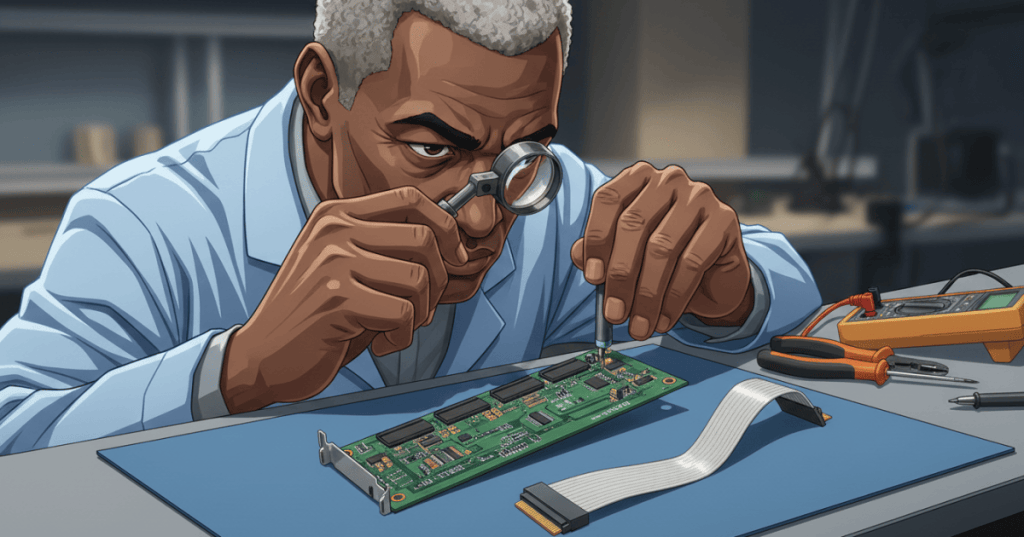
A hashboard connection fault occurs when the electrical or mechanical path between a Bitcoin miner’s hashboard, controller, power supply, and cooling system cannot reliably perform its assigned function. Common causes include a partly inserted signal ribbon, damaged connector pins, loose high-current busbar hardware, contamination, wrong cable orientation, and fatigued contacts. The resulting symptom can resemble a defective ASIC even when the silicon itself is healthy.
This Open-Source Hashboard Repair Engineering lesson explains how to distinguish low-power data connections from high-current power connections, why small contact defects cause disproportionate downtime, and what evidence belongs in a safe service ticket. It continues the anatomy of the hashboard, signal-chain communications, missing ASIC diagnosis, and temperature-sensor protection. The focus here is the connection itself, not chip replacement.
Learning objectives
- Recognize the difference between ribbon/data connections, high-current 4- or 6-pin power connectors, copper plug-and-socket interfaces, and bolted copper busbars.
- Explain the physical effects of poor seating, oxidized contacts, loose crimps, thermal cycling, vibration, and pin deformation.
- Interpret missing-board, low-hashrate, startup, and connector-overheating symptoms without prematurely blaming the mining ASICs.
- Use de-energized visual inspection, log preservation and manufacturer-approved component substitutions to build a traceable diagnosis.
- Document what constitutes an acceptable connection repair and the evidence needed before returning a miner to service.
The connector is part of the electrical system
A miner’s hashboard does not operate independently. The control board communicates configuration and work to each installed hashboard through a model-specific interface, while the power supply delivers substantial electrical current. These two links serve different purposes. A ribbon cable may be incapable of delivering any meaningful ASIC-core power, while a copper power bus cannot substitute for the data interface.
In Bitmain’s official power-supply connection precautions, three broad power-connection styles are illustrated: 4- or 6-pin harnesses, copper plug-and-socket interfaces, and fixed conductive copper bars. The correct attachment method depends on the miner and PCB design. Never assume that a procedure written for an older S9, a newer S19, an S21, or a hydro model is interchangeable.
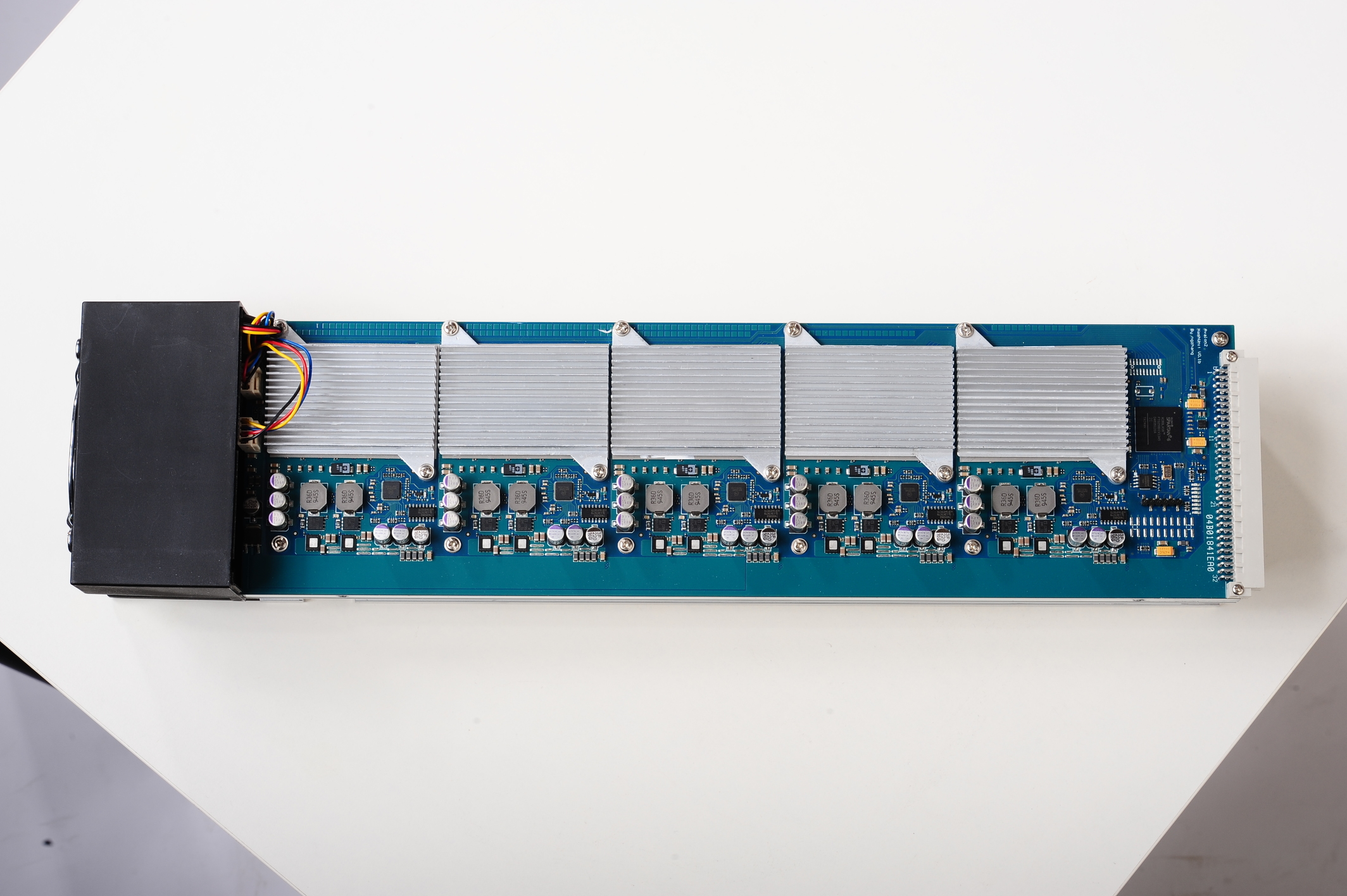
The board above illustrates the relationship between a complete mining module, its visible conductors and its connector location. A connector may be mechanically small while carrying a function essential to the whole machine. On modern miners, however, connector shapes, pin assignments, screw hardware, voltage levels and safety interlocks vary by board revision.
Signal ribbons and control-board interfaces
A signal ribbon typically carries digital control, timing and response paths between the controller and hashboard. Depending on the hardware, it may also carry identification, supervision or sensor communications. If a ribbon is one pin out of alignment, its insulation is cut, the strain relief fails, or a female contact has lost spring force, the controller may report a missing chain, missing ASIC enumeration, or sensor communication errors.
Bitmain’s 19-series troubleshooting guidance specifically recommends verifying cables when a hashboard is missing. Its broader fault catalog also lists loose hashboard cables and abnormal control-board cable interfaces as potential causes of lost or reduced hashrate. These are diagnostic categories, not evidence that every nonresponsive chain has the same problem.
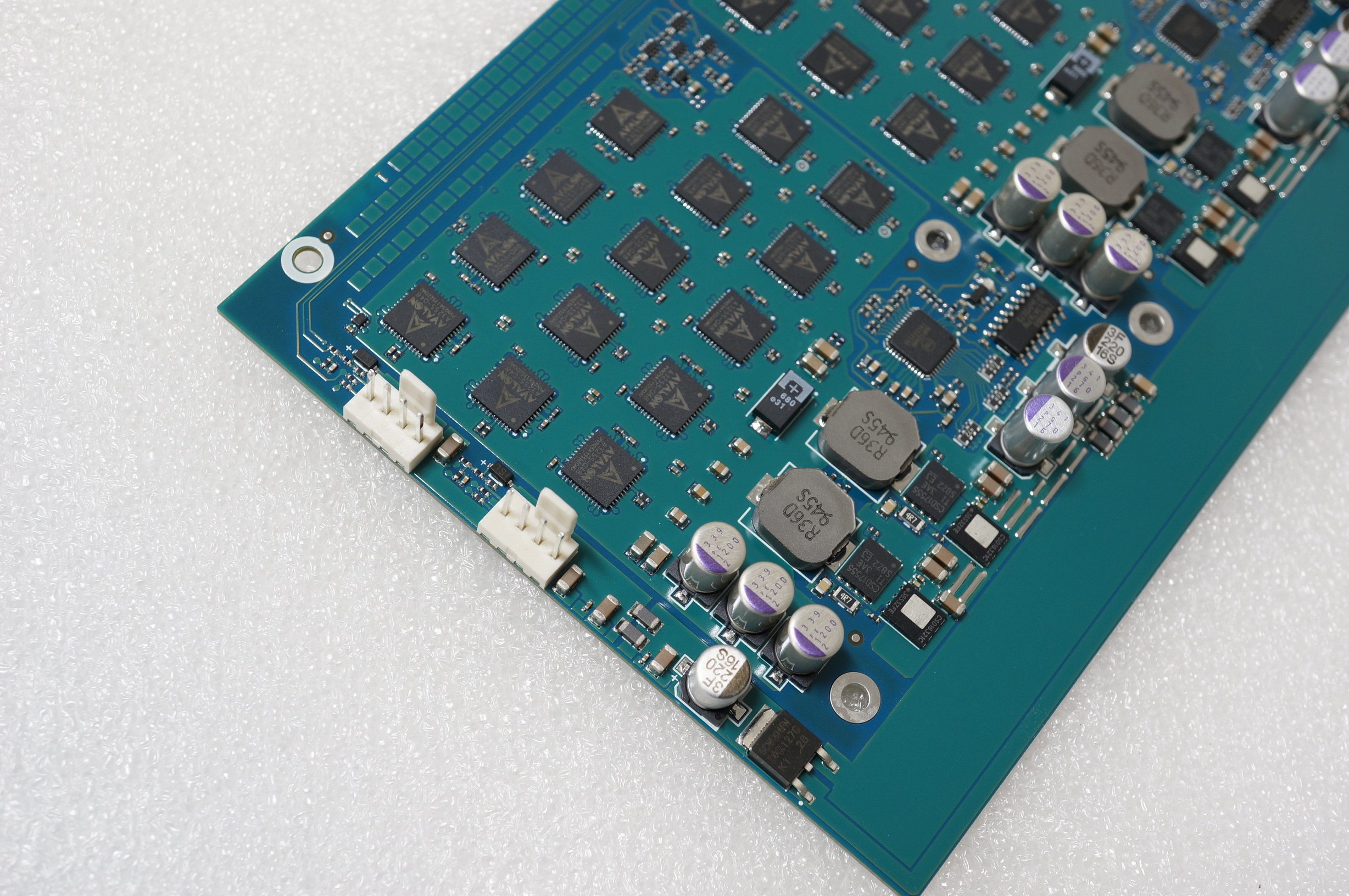
The important skill is not identifying every white connector as equivalent. A connector’s keying, pin count, mating geometry, current rating, cable orientation and assigned function determine whether it is correct. Similar-looking 18-pin ribbons can serve different generations of equipment, and apparent fit does not verify compatibility. A false assumption at this stage may damage the board or invalidate a test.
Power contacts and the physics of excess heating
Power connectors face a different kind of problem: an apparently minor rise in contact resistance can concentrate heat at a small junction. For resistive heating, P = I²R, where current is in amperes, resistance in ohms and heat-dissipation rate in watts. This relationship explains why even a small contact defect can become serious at high ASIC current. A warm or darkened contact is a reason to investigate and isolate the equipment, not a cue to tighten or reposition hardware while energized.
Bitmain warns that poor contact, reversed positive and negative connections, and improperly seated copper plugs can cause board damage or burnout. The manufacturer also cautions against carrying a machine by its wires, because the connector can loosen or deform, and emphasizes secure fasteners for fixed busbars. These precautions establish the central principle of the lesson: mechanical integrity is part of electrical integrity.
A high-current connection may fail from a loose bolted joint, corrosion, insufficient contact area, a defective crimp, repeated thermal expansion, incorrect torque or contamination. A technician’s visual observation—such as a distorted plastic shell, discolored metal, cracked copper plating or melted insulation—is an important warning, but not proof of a particular internal resistance value. The damaged assembly must be evaluated under an approved service standard before reuse.
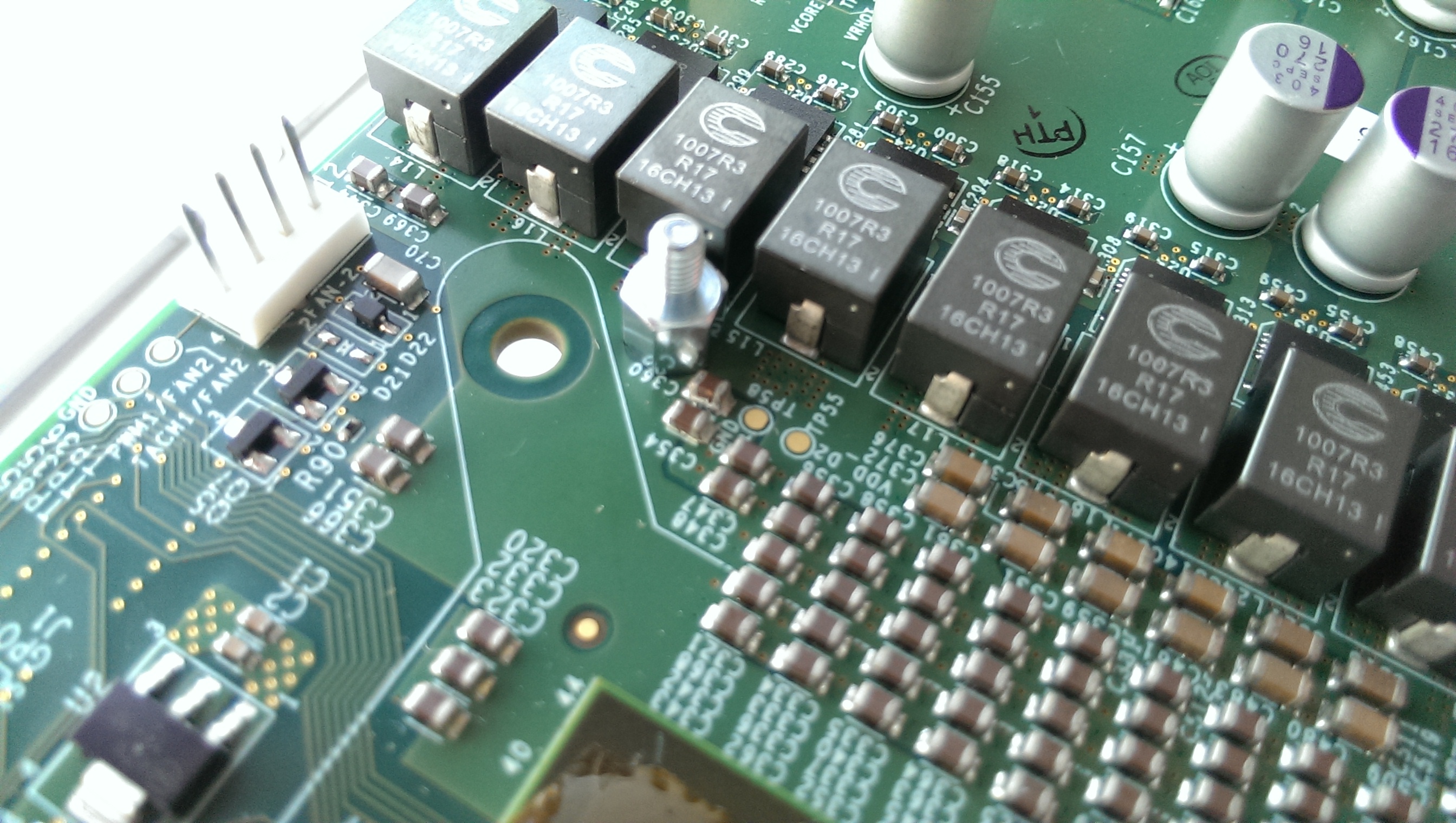
The photograph highlights why an engineer must read silkscreen labels, actual pin geometry and component placement rather than using a generic internet diagram. Earlier Bitcoin miners and modern high-density hashboards solve comparable power-distribution and communication problems using notably different hardware.
Fault symptoms are not component diagnoses
| Symptom | Possible connection path | What remains unproven |
|---|---|---|
| Entire chain disappears | Data ribbon, controller slot, board interface, or power delivery | That any mining ASIC has failed |
| Intermittent board recognition | Loose socket, intermittent wire, connector stress, or common supply | Which end of the cable is defective |
| Blackened power contact or heat-damaged housing | Contact resistance, loose termination, overload, or damaged connector | That reseating alone restores a safe connection |
| Fans run but one board reports no chips | Control-to-board communications or hashboard power path | That the fan circuit proves the board supply healthy |
| Chain returns after cable substitution | Original cable, its seating, or cable handling | That the original cable was internally open without further testing |
For example, an ASIC chain that disappears may have a signal-ribbon fault, an inaccessible controller interface, a power-delivery problem or a damaged board. A fan running proves only that one part of the electrical system functions. A partial ASIC count does not prove all remaining chips are defective. Read both the specific alarm and the original kernel log before selecting a service path.
Video study: removing and reinstalling an Antminer S19 hashboard
The first video shows a technician removing or replacing an S19-series hashboard. Use it to recognize the relationship between board seating, chassis rails, connectors and cable routing. The video is an independent practical demonstration, not a substitute for the manufacturer’s exact revision-specific disassembly and electrical isolation requirements.
Video: VIKRANT TECH, “How to remove / replace antminer s19 hashboard (all versions)” (April 20, 2023). Shows real hardware during removal; despite the broad title, individual S19 revisions may require different service procedures.
Observe which cables lead to the controller and which deliver power. Also note whether the technician identifies the board revision and confirms that fasteners, terminals and cable pathways are free from strain. Any energized probing or improvised bridging shown in third-party videos should not be duplicated by untrained personnel.
Safe field-inspection and escalation workflow
- Identify the unit: record asset ID, exact miner name, hashboard revision, control-board type, PSU model, cooling type, applicable official service manual and any previous connector replacement.
- Preserve evidence: collect timestamped kernel logs, missing-chain or low-hashrate alarms, original board-slot labels, photos of the cable routing and photographs of visible damage before disturbing connectors.
- Apply protective shutdown and isolation: follow the facility’s lockout procedure, manufacturer instructions, safe discharge period and ESD controls. Never work on an energized connector or assume a stopped fan means the PSU is safe.
- Inspect de-energized interfaces: look for incomplete seating, bent or recessed pins, cracked latch tabs, melted insulating housings, green corrosion, rubbed-through ribbon insulation, cable strain, missing busbar fasteners or unusual heating marks.
- Verify compatibility before substitution: a qualified technician should match the replacement harness’s conductor count, pinout, keying, length, current rating and supported miner/PCB revision. A same-size connector is not proof of a safe match.
- Isolate the fault by approved test: if the documentation permits it, compare a verified-good replacement cable or approved known-good controller port with the original configuration, changing only one variable per test and preserving original wiring labels.
- Quarantine unsafe equipment: burned contacts, suspect copper bars, melted terminals or recurring overheat alarms require a trained bench-level assessment and usually replacement of the affected mating components. Do not simply reconnect until the alarm clears.
- Document return to service: log the corrective part number, cable routing, approved fastener inspection, test outcome, full chip enumeration and stable operation within the manufacturer’s specified settings.
The list is a diagnostic governance framework, not permission to swap live connectors or test high-current joints under load. Some service manuals require a qualified technician and manufacturer-specific fixture; follow those documents and local electrical-safety rules. The board may have enough stored electrical energy to remain hazardous after upstream power is removed.
Video study: Bitmain’s official hashboard-removal example
Bitmain also maintains an official hardware demonstration for fixed-frequency DR5/D5 miners. It is useful for seeing the mechanical separation of power contacts, control-board cables and hashboards, but it is not an S19 or S21 repair procedure. The official page explicitly restricts its instructions to the supported fixed-frequency models.
Video: BITMAIN official DR5/D5 hashboard disassembly demonstration, linked in the manufacturer’s DR5/D5 disassembly guidance. For historical comparison of connector handling; do not transfer these disassembly steps to unrelated models.
Notice how board position, metal structures, connectors and cabling interact mechanically. A replacement board that is electrically compatible but seated crookedly, or a cable that is pulled taut by chassis assembly, can produce repeat faults even after a successful first startup.
Practical case: a missing chain after maintenance
A three-hashboard miner operates normally before a facility cleaning. After reassembly, the controller reports two chains instead of three. The maintenance record shows the affected unit was opened, but no photograph was made of its original ribbon connections. An inexperienced operator may conclude that the missing hashboard has failed. That is an unsupported diagnosis. A controlled intake should first consider disturbed cable seating, a strained connector, wrong slot mapping, and any physical damage associated with the recent work.
In a qualified repair setting, matching the exact original cable-routing diagram and using a compatible, tested replacement harness may help separate the cable from the board. If the fault tracks a particular harness across approved tests, confidence in a cable defect rises. If it remains with a physical control-board slot, the interface or slot-level supply deserves investigation. Neither observation authorizes random swapping of powered boards, cross-model hardware or undocumented firmware changes.
Practical case: a darkened copper power contact
Another miner shows intermittent hashrate drops and a visible brown spot near a power contact. The spot could result from prolonged resistance heating or previous damage, but the exact root cause is unknown. The appropriate response is to remove the unit from service and have a qualified technician assess the connector pair, busbar hardware, insulating material, affected copper, PSU protections and applicable replacement standards. Repeatedly restarting the machine, forcing more current through the joint or simply tightening a hot terminal risks compounding the damage.
The essential distinction is between a cable reseating observation and a safe repair acceptance. Bitmain’s warning about poor contact and burnout should carry more weight than a momentarily normal dashboard. Replacement of both mating halves may be necessary where the connection has been thermally damaged; final decisions must follow the model-specific service documentation.
Model identity matters more than connector appearance
Bitmain’s S19 PCB-versus-aluminum-board identification guide illustrates a striking example: one documented S19 PCB revision contains 76 ASICs per hashboard, while an aluminum-board variant has 88. The manufacturer explicitly notes its revision guidance may not cover later changes. A correct cable, controller and power interface should be selected from the exact hardware markings rather than merely the “S19” marketing label.
The same principle applies to S21 models, hydro-cooled mining systems and third-party repairs. For more on this constraint, see our hashboard compatibility explainer. An apparent port match does not guarantee electrical or firmware compatibility, and a model-specific warning should never be overridden by an older generic tutorial.
Repair acceptance and evidence
- A complete asset and PCB identity record, including hardware revision and approved cable/connector part numbers.
- Photographs of pre-repair fault conditions and a description of the confirmed failure mechanism, or a clear statement that the root cause remains unverified.
- Evidence that the correct control and power connections are seated, free from strain and undamaged under approved service conditions.
- A repeatable chip-discovery and firmware diagnostic result using the supported hardware configuration.
- Stable mining, temperature and hardware-error behavior over the manufacturer’s required validation period, without recurring missing-board or heat-related alarms.
- A technician/date record explaining any replacement, cleaning, adjustment, controlled testing and subsequent return-to-service authorization.
A connector repair is complete only when the equipment is electrically safe and functionally stable—not merely when a missing-board alarm disappears once. The documentation becomes part of future failure analysis, enabling the next technician to distinguish repeat electrical damage from a separate firmware or network fault.
Knowledge check
- Why can a ribbon cable cause a zero-ASIC or missing-board error even when the hashing chips have no physical defect?
- Why is a visibly darkened high-current copper connection a different safety issue from a loose signal ribbon?
- Why does a known-good cable test require exact revision compatibility and unchanged original slot labels?
- Which details from a board’s silkscreen and the manufacturer’s instructions should be recorded before replacement?
- What evidence distinguishes “the miner restarted successfully” from “the connector repair is fully validated”?
Answer guide: A signal ribbon participates in board discovery; losing that communication can hide intact chips. A power contact can concentrate resistive heating and threaten insulation or copper even if the dashboard briefly recovers. A substitute cable must have the correct pinout and physical compatibility, with only one diagnostic variable changed. Record model, PCB ID, pin mapping, cabling, PSU, firmware and service revision. Completion requires safe contacts, correct configuration, repeatable enumeration and sustained stable operation.
Primary documentation and further reading
Manufacturer documentation: BITMAIN — PSU-to-miner connection precautions; BITMAIN — 19-series common problems; BITMAIN — general miner failure troubleshooting; BITMAIN — S19 board revision and identification; BITMAIN — DR5/D5 diagnostic examples; BITMAIN — official DR5/D5 video and disassembly scope.
Editor’s Note: We volunteer daily to ensure the credibility of the information on this platform is Verifiably True. If you would like to support our work and help further secure the integrity of our research initiatives, please scan the QR code below to donate 5,000 sats.

For mobile scanning, open this lesson on a laptop or larger screen and scan the QR code with a compatible Bitcoin wallet. Confirm the receiving address before sending: 3C9o19EH5HSiwEPyCTmEKzxhNCbo2X6TTb.
BitcoinVersus.tech is not a financial advisor. This media platform reports on financial subjects purely for informational purposes.


Leave a Reply