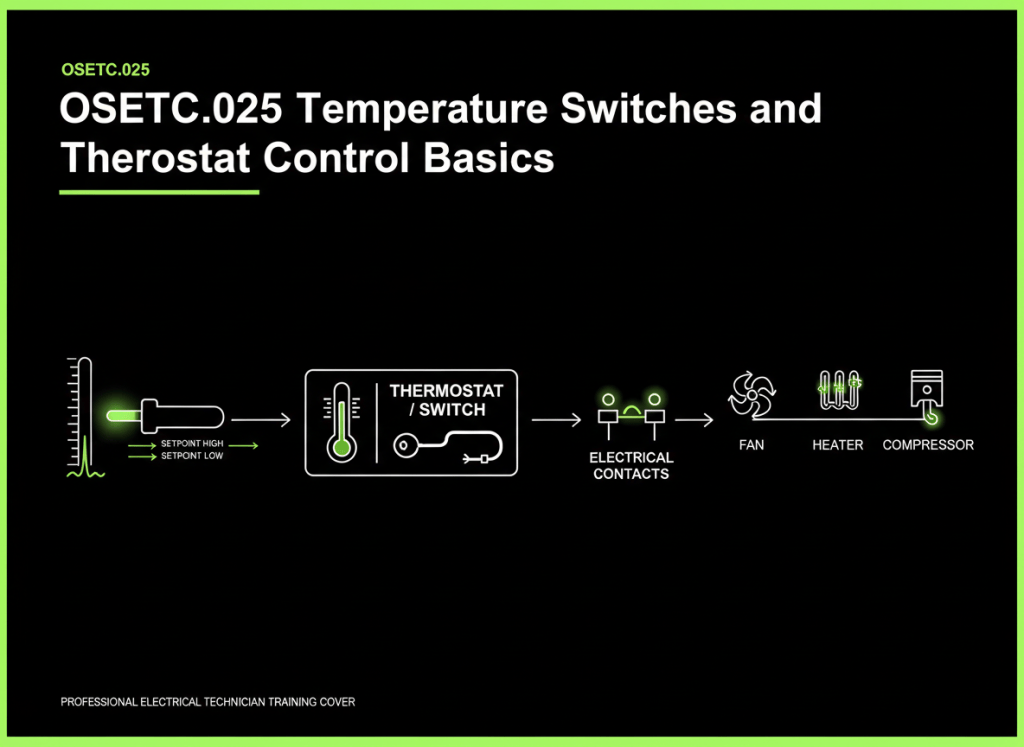
A temperature switch or thermostat turns a temperature condition into an electrical contact change that can start, stop, alarm, or protect equipment.
This lesson follows OSETC.024: Pressure Switches and Pressure Control Basics. A pressure switch senses pressure. A thermostat or temperature switch senses temperature. The control idea is the same: a physical condition changes, the sensing element reacts, and electrical contacts change state.
Temperature changes
        ↓
Sensor reacts
        ↓
Switch mechanism changes state
        ↓
Electrical contacts open or close
        ↓
Heater, fan, compressor, relay, alarm, or controller responds
The simplest thermostat example
Imagine a cooling system. As temperature rises above a chosen point, the thermostat changes contact state and cooling starts. As temperature falls far enough, the contacts return to their other state and cooling stops.
Temperature rises
      ↓
Cooling cut-in point reached
      ↓
Thermostat changes state
      ↓
Cooling starts
      ↓
Temperature falls
      ↓
Cooling cut-out point reached
      ↓
Thermostat changes state again
      ↓
Cooling stops
Danfoss describes industrial temperature switches as electromechanical controls that provide a switch contact that operates at a set temperature, with differential adjustment available on many models.
Reference: Danfoss — Industrial Temperature Switches.
Video 1: How to set up a temperature switch
Setpoint and differential
The setpoint is the temperature where the control is intended to switch. The differential, sometimes called hysteresis, is the gap between the two switching points.
Cooling turns ON at 80°F
Cooling turns OFF at 75°F

Differential = 80°F − 75°F = 5°F
The exact relationship depends on the specific control and whether it is configured for heating, cooling, rising temperature, or falling temperature. Always use the manufacturer’s switching diagram.
A differential prevents rapid ON/OFF cycling around one exact temperature.
Without enough differential:
79.9°F → OFF
80.0°F → ON
79.9°F → OFF
80.0°F → ON

Result: rapid cycling / hunting
Normally open, normally closed, and common
Many temperature controls use contacts marked NO, NC, and COM.
- NO — normally open: open in the control’s defined normal state.
- NC — normally closed: closed in the defined normal state.
- COM — common: the moving contact on many SPDT controls.
Do not assume “normal” means room temperature or zero degrees. The manufacturer defines the contact state relative to the sensing condition and control design.
Different ways to sense temperature
Temperature switches and thermostats can use several sensing methods.
| Sensing method | Basic idea | Common use |
|---|---|---|
| Bimetal | Two bonded metals expand differently and move as temperature changes. | Simple thermal switches, equipment protection, thermostats. |
| Remote bulb + capillary | A temperature-sensitive charge changes pressure inside a bulb/capillary system and moves a mechanism. | Refrigeration, HVAC, industrial controls. |
| Electronic sensor + controller | A thermistor, RTD, or other sensor changes an electrical value that a controller interprets. | Digital thermostats, building controls, process systems. |
Honeywell describes bimetal thermostat designs that open or close contacts on temperature rise, while Danfoss industrial controls include room, duct, and remote-bulb sensing arrangements.
Reference: Honeywell — 3100 Series Thermostats.
Video 2: Mechanical temperature control basics
Remote bulb and capillary controls
A remote-bulb thermostat separates the sensing point from the electrical switch body.
Remote sensing bulb
        │
        │ capillary tube
        ▼
Thermostat mechanism
        │
        ▼
Electrical contacts
The bulb must be placed where it senses the intended temperature. A damaged, kinked, or incorrectly routed capillary can make the control inaccurate or inoperative.
Do not cut, crush, or sharply bend a sealed sensing bulb/capillary assembly. If its charge is lost, the control generally cannot sense correctly.
Heating logic and cooling logic can be opposite
A heating thermostat and a cooling thermostat may use opposite contact actions.
HEATING EXAMPLE
Temperature falls
      ↓
Thermostat calls for heat
      ↓
Heater turns ON

COOLING EXAMPLE
Temperature rises
      ↓
Thermostat calls for cooling
      ↓
Cooling turns ON
Never diagnose a thermostat by assuming which contact “should” be open. First identify whether the control is heating or cooling, whether the switch changes on rise or fall, and which terminals the schematic uses.
Automatic reset vs. manual reset
An automatic-reset temperature control returns to its normal operating state when temperature moves back through the reset point.
A manual-reset high-limit or low-limit control requires a person to reset it after the abnormal temperature condition is corrected. Manual reset is often used where automatic restart could be unsafe.
Video 3: HVACR temperature-control logic
Temperature switch vs. temperature sensor
A temperature switch usually gives a discrete contact output: ON/OFF, open/closed, alarm/not alarm.
A temperature sensor often provides a continuously varying value that another controller interprets.
Temperature switch:
Temperature → contact changes state

Temperature sensor:
Temperature → changing resistance / voltage / current / digital value
                    ↓
                 controller
Some devices combine both functions inside one product, so always read the wiring diagram and datasheet.
Data-center example: cooling alarm or fan control
A temperature switch can be used as a simple high-temperature alarm or as part of a fan-control circuit.
Room / duct / equipment temperature rises
                ↓
Temperature switch reaches setpoint
                ↓
Contact changes state
                ↓
Alarm, relay, fan, or controller input activates
If the alarm appears wrong, do not immediately replace the switch. First verify the actual temperature and the sensing location.
ASIC-mining example: overtemperature protection
Mining and power equipment can use temperature switches or thermal protectors to stop equipment, energize cooling, or produce an alarm when a component becomes too hot.
The correct response depends on the circuit design. A high-temperature switch might open a control circuit, close an alarm contact, or feed a PLC/BMS input.
Basic troubleshooting sequence
- Measure the real temperature. Use an approved instrument at the correct sensing location.
- Identify the control’s setpoint and differential. Use the datasheet or equipment documentation.
- Determine expected contact state. Check heating/cooling logic and rising/falling action.
- Inspect the sensing element. Check bulb placement, capillary condition, mounting, and physical contact with the measured surface or medium where applicable.
- Verify electrical contact change safely. Use the approved isolation and test procedure.
- Check the rest of the control circuit. The switch may be working while a relay, contactor, controller input, or wiring fault prevents the final equipment from operating.
A thermostat can be correct while the temperature still looks wrong
Temperature at the sensor may differ from temperature somewhere else in the room or equipment.
- A thermostat near a hot electrical cabinet may read higher than room average.
- A sensor beside a supply-air outlet may read lower than occupied-space temperature.
- A remote bulb that is loose from a pipe or coil may not measure the intended surface temperature.
- Heat from sunlight, motors, transformers, electronics, or poor airflow can bias the reading.
Always ask: What temperature is this sensor actually measuring?
Common beginner mistakes
- Confusing setpoint with differential.
- Assuming heating and cooling contacts act the same way.
- Changing the setpoint before measuring actual temperature.
- Replacing the thermostat before checking the sensing bulb or sensor location.
- Damaging a capillary tube by sharply bending or crushing it.
- Bypassing a high-temperature safety control to make equipment run.
- Assuming a switch contact can carry any load without checking its contact rating.
- Confusing a temperature switch with an analog temperature sensor.
Safe practice exercise
Use a low-voltage training thermostat or de-energized control that you are authorized to test.
- Identify COM, NO, and NC if the device provides them.
- Find the setpoint and differential information.
- Record the starting temperature.
- Slowly warm or cool the sensor within its approved range.
- Measure when the contacts change state.
- Continue in the opposite direction and record the reset point.
- Calculate the observed differential.
Do not heat a sensor with an uncontrolled flame, exceed its rated range, or energize a circuit you are not qualified to work on.
Knowledge check
1. What does a temperature switch do?
It changes electrical contact state when the sensed temperature reaches a defined switching condition.
2. What is differential?
The temperature difference between the switch’s two operating points.
3. Why is differential useful?
It prevents rapid cycling around one exact temperature.
4. Why can a remote-bulb thermostat read incorrectly?
The bulb may be mounted in the wrong location, the capillary may be damaged, or the bulb may not have good thermal contact with the intended measurement point.
5. Is a temperature switch the same thing as a temperature sensor?
Not necessarily. A switch usually gives a discrete contact output, while a sensor often provides a continuously varying measurement to a controller.
Key takeaway
A temperature switch converts a temperature condition into an electrical decision. The technician should verify the real temperature, sensing location, setpoint, differential, contact logic, and complete control circuit before deciding that the thermostat itself has failed.
Display note: all diagrams in this lesson are plain educational control diagrams, not simulated terminals. No terminal color palette is used or invented.
BitcoinVersus.Tech
Advertisement
Editor’s Note:
We volunteer daily to ensure the credibility of the information on this platform is Verifiably True. If you would like to support our research initiatives, please donate here: 3C9o19EH5HSiwEPyCTmEKzxhNCbo2X6TTb
BitcoinVersus.tech is not a financial advisor. This media platform reports on financial subjects purely for informational purposes.


Leave a Reply