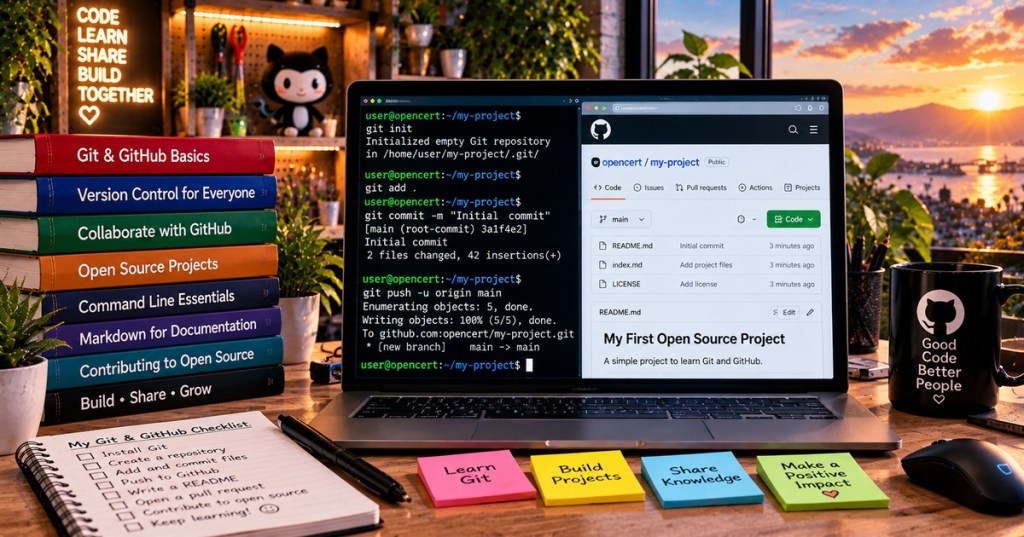
Git is a version-control system that remembers how files change over time. GitHub is an online service where people host Git repositories and collaborate. Together, they make it easier to experiment, recover older work, review changes and share software. You do not need to be a professional programmer to benefit: Git can track documentation, website files, lesson drafts and configuration files too.
Git and GitHub Are Not the Same Thing
Git runs locally on your computer. You can create commits, inspect history and work on branches without a GitHub account or an internet connection. GitHub adds remote hosting, issue tracking, pull requests, access controls and automation. Git can also work with other hosting services or private servers. This distinction matters for open-source software: putting files on GitHub does not automatically grant an open-source license.
What Is a Repository?
A repository, often shortened to repo, is a project directory whose history Git tracks. Its hidden .git directory contains metadata and version history. A commit is a recorded snapshot of changes with a message describing what changed. A branch is a movable pointer to a sequence of commits, allowing developers to try new work without immediately changing the main branch.
Your First Git Project
After installing Git from the official downloads page, open a terminal and try these commands in a new folder. Set your name and email once before committing; use an email address you are comfortable associating with commits.
mkdir my-first-project
cd my-first-project
git init
git config user.name "Your Name"
git config user.email "you@example.com"
echo "# My First Project" > README.md
git add README.md
git commit -m "Add project README"
git status
What Each Command Does
git init starts a repository. git add stages selected changes for the next commit. git commit records the staged snapshot. git status tells you which files changed and whether anything remains to commit. Git does not automatically upload your work to the internet: pushing to a remote repository is a separate operation.
Branches and Pull Requests
Imagine editing a tutorial while someone else fixes a typo. Separate branches let both changes proceed independently. A GitHub pull request proposes merging one branch into another and provides a place for discussion, code review and automated checks. A reviewer can request improvements before the changes reach the default branch. This workflow is useful for Raspberry Pi projects, documentation and large applications alike.
What Should You Put in a Git Repository?
Good candidates include source code, text-based documentation, configuration templates, tests and project instructions. Avoid committing passwords, API keys, private customer data, huge generated files or machine-specific secrets. Use a .gitignore file for local build outputs and temporary files. If a secret is accidentally committed, removing it from the latest version is not enough: treat the secret as compromised and rotate it.
Does a Public GitHub Repo Mean Open Source?
No. Public visibility allows people to read files, but reuse rights depend on licensing. An educational project might license original lessons under Creative Commons BY-SA 4.0, while accompanying software uses a suitable software license such as MIT or Apache 2.0. Third-party photos and videos remain governed by their own permissions. See our open-source software overview for the distinction.
Five Things to Learn Next
Once you are comfortable committing files, practice reading git log, comparing edits with git diff, creating a branch with git switch -c feature-name, connecting a remote with git remote add origin URL, and pushing with git push -u origin feature-name. Use a test repository until you understand how branches and remotes work. For command-line fundamentals, also see our guide to the PATH environment variable.
Why It Matters
Version control gives you a history you can inspect instead of relying on filenames like final-v2-really-final. It also makes collaboration more accountable: contributors can see which change introduced a feature or bug, discuss it and correct it. That makes Git useful for software development, technical documentation, training materials and long-running community projects.
Sources and Further Reading
Read the official Pro Git book, GitHub’s Git introduction, and GitHub’s repository licensing guidance. Related BitcoinVersus articles: open-source software, Raspberry Pi, and Linux services.


Leave a Reply