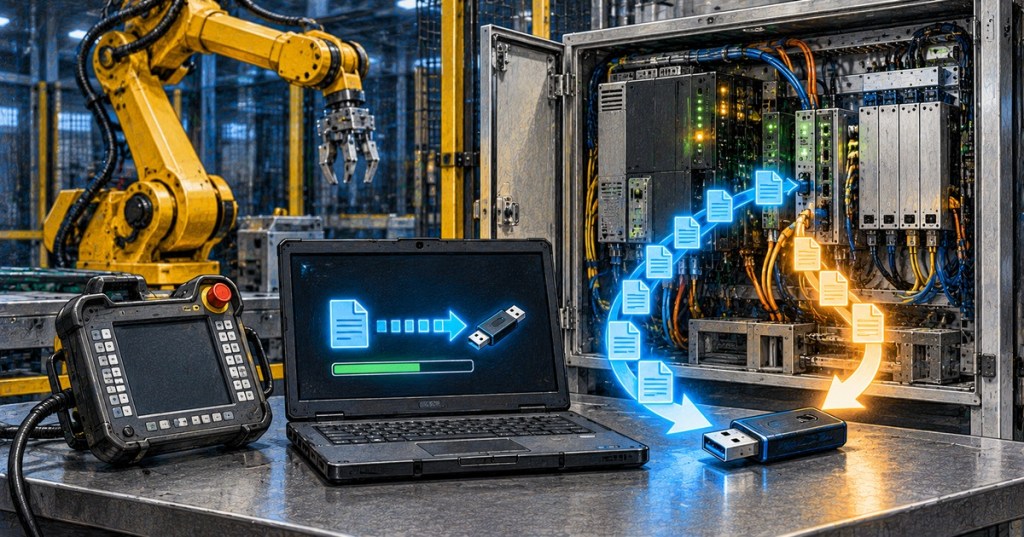
A robot controller backup is the recovery copy of the programs, configuration, calibration data, frames, I/O setup, and other system information needed to return an industrial robot to a known state. For a technician, the important skill is not simply pressing “Backup.” It is knowing what the backup contains, when it was created, which controller and software version it belongs to, and how to verify a restore without creating a second failure.
This lesson follows OSRTC.008: Robot Vision Calibration and Troubleshooting. Vision calibration protects geometric accuracy; controller backups protect the software and configuration state that makes the entire workcell reproducible after program corruption, controller replacement, maintenance, or an incorrect change.
ABB Robotics demonstrates how to create a RobotStudio controller backup and save it to a PC.
Elementary Overview
A robot controller is like the robot cell’s memory. It stores programs, settings, positions, communication data, calibration information, and many of the details that make one robot different from another. A backup is a copy of that memory. If something important is erased or damaged, the backup can help rebuild the system—but only if the backup is correct, recent, and belongs to the right controller.
This FANUC-focused tutorial demonstrates the practical backup-and-restore workflow used around teach-pendant programs and controller files.
Learning Objectives
- Explain why robot controller backups are part of preventive maintenance.
- Distinguish a full controller backup from program-only or configuration-only copies.
- Identify information that should be recorded with every backup.
- Explain why software version, options, controller identity, mastering, and calibration data matter during restore.
- Use a safe pre-restore and post-restore verification sequence.
- Recognize vendor differences among ABB, FANUC, and KUKA backup systems.
- Know when a restore should be escalated instead of attempted on a production robot.
What a Controller Backup Can Contain
Backup scope depends on the manufacturer and backup type. ABB’s RobotStudio documentation states that a system backup can include installed software and options, the system home directory, robot programs and modules, configuration data, and calibration data. FANUC distinguishes among controller file backups, program files, and more complete recovery approaches. KUKA provides controller archiving as well as broader recovery mechanisms. A technician should therefore record the backup type, not merely the filename.
A useful backup record includes robot asset ID, controller serial or system name, robot model, controller type, software/RobotWare/KSS version, installed options, date and time, technician name, reason for backup, and whether a known production cycle was verified immediately before the copy. A folder called “robot backup” without identity and version information is weak recovery evidence.
KUKA Nordic demonstrates creating a robot archive and saving it to removable media.
Backup Before Changes
Create a verified backup before controller replacement, software modification, option installation, major program edits, I/O remapping, frame changes, safety-configuration work, mastering recovery, calibration changes, or troubleshooting that may alter system parameters. The backup should represent the last known-good state—not a copy made only after the system is already damaged.
Backups should also be stored somewhere other than the controller being protected. A copy that exists only on the robot controller can be lost with a failed storage device or controller. Use the organization’s approved storage location and access controls; removable media, engineering workstations, servers, or vendor-managed backup systems may all be appropriate depending on site policy.
This ABB RobotStudio demonstration shows both backup and restore as one controlled recovery workflow.
Restore Is More Dangerous Than Backup
A restore changes controller state. It can replace programs, configuration, frames, I/O definitions, calibration data, system parameters, or other files depending on the restore scope. Before restoring, identify exactly what is being replaced and confirm that the backup matches the intended controller, software generation, robot model, and installed options. Do not assume two robots of the same model are interchangeable.
ABB documentation recommends checking backup identity information before restore, and its current RobotStudio manual notes that backups contain calibration and configuration data as well as programs. KUKA’s current system software includes project-based backup/restore and KUKA.Recovery. FANUC’s official Tech Transfer training similarly treats backup files as a controlled way to duplicate or recover programs and settings. The vendor terminology differs, but the technician principle is the same: verify compatibility before writing old state into a live controller.
This KUKA-focused walkthrough demonstrates restoring a controller archive and highlights why a restore should be treated as a deliberate maintenance operation.
Protect Mastering, Frames, and Safety Configuration
After a controller or storage failure, a restored program can look correct while the physical robot is still wrong. Verify mastering and zero-position state using the practices from OSRTC.003. Then verify TCP and user/tool frames using OSRTC.004. A backup does not physically repair a shifted encoder, moved fixture, changed tool, or damaged mechanical joint.
Safety configuration deserves an independent check. Restoring controller files must not be treated as proof that E-stops, safeguarding, safe zones, safety I/O, or collaborative limits are correct. Use the workcell’s approved validation procedure and the safety principles from OSRTC.001 before returning the cell to automatic production.
Future Robotics explains KUKA archive types and the practical differences a technician should recognize before recovery work.
A Technician Backup Procedure
- Identify the robot, controller, software version, serial/system name, and production cell.
- Confirm the cell is in an approved state for backup and that no critical motion or process is underway.
- Record the reason for the backup and whether the robot is currently known-good.
- Create the vendor-recommended full backup or archive.
- If the vendor supports separate program/configuration exports, create those when site procedure requires them.
- Copy the backup to approved external storage.
- Confirm the backup finished without error and that expected files/directories exist.
- Record date, version, identity, and technician information with the backup.
- Keep the previous known-good backup until the new one is verified.
ABB Robotics provides another official example of creating a controller backup for a production robot family.
A Technician Restore Procedure
- Stop and document the current failure before changing controller state.
- Create a backup of the current controller when possible, even if it is unhealthy; it may contain evidence or newer production data.
- Confirm the selected recovery copy belongs to the intended robot and controller generation.
- Compare software version, options, robot model, system identity, and restore scope.
- Follow the manufacturer’s approved restore procedure with appropriate permissions and operating mode.
- Allow required controller restart/reboot operations to complete.
- Check alarms before enabling motion.
- Verify mastering, frames, payload/tool data, I/O, network communication, safety configuration, and application options.
- Jog at approved reduced speed and verify reference points before running automatic motion.
- Run a controlled dry cycle or approved validation cycle before releasing production.
- Create a fresh post-recovery backup after the system is verified.
A PLC community discussion illustrates a real maintenance question: different FANUC backup types serve different recovery and engineering needs, so technicians should document which type they actually created.
Common Backup and Restore Mistakes
- No date or robot identity: the backup cannot be confidently matched to a machine.
- Only one copy: controller storage failure destroys both the robot and its backup.
- Backup after the fault: the only available copy may already contain the bad change.
- Wrong software generation: restore may fail or create configuration incompatibility.
- Program-only copy mistaken for full recovery: frames, I/O, options, calibration, or other system data may be missing.
- Restore without pre-restore backup: useful current-state evidence is lost.
- No mastering/frame verification: controller files appear correct while physical motion remains wrong.
- No controlled test cycle: the cell is returned to production before restored state is proven.
Hands-On Exercise
Using a training controller, simulator, or offline robot environment, create a backup and build a one-page recovery record containing: robot ID, controller type, software version, installed options, backup type, date/time, file location, known-good status, and verification result. Then inspect the backup and identify which files or directories appear to contain programs, configuration, and system information.
Next, change one harmless training value such as a nonproduction register or test program, create a second backup, and compare the two copies. Restore only in a simulator or approved training environment. After restore, verify the changed value, controller alarms, frames, I/O state, and a known reference position.
Knowledge Check
- Why is a program-only copy not always enough to recover a robot controller?
- What information should be stored with every robot backup?
- Why should a backup be created before major controller changes?
- Why is restoring more risky than backing up?
- What should be checked before restoring a backup to a controller?
- Why must mastering and frames be verified after recovery?
- Why should a backup be stored off the controller?
- What should be done after a successful restore and validation?
Answers
- A full controller state may also depend on configuration, I/O, calibration, frames, system parameters, options, and other files.
- Robot/controller identity, model, software version, options, date/time, backup type, technician, reason, storage location, and known-good/verification status.
- It preserves the last known-good state so an incorrect change can be reversed.
- A restore overwrites controller state and can replace valid programs or configuration with incompatible or outdated data.
- Robot identity, controller generation, software version, installed options, backup type, restore scope, and the reason for recovery.
- A restored file cannot correct a physically shifted robot, lost mastering condition, changed tool, or moved fixture.
- A controller hardware or storage failure can destroy locally stored backups.
- Run controlled verification, document the recovered state, and create a fresh post-recovery backup.
Elementary Conclusion
A good robot backup answers three questions: What robot is this for? What exactly is inside the backup? Has it been proven good? A good restore adds a fourth question: Did the physical robot and workcell still behave correctly after the files came back? Backup files protect information; technician verification protects the machine.
Previous Related Lessons
- OSRTC.008: Robot Vision Calibration and Troubleshooting
- OSRTC.007: Robot Preventive Maintenance
- OSRTC.006: Robot Alarm and Fault Recovery
- OSRTC.005: Robot I/O and PLC Handshakes
Primary References
- ABB — RobotStudio Operating Manual
- ABB — Connected Services Backup Management
- FANUC America — Backup and Restore Files
- KUKA — System Software Backup/Restore and Recovery
BitcoinVersus.Tech Editor’s Note:
We volunteer daily to ensure the credibility of the information on this platform is Verifiably True. If you would like to support to help further secure the integrity of our research initiatives, please donate using the QR code provided

For best QR-code scanning results, please scan this donation code from a desktop or larger screen. Mobile screens may prevent camera recognition.
BitcoinVersus.Tech provides technical education and analysis for informational purposes only.


Leave a Reply