
Firmware image integrity verification is the process of checking that a firmware file is complete, unchanged and appropriate for the device before a technician authorizes installation. A firmware image is a binary representation of executable code and associated data stored in a device’s nonvolatile flash memory. A damaged or mismatched image can prevent a system from starting, corrupt configuration or disable critical functions. This lesson, OSFTC.013, follows OSFTC.012 on read-only eFuse and option-byte audits.
Why image integrity matters
A technician should separate three questions. Integrity asks whether the file’s bytes match an expected value. Authenticity asks whether the image was released by a trusted publisher. Compatibility asks whether the image is appropriate for the exact hardware, board revision, bootloader and firmware lineage. A matching checksum alone does not prove authenticity, and a valid publisher signature alone does not prove compatibility.
Firmware updates are often distributed as raw binary files, vendor-specific packages or signed capsules. The firmware update security lesson explains why trusted delivery and rollback controls matter. For technicians, the immediate task is to verify a package without altering device state.
Checksums and cryptographic hashes
A checksum is a compact value derived from a file and used to detect accidental changes. A cryptographic hash, such as SHA-256, maps a file to a fixed-length digest with stronger resistance to deliberate collision attacks than simple additive checksums or CRCs. For example, a vendor may publish a 64-character hexadecimal SHA-256 digest alongside a release file. The technician computes the digest of the downloaded file and compares it with the trusted published value.
On a Linux workstation, the read-only command sha256sum firmware.bin prints a SHA-256 digest. On Windows PowerShell, Get-FileHash .\firmware.bin -Algorithm SHA256 performs the corresponding calculation. Both inspect a local file; neither flashes the device. A hash mismatch is a stop condition: do not install the package until its source and transfer integrity have been resolved.
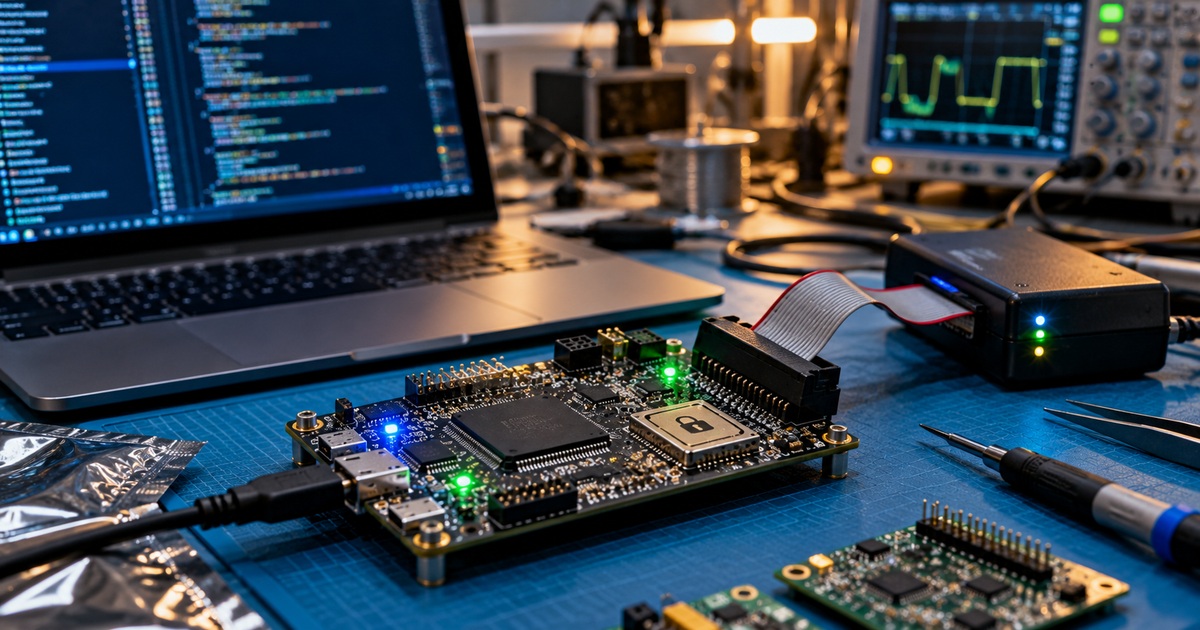
The following existing laboratory image shows a firmware technician’s embedded-system troubleshooting environment. It illustrates test hardware rather than an actual hash-validation record.

Digital signatures and trusted releases
A hash proves that two byte sequences match only when the expected hash is obtained from a trustworthy channel. A digital signature adds a cryptographic mechanism to verify that a package was signed by the holder of an expected signing key. Signature validation requires the correct trusted public key, an approved verification tool and a defined trust chain. It should be performed according to the vendor’s instructions, not by trusting a key included in the same unverified download.
The NIST SP 800-193 Platform Firmware Resiliency Guidelines discuss protecting, detecting and recovering from unauthorized platform firmware changes. The NIST Secure Hash Standard defines SHA-family hash algorithms. These sources explain why integrity controls must be paired with platform trust and recovery design.
Compatibility is a separate acceptance gate
Before deployment, compare the release’s supported device model, hardware revision, chip identifier, firmware branch, required bootloader version, configuration migration notes and rollback restrictions with the actual asset record. This is the subject of OSFTC.006 on hardware–firmware compatibility. A correct SHA-256 digest for the wrong board is still the wrong image.
An authorized technician may collect read-only hardware identifiers, version strings and serial-console boot logs to establish the current state. Do not modify eFuse or option-byte settings to force compatibility. Where a product uses a bootloader or a signed update mechanism, follow its approved upgrade path.
Worked example: verifying a downloaded image
Suppose an equipment vendor lists firmware package controller-2.4.0.bin for board revision C and publishes a trusted SHA-256 digest. The technician downloads the package, computes its SHA-256 digest and compares all 64 hexadecimal characters against the vendor’s value. A match establishes that the local bytes match the referenced release file, assuming the reference is authentic.
Next, the asset record identifies board revision B rather than C. Even though the digest matches, the technician does not flash the image. Instead, the technician records the device ID, current firmware version, image filename, computed hash, reference source and incompatibility, then escalates for an approved revision-B package. The example illustrates the distinction between file integrity and device compatibility.
Safe verification workflow
A reliable field workflow begins with a change ticket and a known-good download source. The technician verifies the package filename and size, calculates its hash, checks any required publisher signature, reviews release notes, matches the supported hardware and records the outcome. Only after all acceptance gates pass should an authorized flashing procedure be considered. The installation itself belongs to a separate controlled task, described in OSFTC.004 on flashing interfaces.
The following existing media shows a firmware update security environment, reinforcing the need to authenticate a release before any write operation.
Troubleshooting failed verification
If the calculated digest differs, first check whether the downloaded file is compressed, renamed, truncated or from a different release channel. Re-download from the vendor’s official source using a trusted connection, then repeat the check. If signature validation fails, stop rather than bypassing the signature check. If compatibility information is incomplete, obtain manufacturer clarification before proceeding. Record the exact failure and preserve the original package for authorized review.
For systems that cannot start after a previously authorized update, OSFTC.003 on backup and recovery and OSFTC.010 on crash logs provide relevant diagnostic context. Never attempt an unapproved downgrade or security-policy bypass.
Knowledge check
- What is the difference between a matching SHA-256 digest and a valid digital signature?
- Why can a verified image still be unsafe for a particular device?
- What should a technician do when a trusted vendor digest and a local computed digest differ?
Answers: A digest match verifies byte equality to the expected value, whereas a valid signature supports authentication against a trusted signing key; the image may target another hardware or bootloader revision; stop installation, verify the source and package, and document the mismatch.
References and further reading
Primary references include NIST SP 800-193, FIPS 180-4, and the manufacturer’s signed release documentation. The interconnected firmware security, hardware compatibility, backup and recovery and flash diagnostics lessons provide additional background.
BitcoinVersus.Tech Editor’s Note: Help support independent firmware education with a donation of 5,000 sats. Scan the QR below with your Bitcoin wallet to contribute.

Open the QR code on another screen and scan it using a compatible Bitcoin wallet.


Leave a Reply