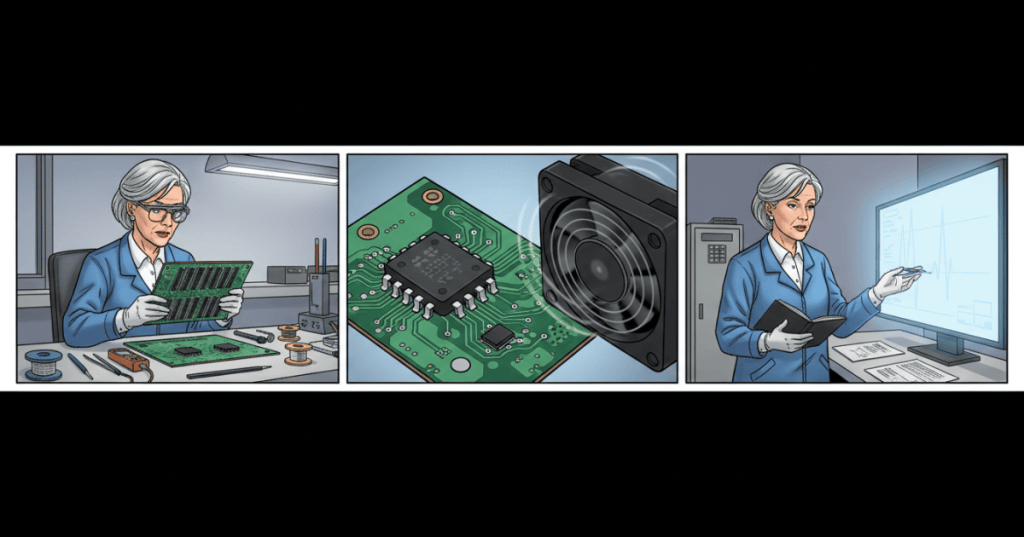
A hashboard temperature sensor is the part of a Bitcoin mining circuit board that reports thermal conditions to its control electronics. Without trustworthy readings, firmware cannot safely determine whether a miner should continue hashing, slow down, or shut down. This lesson explains temperature-monitoring hardware, sensor communication, the difference between real overheating and a false temperature alarm, and how to document a safe repair decision.
Hashboard Repair Engineering is a technical curriculum covering the physical anatomy of ASIC hashboards, their power domains, their communication signals, and missing-chip diagnoses. Temperature monitoring is a separate system: a chain can enumerate its mining ASICs correctly yet still stop because temperature information is invalid.
Learning outcomes
- Identify the purpose of external digital temperature sensors and the distinction between a sensor reading and the mining ASIC’s internal junction temperature.
- Describe the roles of the I²C bus, supply voltage, decoupling, address selection, and cooling hardware in the thermal monitoring chain.
- Distinguish thermal protection, sensor read failure, and mechanical airflow problems using firmware logs and maintenance evidence.
- Create a documented, de-energized inspection and repair escalation plan without bypassing safety controls.
Why a mining hashboard measures temperature
A mining ASIC converts electrical input into heat while performing SHA-256 calculations. That heat must pass through package materials, heat spreaders and heatsinks to the moving air or cooling liquid. Temperature sensing provides information for fan control, power or frequency reduction, and emergency protection; its absence can be dangerous even when the machine’s reported hashrate looks normal.
Three temperatures must not be confused. Ambient or inlet air temperature describes the air entering the miner; board or sensor temperature describes the position of a local sensing device; and ASIC junction temperature describes the semiconductor die itself. A local board sensor cannot always read the hottest individual junction. Different miner generations and firmware may use different sensor locations and protection algorithms.
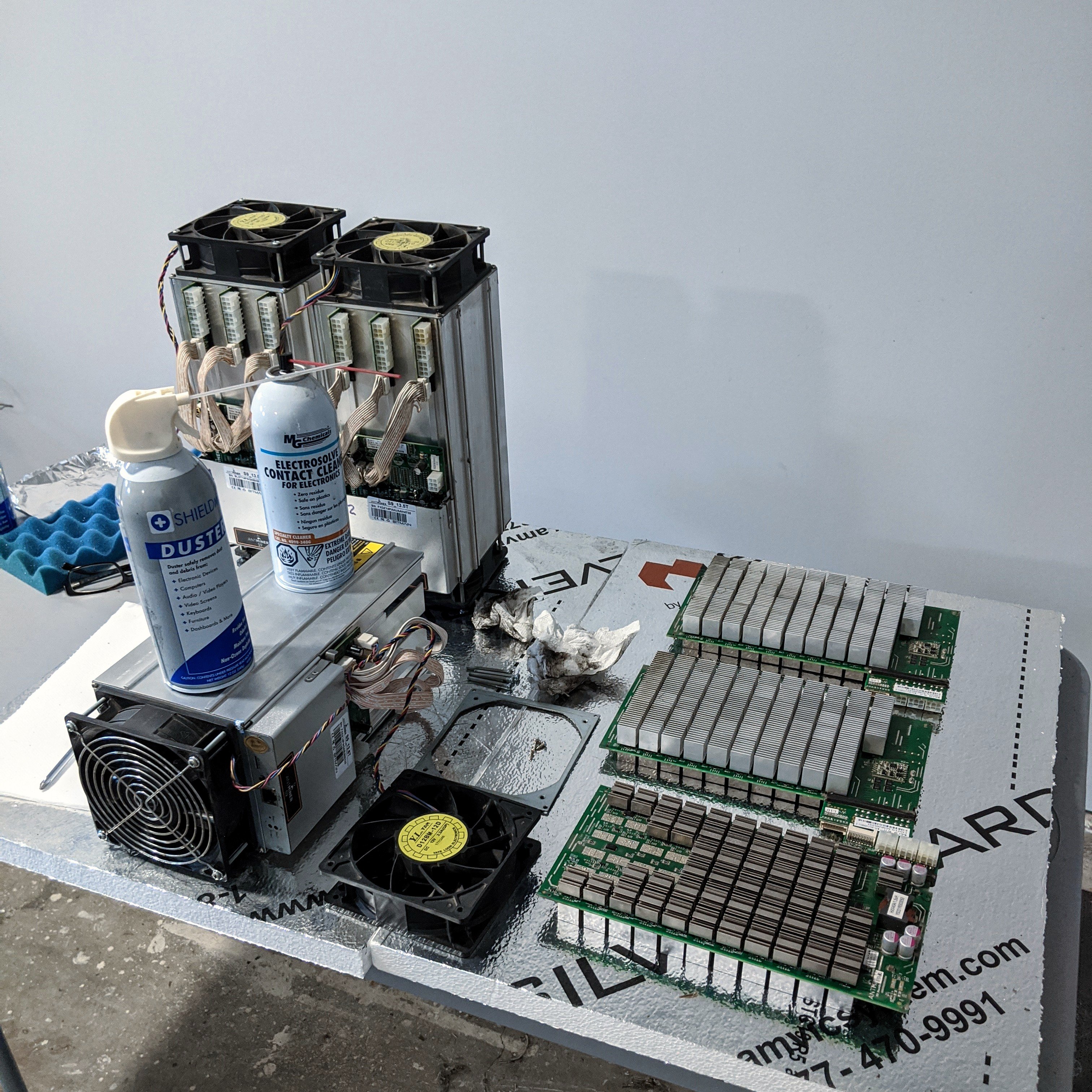
A thermal alarm may be a correct response to heat, a response to invalid measurements, or a combination of the two. The engineering task is to identify which evidence points toward the sensor circuit and which points toward the cooling environment. Bitmain’s S19-series troubleshooting guide asks operators to check dust accumulation, inlet air conditions, exhaust clearance and temperature-protection logs before returning affected hardware to service.
Digital sensors, the LM75A and the I²C interface
The LM75A is a digital temperature sensor integrated circuit commonly discussed in Antminer S19 service documentation. A typical LM75A-class device has power and ground pins, two I²C communication lines called SDA (serial data) and SCL (serial clock), address-selection pins, and an overtemperature output. The host reads encoded temperature values through the bus. The IC is not a fan, a thermocouple, or an ASIC core.
The specific Antminer S19 BM1398 hashboard service guide identifies four LM75A sensors, U4, U6, U7 and U8, plus a network of associated resistors and capacitors. It shows a nominal 3.3 V sensor power rail and 4.7 kΩ I²C pull-up resistors. These are details for the documented board revision—not an instruction to assume all S19, S19 XP, S21, WhatsMiner or hydro configurations use the same layout.
I²C uses open-drain signaling: a device pulls a line low, while the pull-up network allows it to return high. A short, disconnected conductor, missing pull-up, invalid address, poorly attached IC or lost 3.3-volt supply can prevent communication. But a reported bus or sensor failure is not a definitive parts diagnosis. A shared communications fault may affect several sensors simultaneously, while one localized solder joint can affect one device.
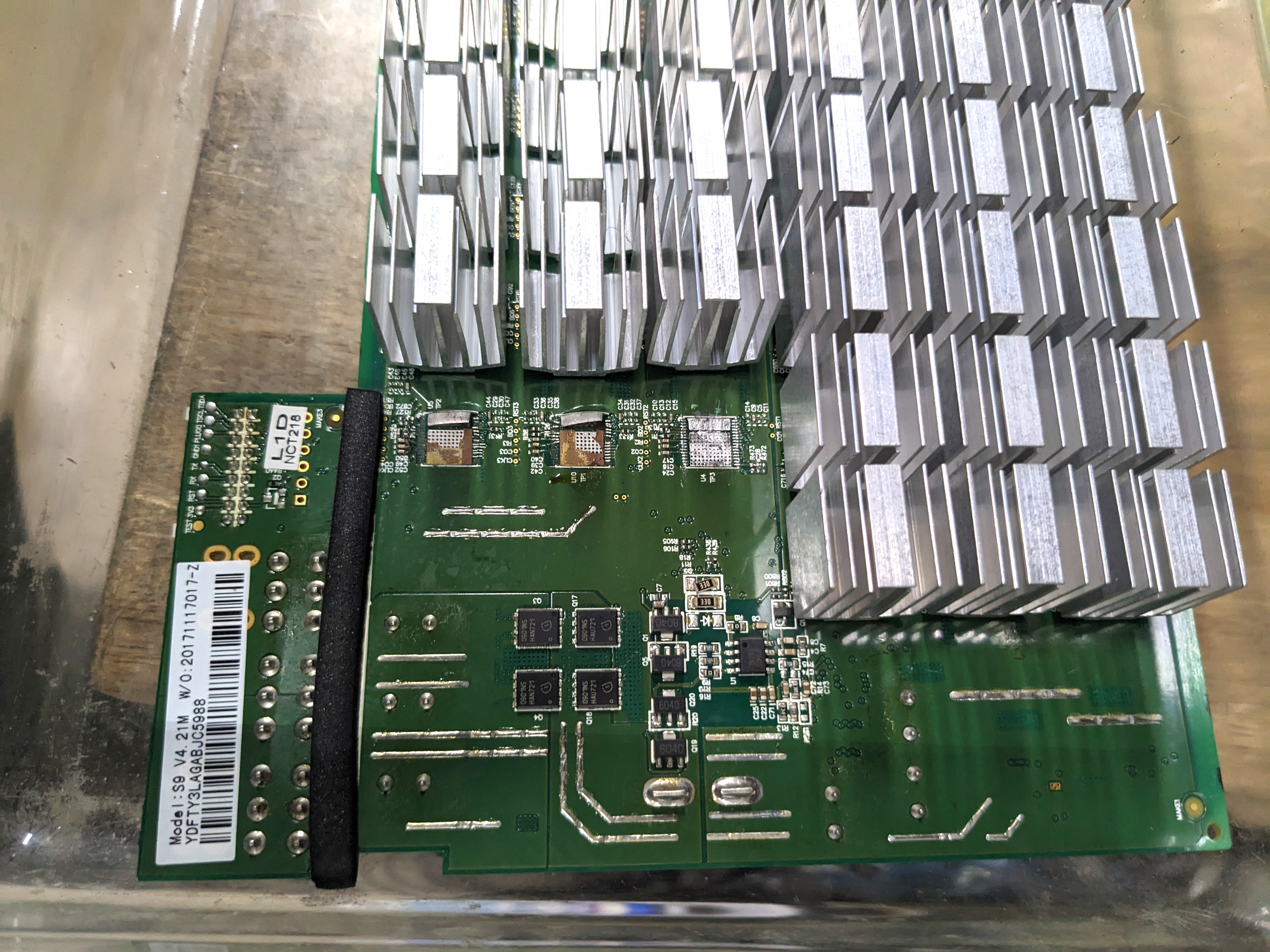
The temperature sensor’s presence on the PCB creates an electrical measuring system; it does not make the sensing path infallible. Loss of I²C communication can look like a thermal problem, while true overheating can still be caused by a blocked fan, degraded thermal interface, obstructed fins or unsuitable ambient conditions. Never substitute a single observed temperature for the complete thermal protection decision.
How miner logs describe different thermal faults
Manufacturer and firmware error systems use different vocabulary. On an Antminer S19 XP, Bitmain’s documented codes distinguish P:1 (high-temperature protection) from J:6 (temperature-sensing failure). On Braiins OS, code T5 means hashboard temperature sensor outage: the firmware cannot read temperature from a running chain. These three codes are not universal synonyms across all miner models or firmware releases.
| Observation | What is established | What is NOT established |
|---|---|---|
| A temperature-sensor read fails | Monitoring data was unavailable or invalid | That the board is physically overheated or that the sensor chip alone is defective |
| Fan-speed fault with rising temperature | Cooling and temperature alarms coincide | That a particular ASIC has failed |
| Only one board has a sensor error | The symptom is localized to one reported chain | That shared cabling, firmware, PSU or test setup is proven healthy |
| Temperature looks plausible again | At least one sample was read | Stable, accurate readings under sustained operation |
The official S19 XP log reference categorizes P:1 separately from J:6. Braiins’ technical error-code reference classifies T5 as an outage and suggests approved power-drain or cable checks before escalating to hashboard repair or replacement. These references help classify the symptom, but neither by itself identifies a specific failed surface-mount component.
Video study: a temperature-sensor module on a real hashboard
ZEUS MINING shows a temperature-sensor repair module used on an Antminer S19j Pro hashboard. The demonstration is useful for identifying what the sensor package, mounting area and service tooling look like. It is an independent repair-vendor video, not a universal manufacturer-approved field procedure. The lesson does not recommend copying hot-air rework, modifying safety circuits, or installing a substitute sensor without the exact board schematic and formal authorization.
Video: ZEUS MINING, “How to use temperature sensing board to repair the temperature failure of the Antminer hash board?” (May 25, 2024). Demonstrates actual S19j Pro sensor-related repair equipment. Manufacturer configurations and safety requirements vary.
A practical classification workflow
A good diagnostic record separates observations from possible explanations. That discipline is especially important when alarms appear after tuning, component replacement, cleaning or firmware changes. Use the following steps as an intake and decision workflow, not as authorization to perform live-electrical tests.
- Identify the exact unit: record the machine model, hashboard revision, serial/asset ID, control board, firmware and cooling configuration. Avoid treating the name “S19” as sufficient technical identification.
- Capture the original evidence: preserve kernel log entries and timestamps, reported board or sensor temperatures, fan speeds, inlet/ambient readings, tuning settings, board detection and shutdown reason.
- Distinguish fault classes: document whether the event is a true high-temperature alarm, sensor read failure, fan/coolant alarm, intermittent loss of a reported temperature, or an unexplained drop in hashrate.
- Respond to safety alarms: if the miner reports overheating, abnormal smell, liquid ingress, damaged power connections or unreliable temperature feedback, follow the manufacturer’s protective shutdown and site lockout procedures; never force the board to keep hashing without monitoring.
- Inspect only after approved isolation: examine de-energized fan and cable connectors, dust and airflow obstructions, mechanical damage, visible corrosion, thermal interface condition and evidence of prior repair. Maintain ESD safeguards.
- Escalate electrical tests: qualified repair personnel can use revision-matched diagrams and fixtures to test approved supply, I²C and sensor-circuit conditions at an authorized bench. A site operator should not improvise energized probes or component swaps.
- Retest against an acceptance record: confirm stable sensor communications, reasonable thermal trends, protection behavior and sustained mining under authorized cooling and workload conditions before returning hardware to service.
A safe inspection is not just a matter of “turning it off.” AC power supplies and capacitors may retain energy, and board-level components can be damaged by electrostatic discharge or unintended contact. Personnel must follow applicable lockout, isolation, discharge, manufacturer’s fixture and return-to-service procedures.
Practical example: a cold board reports an overheat condition
Imagine a miner that has been shut down overnight in a controlled 24 °C room. On startup, its management page suddenly displays an implausibly high sensor value, and the firmware triggers thermal protection. That is an illustrative symptom, not proof of a failed LM75A. The first evidence collection would include the exact firmware error code, independent room-air measurement, time of the alarm, fan status, other board readings and any recent maintenance.
If several reported temperatures are invalid at the same moment, shared sensor power, cabling, controller communication and configuration become important possibilities. If only one sensor on one board fails intermittently, a localized board issue becomes more plausible, but it still needs a qualified repair diagnosis. The unit should not be placed back in production simply by disabling alarms or changing thresholds.
Practical example: the outlet is hot but sensors still respond
A miner can have legitimate temperature data and still overheat. Suppose a unit has a much warmer outlet than inlet and fans are operating near their limit. A technician investigates dust accumulation, heat-sink condition, inadequate air separation, rising inlet temperature or obstructed exhaust. The fact that a sensor responds does not guarantee that the cooling system is sufficient; the temperature trend and the actual thermal path matter.
This is why power-supply faults, environmental factors and thermal protection should not be merged into one generic “bad hashboard” category. Bitmain’s general troubleshooting guidance separates sensor errors, fan faults, power delivery and hashboard problems.
Video study: broad S19 diagnosis before replacing a sensor
A separate ZEUS MINING troubleshooting lesson discusses S19 zero-hashrate conditions and considers temperature-sensing circuitry alongside other board subsystems. Watch for the difference between testing a hypothesis and diagnosing a specific failed device. The vendor presents repair techniques for qualified technicians; this course emphasizes reading evidence correctly and avoiding uncontrolled field rework.
Video: ZEUS MINING, “Repair tutorial for Antminer S19 not hashing — ZMRC Antminer repair course” (January 12, 2024). Covers thermal sensing as one possible cause of a no-hash condition, alongside power and chain problems.
Repair validation and documentation
For a sensor-related repair to be accepted, the technician must establish more than a new numeric reading. A meaningful closeout includes identified board revision and sensor part; documented fault and test method; complete inspection of any solder or thermal damage; reliable communication over a representative operating period; normal-looking relationships between reported temperatures and independently observed cooling conditions; and successful return to authorized mining settings without recurrent thermal alarms.
The correct replacement part and I²C address or pinout depend on the exact board design. Some vendors sell small adapter modules to bypass difficult component-level rework; such solutions may be useful in professional repair shops, but their claimed compatibility is not a guarantee of compliance or reliability for every firmware version. Protecting the hardware matters more than obtaining a temporarily green dashboard.
Knowledge check
- Why can a hashboard count all expected mining ASICs yet still be taken offline for a temperature-sensor error?
- What is the difference between Bitmain’s S19 XP
P:1andJ:6error categories? - What does Braiins OS
T5establish, and what cause remains unconfirmed? - Why does an LM75A need a functioning supply and I²C bus as well as the sensor IC itself?
- What minimum evidence should be recorded before declaring a sensor repair complete?
Answer guide: Chip enumeration checks mining-chain communication, not the separate thermal monitoring path. P:1 signals high-temperature protection; J:6 indicates a temperature-sensing fault in the referenced S19 XP implementation. T5 indicates temperature-sensor data is unavailable from a running chain; it does not prove a particular component has failed. Digital sensors rely on their power and communication interface. A closeout needs a supported hardware diagnosis, stable readable temperatures, cooling verification and repeatable protected operation.
References and further study
Primary and technical references: Bitmain — S19-series common fault classes; Bitmain — S19 XP P:1 and J:6 logs; Braiins Academy — T5 sensor outage; Antminer S19 hashboard repair guide — U4/U6/U7/U8, I²C and 3.3 V; ZEUS MINING — LM75A repair context. Related lessons: signal-chain diagnostics and missing ASIC chip diagnosis.
Editor’s Note: We volunteer daily to ensure the credibility of the information on this platform is Verifiably True. If you would like to support our work and help further secure the integrity of our research initiatives, please scan the QR code below to donate 5,000 sats.

For mobile scanning, open this lesson on a laptop or larger display and scan the QR image with a compatible Bitcoin wallet. Verify the destination address before sending: 3C9o19EH5HSiwEPyCTmEKzxhNCbo2X6TTb.
BitcoinVersus.tech is not a financial advisor. This media platform reports on financial subjects purely for informational purposes.


.jpg)

Leave a Reply