
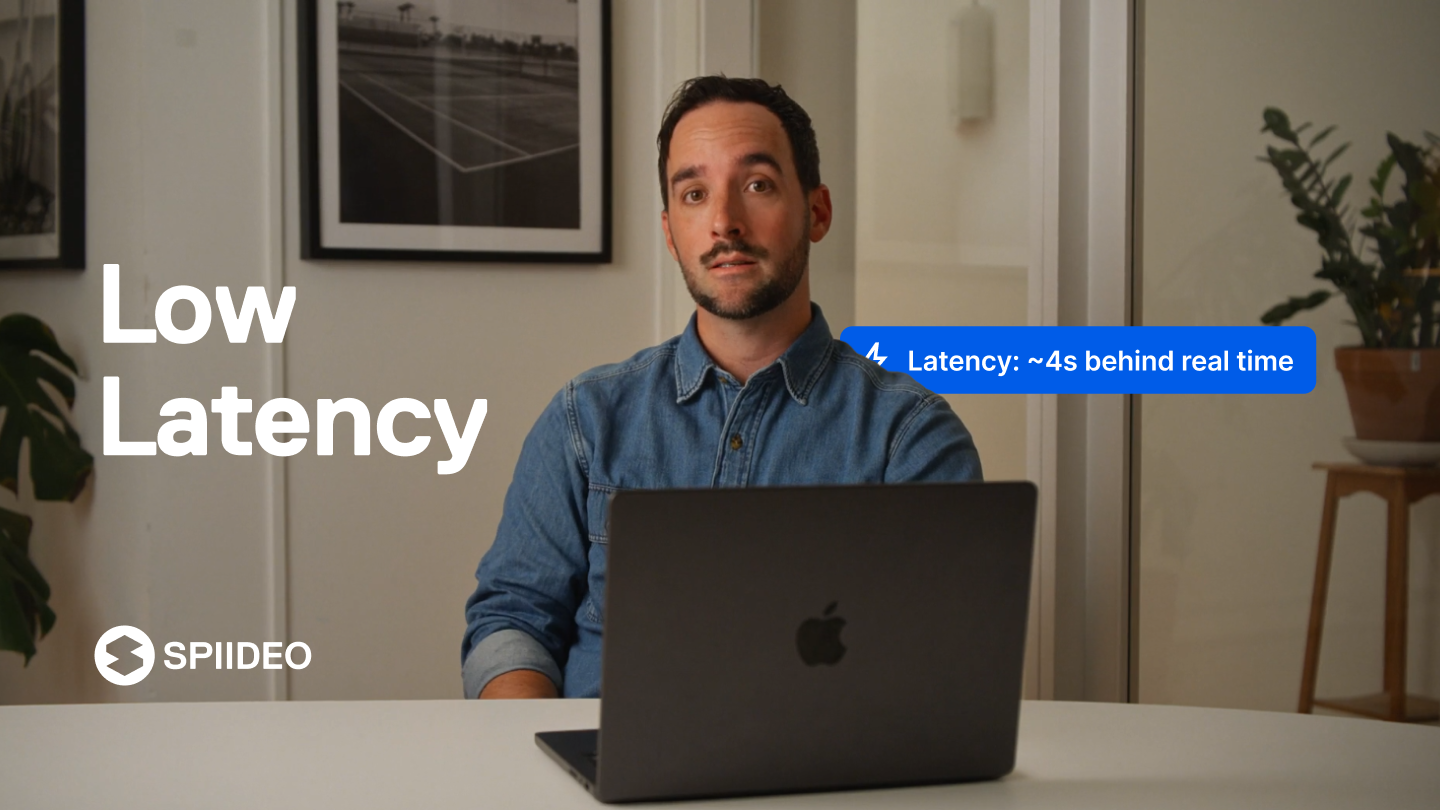
Sports-video company Spiideo introduced Analysis+ on November 2, 2026, adding approximately four-second live-video latency, offline review, multi-step event tagging and external-camera ingestion to its Perform platform. The official release describes a commercial add-on for eligible professional subscriptions, not a free upgrade across every tier. The goal is to help analysts deliver usable game footage to coaches before tactical decisions lose relevance.
In a live coaching workflow, cameras capture a play, video is encoded and transmitted, and a coach reviews the images on a computer or tablet. Latency is the interval between the event and its appearance on the display. Low delay can support substitutions, defensive adjustments and challenge decisions, but Spiideo’s four-second figure is a vendor claim rather than independently benchmarked performance under all network conditions.
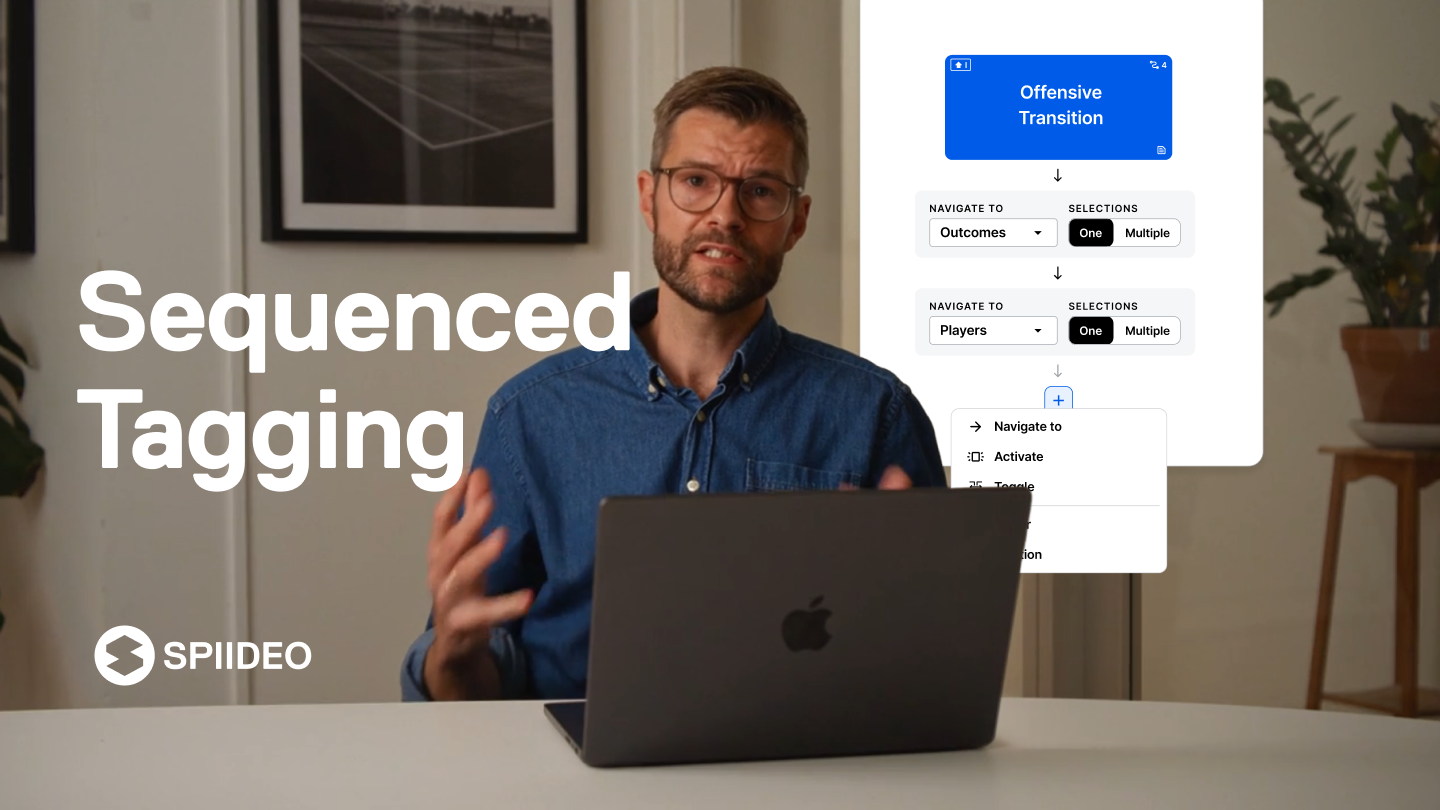
Sequenced tags add tactical context
A video tag identifies an event, such as a shot or defensive turnover. Analysis+ supports sequences that combine multiple descriptors, allowing an analyst to record the player, location and outcome in a consistent order. The resulting metadata can make clips easier to retrieve and compare after a game without repeatedly coding the same event in separate applications.
The approach extends the growing use of synchronized video and data. BitcoinVersus.Tech earlier examined the NFL’s real-time tracking infrastructure, which collects movement information rather than merely video clips. Automated metadata can assist coaches, but mistaken tags and inconsistent definitions may distort later tactical comparisons.
Offline work requires advance preparation
Spiideo also added an offline workflow through its Companion App for Mac and Windows. Staff can download recordings and presentations before travel, then review or tag material without Wi-Fi. The operator must deliberately switch into offline mode, and eligible changes sync after reconnection. Files not downloaded before connectivity is lost may be unavailable.
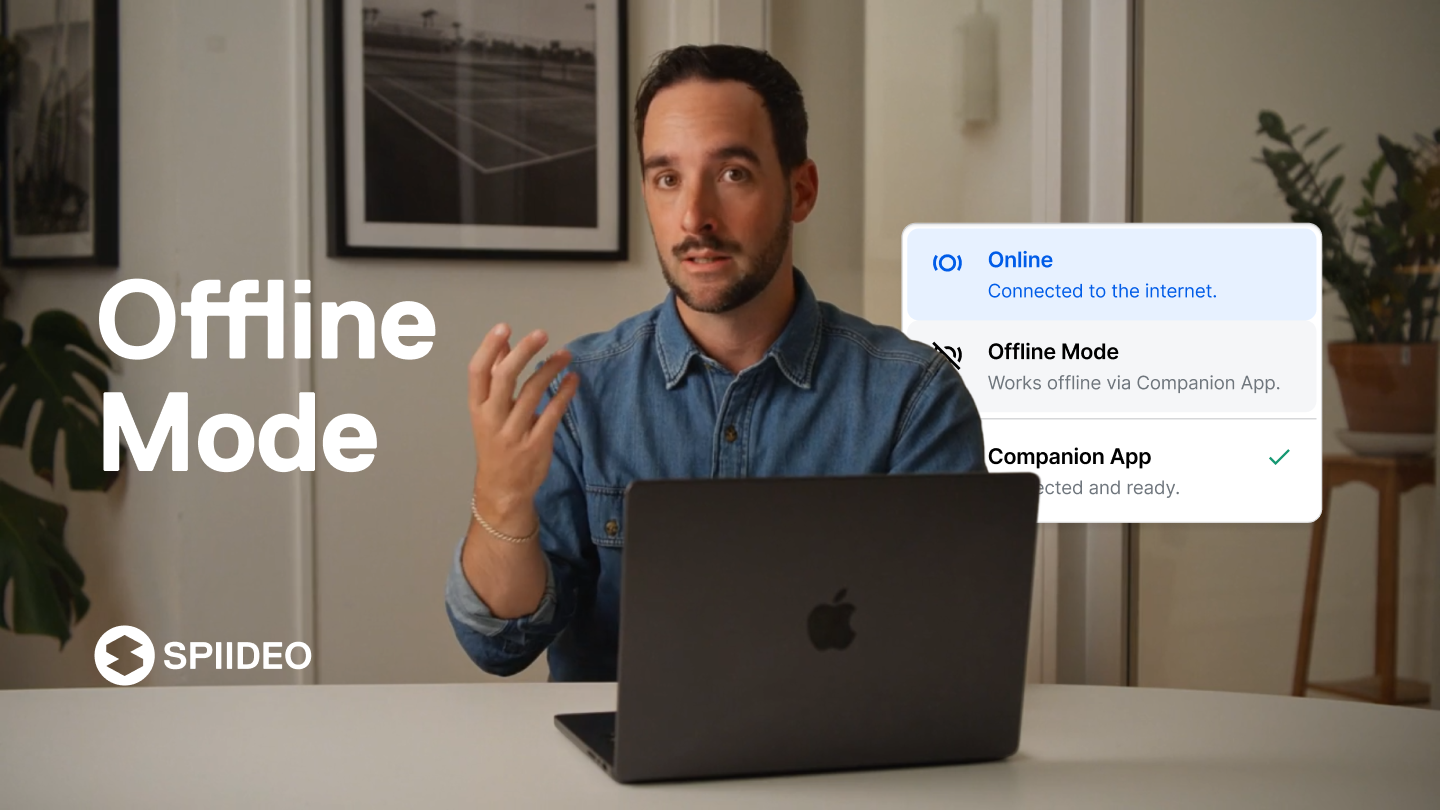
Portable review does not remove the need for reliable connectivity during live capture. It solves a different problem: allowing analysts to continue work aboard team buses, in locker rooms or at venues with restricted access. BitcoinVersus.Tech’s Brooklyn Nets 360-degree replay report examined a separate, fan-facing application of sports video technology.
SDI support expands away-game options
The package supports serial digital interface (SDI) input from external arena cameras, letting analysts work with available venue feeds rather than only cameras installed by Spiideo. Compatibility still depends on the connected equipment, signal configuration and venue permissions. An SDI connector alone does not guarantee every video format or camera system will function without setup.

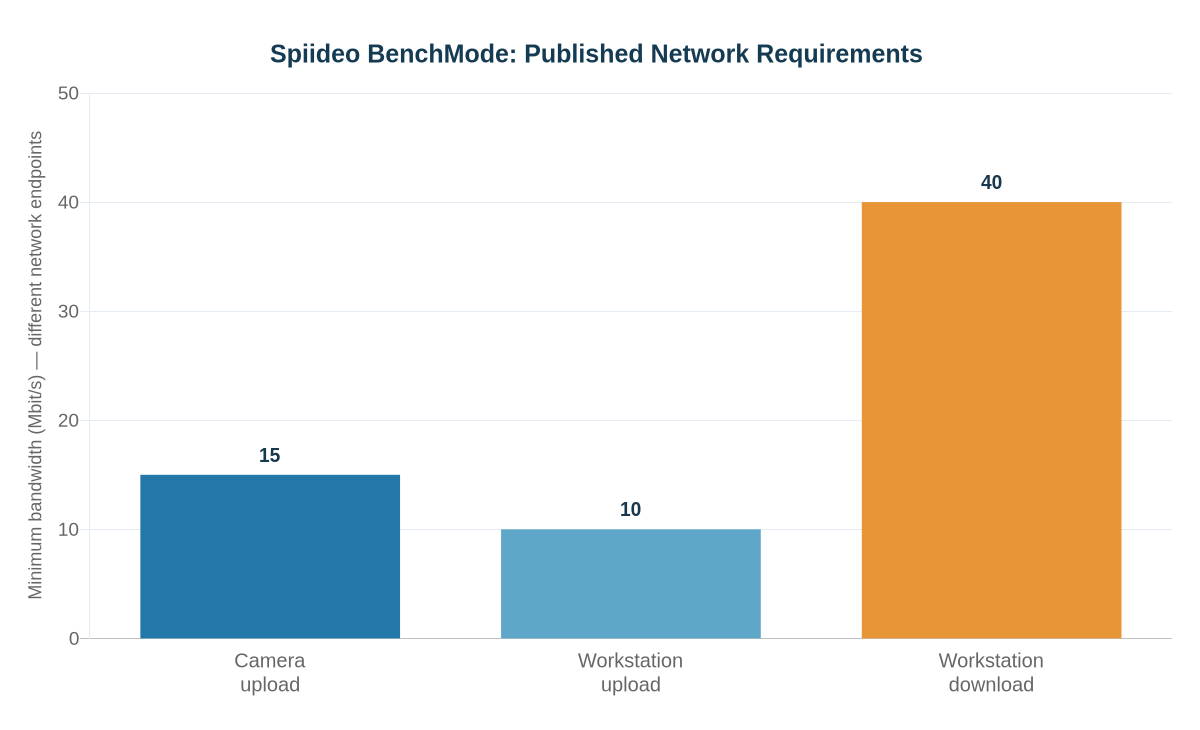
For related low-latency BenchMode use, Spiideo’s support documentation specifies at least 15 Mbit/s upload per camera, 40 Mbit/s download and 10 Mbit/s upload per workstation. The different endpoint requirements are not additive measurements of a single stream, nor a universal service guarantee for Analysis+ deployments.
Pricing has not been publicly itemized in the product announcement. Spiideo’s eligibility documentation requires Perform Pro or higher plus a separately purchased Analysis+ add-on; Basic and Lite subscriptions are excluded. Comparable systems also address different audiences: BitcoinVersus.Tech has reported on Canon’s live volumetric basketball streams and NBA sensor and referee-wearable tests. Their delays and functions should not be treated as direct benchmarks of Spiideo’s coaching workflow.
Spiideo scheduled a November 18 product demonstration, offering another opportunity to examine real workflows. For teams evaluating the add-on, useful evidence would include sustained end-to-end delay under match-day congestion, clip-tagging accuracy, offline synchronization reliability and total subscription costs—not the vendor’s latency figure alone.
Primary sources: Spiideo, November 2, 2026 Analysis+ announcement; Analysis+ eligibility and features; Companion App offline requirements; and BenchMode network and latency guidance.
Editor’s Note: Analysis+ is a commercial add-on announced by Spiideo on November 2, 2026. Four-second video delay and product workflows are manufacturer-reported claims; no independent playback or network test was conducted. The associated BenchMode bandwidth chart uses separately documented network requirements and is not a measurement of streaming performance. In-story images and the cover are authentic manufacturer product visuals, credited to Spiideo.
Support BitcoinVersus.Tech
Support independent reporting by scanning the original approved QR image below for a 5,000-satoshi contribution. Mobile readers can open the article on another screen and scan using a compatible Bitcoin wallet, or use a wallet’s supported image-scanning function. Verify the destination and amount before confirming payment.

We volunteer daily to ensure the information on this platform is Verifiably True. If you would like to support the research, please scan QR code.


Leave a Reply