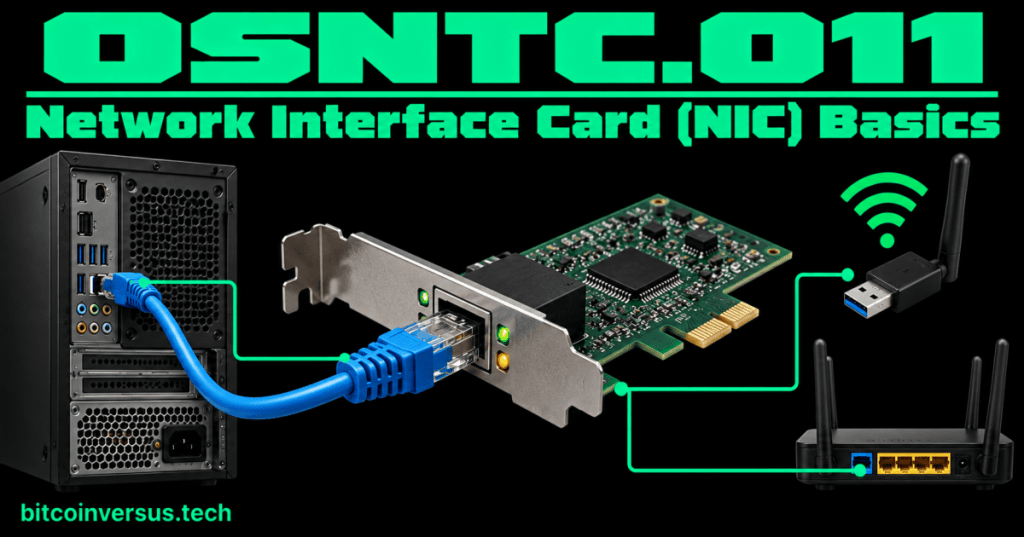
A network interface is the part of a device that lets it connect to a network.
You will often hear the term NIC, short for Network Interface Card or network interface controller. The everyday idea is simple: the NIC or network adapter is the computer’s connection point to Ethernet or Wi-Fi.
It does not always have to be a separate card. A network interface can be built into a motherboard, installed as an add-in card, or connected through a device such as a USB network adapter.
Start with one simple picture
Computer
   ↓
Network interface
   ↓
Ethernet cable or Wi-Fi
   ↓
Network
If the network interface cannot communicate correctly, the computer may have perfectly good software and still fail to reach the network.
Wired NIC
A wired Ethernet interface commonly provides an RJ45 Ethernet port. You connect an Ethernet cable from that port to network equipment such as a switch.
Many Ethernet interfaces also have small link/activity indicators near the port. Their exact colors and blink patterns vary by manufacturer, so never assume a particular LED color has the same meaning on every device. Check the hardware documentation when the exact indication matters.
Video 1: What a NIC is
Wireless network interface
A Wi-Fi adapter performs the same basic job—connecting the device to a network—but it uses radio instead of an Ethernet cable.
A laptop may therefore have more than one network interface:
- an Ethernet interface for a cable, and
- a Wi-Fi interface for wireless networking.
Each interface is its own network connection and can have its own configuration.
Four things a technician should recognize
- Link: does the interface have a working physical or wireless connection?
- MAC address: the interface uses a Layer 2 address for local network communication.
- IP configuration: the interface can be assigned IP information so it can communicate at the IP layer.
- Speed: the interface and its network connection support particular link rates and capabilities.
You already learned the MAC-address concept in OSNTC.007: MAC Address Basics.
Video 2: Viewing wired and wireless NIC information
How the NIC connects earlier lessons
The NIC is where several earlier networking ideas meet.
NIC / network adapter
      ↓
MAC address
      ↓
Ethernet or Wi-Fi connection
      ↓
IP configuration
      ↓
Network communication
For wired Ethernet, the interface sends and receives Ethernet frames. That connects directly to OSNTC.008: Ethernet Frame Basics.
Once IP communication is configured, tools such as ping can help test reachability, as covered in OSNTC.010: ICMP and Ping Basics.
Video 3: NIC fundamentals
Simple troubleshooting example
A workstation cannot reach the network. Before changing DNS servers, routes, or application settings, check the network interface itself.
- Is the Ethernet cable connected, or is Wi-Fi enabled?
- Does the operating system show the intended network adapter?
- Does the wired interface show a link?
- Does the interface have the expected IP configuration?
- Can it reach the local gateway or another appropriate test target?
This order keeps troubleshooting simple: start close to the computer, then move outward.
Do not confuse the NIC with the switch
The NIC belongs to the endpoint—for example, the PC or server. A network switch is separate network equipment that connects multiple Ethernet devices together.
PC NIC ── Ethernet cable ── SwitchCommon beginner mistakes
- Thinking every NIC must be a removable expansion card.
- Calling the Ethernet cable itself the NIC.
- Assuming Wi-Fi and Ethernet are the same interface.
- Assuming a link light proves DNS, routing, or an application is working.
- Assuming every manufacturer’s link LEDs use the same colors.
Quick practice
- Find the Ethernet or Wi-Fi interface on a computer you are allowed to inspect.
- Identify whether it is built in, an add-in card, or an external adapter.
- Find its MAC address.
- Find its current IP address.
- If it is wired, identify the Ethernet port and cable.
- Explain the difference between the NIC and the network switch in one sentence.
Key takeaway
The network interface is the computer’s connection to the network. It may be wired or wireless, built in or added later. For basic troubleshooting, recognize the interface, check its connection, identify its MAC address and IP configuration, and then test communication outward from the device.


Leave a Reply