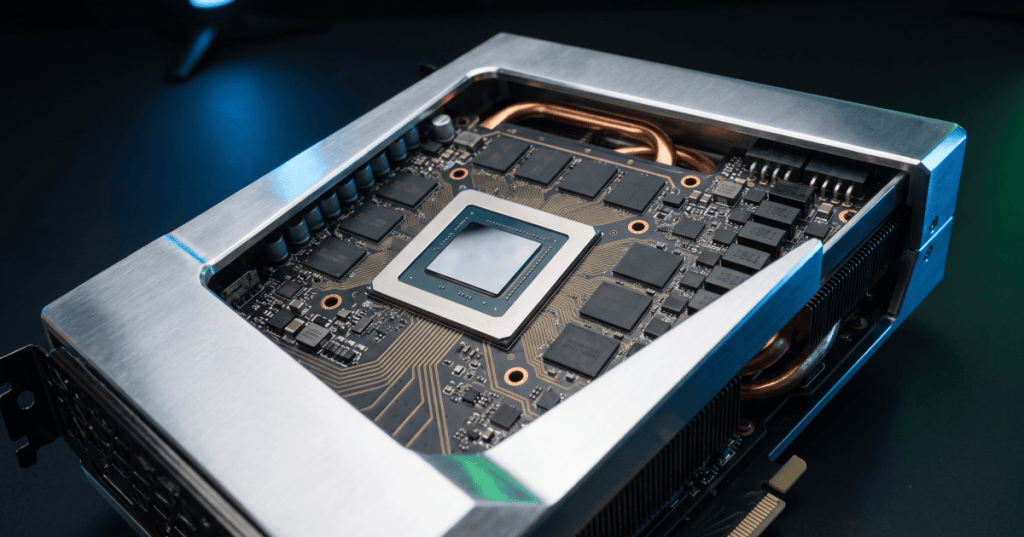
VRAM, short for video random-access memory, is the high-speed memory a graphics processor uses to hold the data it needs while rendering images, running games, processing video, or performing GPU compute workloads.
On a discrete graphics card, VRAM sits physically close to the GPU on the card itself. That short, wide connection lets the processor move large amounts of graphics data much faster than if it had to keep reaching across the system for ordinary CPU memory.
What Does VRAM Store?
VRAM can hold textures, frame buffers, geometry data, shaders, intermediate render targets, ray-tracing data structures, video-processing buffers, and other information the GPU needs quickly. In AI and compute workloads, GPU memory can also hold model weights, activations, tensors, and working data.
AMD describes VRAM as fast on-board memory used by the GPU for rendering games and applications, including textures, shaders, and other graphics assets. The exact contents change constantly as the workload runs.
Why the GPU Does Not Just Use System RAM
A discrete GPU can access data that originated in system memory, but dedicated VRAM is designed around the GPU’s need for very high bandwidth. Graphics and AI workloads often move enormous amounts of data in parallel, so keeping that working set close to the GPU reduces the cost of repeatedly moving it across the rest of the computer.
The basic idea is similar to the memory hierarchy described in BitcoinVersus.Tech’s explainer on CPU cache: the closer useful data is to the processor that needs it, the less time that processor spends waiting.
Capacity and Bandwidth Are Different
VRAM capacity tells you how much data the GPU can keep in its local memory at once. Memory bandwidth tells you how quickly data can move through that memory subsystem. A card can have a large amount of VRAM but still be limited by bandwidth, or have very fast memory but not enough capacity for a large workload.
NVIDIA describes VRAM as high-speed memory on the graphics card and explains that cache size, VRAM capacity, and memory-system design all affect how efficiently the GPU can keep its processing cores supplied with data.
What Happens When VRAM Fills Up?
If a workload needs more graphics memory than the card can comfortably hold, software may reduce detail, evict data, stream assets more aggressively, or move some data through system memory. Those extra transfers can increase latency and create stutter, slower rendering, or lower compute throughput.
This does not mean that every application automatically becomes faster with more VRAM. If the full working set already fits, unused capacity does not create additional compute cores or increase the GPU’s clock speed. Capacity matters most when the workload can actually use it.
Why Games Use More VRAM at Higher Settings
Higher-resolution textures, larger render targets, higher display resolutions, more complex geometry, ray tracing, and additional visual effects can all increase memory use. A 4K frame also contains more pixels than a 1080p frame, so some buffers naturally grow as resolution rises.
Texture quality is often one of the clearest examples. High-resolution texture packs occupy more memory because the GPU needs larger image maps available while objects are rendered. When enough VRAM is available, the game can keep more of those assets local instead of constantly swapping them in and out.
VRAM Matters Beyond Gaming
Professional rendering, video editing, engineering visualization, scientific computing, and artificial intelligence can all consume large amounts of GPU memory. A complex 3D scene may need to keep meshes, textures, acceleration structures, and render data resident at the same time.
AI workloads can be even more memory-sensitive because model parameters and intermediate tensors can be large. That is one reason the industry has invested so heavily in high-bandwidth memory, or HBM, for data-center accelerators.
GDDR and HBM Solve Similar Problems Differently
Consumer graphics cards commonly use GDDR memory chips placed around the GPU package on the circuit board. High-end AI accelerators often use HBM stacks placed much closer to the processor through advanced packaging. Both approaches are designed to provide high memory bandwidth, but they make different tradeoffs in cost, packaging, power, capacity, and physical layout.
Those packaging choices connect directly to the broader semiconductor packaging flow, where electrical connections, thermal paths, substrates, interposers, and package geometry become part of system performance.
Dedicated VRAM vs. Shared Graphics Memory
A discrete graphics card typically has its own dedicated VRAM. Integrated graphics processors often share the computer’s main system memory instead. Unified-memory systems can blur this distinction even further because the CPU and GPU may access the same physical memory pool.
The important question is not just whether memory is called “VRAM.” The practical questions are how much memory the GPU can access, how quickly it can access it, whether the CPU and GPU must copy data between separate pools, and how the software manages those resources.
Does More VRAM Mean a Faster GPU?
Not automatically. GPU performance also depends on the processor architecture, number and type of compute units, clock behavior, memory bandwidth, cache hierarchy, power limits, software optimization, and workload.
A slower GPU with 16 GB of VRAM does not automatically beat a much faster GPU with 12 GB. But if a workload needs more than 12 GB to stay fully resident, the larger-memory card may avoid costly data movement and perform more smoothly.
The Simple Way to Remember It
The GPU does the work. VRAM keeps the GPU’s working data close by. Capacity determines how much can stay local, while bandwidth determines how quickly that data can move.
For games, rendering, and AI, the best result comes from balancing enough VRAM with enough GPU compute and enough memory bandwidth. VRAM is therefore not just a specification on the box—it is a major part of the GPU’s overall data pipeline.
Editor’s Note
Graphics-memory capacity, bandwidth, cache design, and memory-sharing behavior vary widely by GPU architecture and system design. Always check the exact workload and hardware specifications when comparing GPUs.
Support and donation options are available through BitcoinVersus.Tech.
BitcoinVersus.tech is not a financial advisor. Content is provided for informational purposes.


Leave a Reply