A hypervisor is the software layer that lets one physical computer behave like several separate computers. Instead of one operating system owning an entire server, a hypervisor divides the machine’s CPU, memory, storage, and networking resources among multiple virtual machines, or VMs.
Each VM can run its own guest operating system and applications while behaving as if it has its own hardware. That basic idea underpins server consolidation, development labs, disaster recovery, private clouds, public clouds, virtual desktops, and much of modern data-center computing.
What a Hypervisor Actually Does
The hypervisor sits between physical hardware and one or more guest operating systems. Its job is to control access to the underlying machine and present each VM with a virtualized set of resources.
Microsoft describes Hyper-V as a Type 1 hypervisor that creates, manages, and runs VMs while isolating their workloads. Red Hat describes KVM, or Kernel-based Virtual Machine, as open-source virtualization technology that allows Linux to function as a hypervisor and run multiple isolated VMs.
The physical machine is commonly called the host. The VMs running on it are the guests. A single host may run one guest or dozens, depending on workload size, hardware capacity, performance requirements, and licensing.
A Virtual Machine Still Looks Like a Computer
A VM usually has virtual versions of the same components found in a physical PC or server: one or more virtual CPUs, assigned RAM, virtual disks, a virtual network adapter, firmware, controllers, and other devices.
The guest operating system interacts with those virtual devices as though they were hardware. The hypervisor and its supporting software translate those requests into access to the host’s real processor, memory, disks, and network interfaces. This is closely related to the role of a device driver, except the guest may be talking to a virtual device rather than directly to the physical component.
Virtual CPUs Share Physical CPU Time
A virtual CPU, or vCPU, is not usually a permanently dedicated physical core. The hypervisor schedules virtual processors onto available physical processor resources. That is conceptually similar to how an operating system schedules processes and threads onto a CPU, but the hypervisor is managing entire guest environments rather than ordinary applications.
Modern virtualization also depends heavily on processor features such as Intel VT-x or AMD-V. Microsoft notes that Hyper-V requires hardware-assisted virtualization. Those CPU extensions help the hypervisor run guest operating systems efficiently while preserving isolation between them.
Oversubscription is possible: a host can expose more total vCPUs across its VMs than it has physical cores. That can improve utilization when workloads are bursty, but aggressive oversubscription can also create contention when many VMs demand processor time simultaneously.
Virtual Memory Comes From Physical RAM
Each VM is assigned memory from the host’s physical RAM. The guest sees its allocation as its own memory space, while the hypervisor tracks mappings and prevents one VM from freely reading or writing another VM’s memory.
Memory pressure can become a major virtualization bottleneck. A host with plenty of CPU capacity can still struggle if its VMs collectively demand more active memory than the platform can provide efficiently. That is one reason virtualization planning is about the entire system—not just processor core count.
Virtual Disks Are Files or Logical Devices
A VM usually does not need a dedicated physical drive. Instead, its virtual disk may be stored as a file, logical volume, SAN-backed device, or another virtualized storage object. The guest treats that virtual disk like a normal drive and then formats it with a filesystem.
That makes virtualization closely tied to storage and filesystems. Underneath a VM, the host may itself be using HDDs, SSDs, NVMe storage, shared arrays, or RAID. The guest sees a simpler virtual block device while the physical storage stack remains hidden below it.
Virtual NICs Connect VMs to Virtual Switches
A VM can also have one or more virtual network interface cards. The guest operating system treats a virtual NIC like a normal network interface card, complete with an IP configuration and often its own MAC address.
Those virtual NICs typically connect to a virtual switch. The virtual switch can move traffic between VMs on the same host, toward the host itself, or out through a physical NIC into the rest of the network. From there, traffic may pass through the same physical switching infrastructure used by ordinary servers, including top-of-rack switches.
Type 1 vs. Type 2 Hypervisors
Hypervisors are commonly grouped into two broad categories. A Type 1 hypervisor, often called bare-metal virtualization, operates directly at the hardware virtualization layer and is commonly used for production server workloads. Microsoft classifies Hyper-V as Type 1.
A Type 2 hypervisor runs as an application on top of a conventional host operating system. This model is common on desktops, training labs, and developer machines because it is easy to install and remove.
BitcoinVersus.Tech’s earlier Ubuntu VirtualBox VM setup is a good example of desktop virtualization: the user runs virtualization software on a normal workstation, then creates an Ubuntu guest without replacing the host operating system.
Hyper-V Is Type 1 Even Though You Manage It From Windows
This causes confusion because Hyper-V is managed through Windows tools. Under the hood, however, Microsoft’s architecture places the hypervisor beneath the root partition. Windows in that root partition manages devices and virtualization services, while guest VMs execute in separate child partitions.
That is why Hyper-V on Windows Server is still considered bare-metal virtualization rather than simply a desktop application running above Windows.
KVM Turns Linux Into a Hypervisor
KVM takes a different architectural path. Red Hat explains that KVM is built into Linux and allows the Linux operating system to function as a hypervisor. It relies on Linux components such as process scheduling, memory management, device drivers, networking, and security while providing hardware virtualization for guest VMs.
Because KVM is integrated into the Linux kernel, it has become a major foundation for open-source virtualization platforms and cloud infrastructure.
Why Companies Virtualize Servers
One major reason is server consolidation. A physical server running one lightly used application can waste processor, memory, storage, power, and rack capacity. Virtualization lets several isolated workloads share the same host so more of that hardware is actually used.
Virtualization also makes provisioning faster. An administrator can create a new VM from a template instead of racking a new physical server every time a workload needs an operating system. VMs can be cloned, moved, backed up, replicated, and managed through software-driven workflows.
Snapshots Are Useful, but They Are Not Backups
Many hypervisors support VM snapshots or checkpoints that preserve a point-in-time state. They are useful before software changes, patches, testing, or risky configuration work because the VM can often be rolled back quickly.
But a snapshot is not automatically a complete backup strategy. If the underlying host or storage fails, snapshots stored on the same infrastructure may fail with it. Long-term protection still requires proper backup, replication, recovery testing, and storage planning.
Live Migration Can Move a Running VM
Enterprise hypervisors can support live migration, where a running VM is transferred from one physical host to another with little or no visible downtime. Microsoft lists live migration and high availability among Hyper-V’s enterprise features.
This matters during maintenance and failures. Instead of shutting down every workload on a server before servicing it, administrators can move compatible VMs elsewhere in a cluster, work on the physical host, and then return workloads afterward.
Virtualization Does Not Eliminate Hardware Limits
Virtualization can make hardware more flexible, but it cannot create unlimited physical resources. If ten VMs all demand heavy CPU, memory, storage I/O, or network bandwidth at once, they still compete for the same host hardware.
The hypervisor can schedule, prioritize, reserve, and isolate resources, but capacity planning still matters. An overloaded host can create a wide failure domain because one physical machine may now support many separate services.
Virtual Machines vs. Containers
VMs and containers both isolate workloads, but they do it differently. A VM normally includes its own guest operating system and virtual hardware environment. Containers usually share the host operating system kernel while isolating applications and their dependencies.
That often makes containers lighter and faster to start, while VMs provide a stronger boundary between complete operating-system environments. Modern platforms frequently use both rather than treating them as mutually exclusive technologies.
Where Hypervisors Show Up in Real IT Work
Hypervisors appear in data centers, enterprise server rooms, cloud platforms, cybersecurity labs, software-development environments, virtual desktop infrastructure, training labs, and home test systems. An IT technician may encounter them while troubleshooting networking, storage, guest boot failures, resource contention, snapshots, host maintenance, or VM migrations.
Understanding the abstraction makes troubleshooting easier. If a guest loses network access, the problem might be inside the guest OS, in its virtual NIC, in the virtual switch, on the physical NIC, or farther out in the network. If storage slows down, the guest filesystem may be healthy while the host storage layer is overloaded.
The Simple Way to Remember a Hypervisor
A hypervisor divides one physical computer into multiple isolated virtual computers and manages their access to CPU, memory, storage, and networking.
The physical server still matters. The hypervisor simply adds a software-controlled layer that makes those physical resources easier to share, move, automate, and isolate. That abstraction is one of the core technologies behind modern enterprise IT and cloud computing.
Editor’s Note
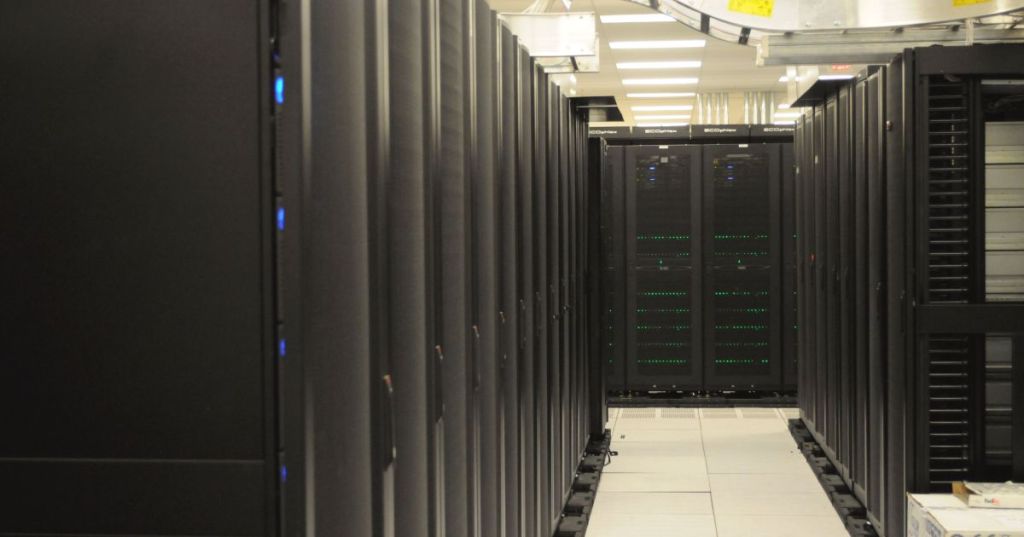
Featured photograph: Derrick Coetzee via Wikimedia Commons/Flickr, released under CC0 1.0 and cropped to 1200×630. The photograph shows physical server racks; virtual machines and hypervisors are software abstractions running on hardware like this.
Support and donation options are available through BitcoinVersus.Tech.
BitcoinVersus.tech is not a financial advisor. Content is provided for informational purposes.


Leave a Reply