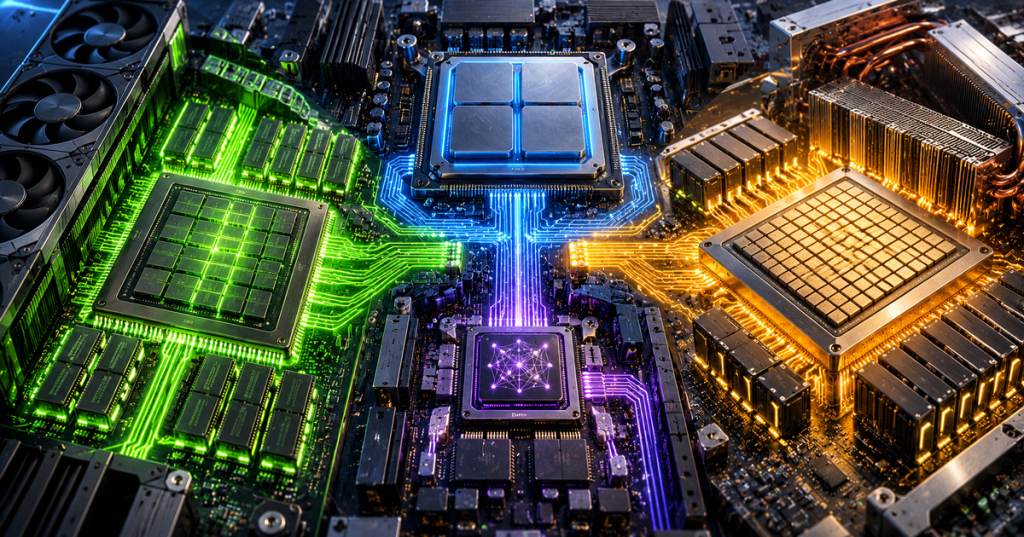
Modern computers no longer depend on one kind of processor. A laptop may use a CPU to run the operating system, a GPU to render graphics and accelerate large AI workloads, and an NPU to keep smaller AI features running efficiently in the background. In the data center, specialized accelerators such as Google’s TPU push that specialization even further.
The simplest way to think about the difference is this: CPU means flexibility, GPU means parallel throughput, NPU means low-power neural-network acceleration, and TPU means highly specialized tensor processing at scale. None is universally “fastest.” The winner changes with the workload.
| Processor | Primary strength | Best fit | Typical trade-off |
|---|---|---|---|
| CPU | Low-latency general-purpose execution | Operating systems, control logic, databases, branching code | Lower parallel throughput |
| GPU | Massive parallel throughput | Graphics, AI training, simulation, large inference | Higher power and data-movement cost |
| NPU | Efficient neural-network inference | Always-on local AI, vision, audio, assistants | Narrower workload support |
| TPU | Tensor and matrix acceleration | Large-scale machine learning training and inference | More specialized software/hardware environment |
CPU: The General-Purpose Controller
The central processing unit remains the most flexible processor in the system. CPUs are designed to execute complicated instruction streams quickly, handle branches and interrupts, move between unrelated tasks, run operating-system code and coordinate other hardware. Large caches and sophisticated control logic help a CPU minimize the delay for a single thread instead of maximizing the number of identical calculations performed at once.
That makes CPUs especially strong for web servers, databases, compilers, operating systems, game logic and applications with irregular decision trees. They can also run AI inference, particularly when models are small or latency matters more than maximum throughput. Intel’s AI PC documentation describes the division directly: CPU for fast response, GPU for high throughput and NPU for power-efficient sustained AI workloads.
GPU: The Parallel Workhorse
A graphics processing unit takes the opposite approach. Instead of a relatively small number of cores optimized for complicated control flow, a modern GPU contains many execution units designed to run huge numbers of similar operations in parallel. That design began with pixels, vertices and shaders, but it maps naturally onto matrix math, physics, scientific computing and machine learning.
GPU programming exposes that parallelism through models such as CUDA, ROCm/HIP, SYCL and graphics compute APIs. A CPU typically launches work and orchestrates the application while GPU kernels process large blocks of data. The catch is that moving data between processors and memory can become a bottleneck. Our explainer on direct memory access shows why reducing unnecessary copies matters so much once accelerators enter the system.
NPU: AI at Low Power
A neural processing unit is a dedicated accelerator for neural-network operations. The important distinction is not simply that an NPU can run AI—the CPU and GPU can do that too—but that the NPU is designed to keep common inference workloads running with much lower power consumption. That is valuable in laptops, phones and edge systems where battery life, thermals and always-on operation matter as much as raw speed.
NPUs commonly accelerate operations such as matrix multiplication, convolution and other tensor-heavy inference steps using lower-precision formats. Software generally reaches them through runtimes and frameworks rather than by treating them like another normal CPU core. ONNX, OpenVINO, Windows ML and vendor-specific SDKs can decide which portion of a model belongs on the NPU and which should remain on the CPU or GPU.
TPU: A Tensor ASIC Built for Machine Learning
Google’s Tensor Processing Unit is different from the three processor classes above because TPU is a specific family of custom application-specific integrated circuits rather than a broad industry category. Conceptually, though, it belongs to the same specialization trend as the NPU: move common machine-learning math into hardware built specifically for it.
Google’s TPU architecture documentation describes TensorCores containing matrix-multiply units, vector units and scalar units. The matrix hardware uses systolic arrays so data can flow through many multiply-accumulate cells with less repeated movement. That makes TPUs especially well suited to dense matrix operations used in large neural networks.
Modern TPUs can be used with frameworks such as JAX and PyTorch in Google Cloud. Their strength is not that they replace CPUs or GPUs everywhere; it is that a tightly integrated accelerator, compiler and interconnect can be engineered around large machine-learning workloads.
NPU vs TPU: Similar Idea, Different Scale
NPU and TPU are sometimes treated as synonyms, but that is too simple. NPU is a broad class of neural-network accelerator. Different chipmakers build NPUs with different instruction sets, memory systems and software stacks. TPU is Google’s branded family of tensor accelerators. Client NPUs are commonly optimized for sustained local inference under tight power limits, while Google TPUs are built around machine-learning workloads that can scale across large data-center systems.
Memory Can Matter More Than Compute
Processor comparisons often focus on TOPS or FLOPS, but the arithmetic units are only useful when they can be fed data. GPUs and large AI accelerators increasingly depend on enormous memory bandwidth because model weights and activations must move continuously. Our guide to high-bandwidth memory explains why stacking DRAM close to an accelerator can be as important as adding more compute units.
This is also why peak TOPS, TFLOPS or core counts should not be compared as if they describe the same thing. Precision, memory bandwidth, batch size, software optimization, sparsity, model shape and data movement can completely change real application performance. A lower-rated processor can win if the workload fits its architecture better.
Which Processor Wins?
- General computing and control: CPU.
- Graphics and massively parallel compute: GPU.
- Large AI training: GPU or TPU, depending on software stack and scale.
- Large cloud inference: GPU or TPU.
- Always-on local AI: NPU.
- Mixed real-world systems: usually several of them working together.
The last point matters most. The future is heterogeneous. A CPU can prepare data and handle branching, a GPU can process a large parallel stage, an NPU can keep background inference alive at low power, and a specialized accelerator can take over dense matrix math. The operating system, compiler and runtime increasingly act as traffic controllers deciding where each part of the workload should execute.
For a broader look at how dedicated AI hardware compares in actual accelerator form, see our Top 7 AI Accelerators report.
Bottom Line
The CPU is still the universal coordinator. The GPU is the throughput machine. The NPU is the efficiency specialist for local neural networks. The TPU is a purpose-built tensor engine optimized around Google’s machine-learning infrastructure. Their differences are not signs that one architecture is obsolete. They show that modern computing has become too diverse for one processor to do everything efficiently.
BitcoinVersus.Tech Editor’s Note:
We volunteer daily to ensure the credibility of the information on this platform is Verifiably True. If you would like to support to help further secure the integrity of our research initiatives, please donate using the QR code provided

For best QR-code scanning results, please scan this donation code from a desktop or larger screen. Mobile screens may prevent camera recognition.


Leave a Reply