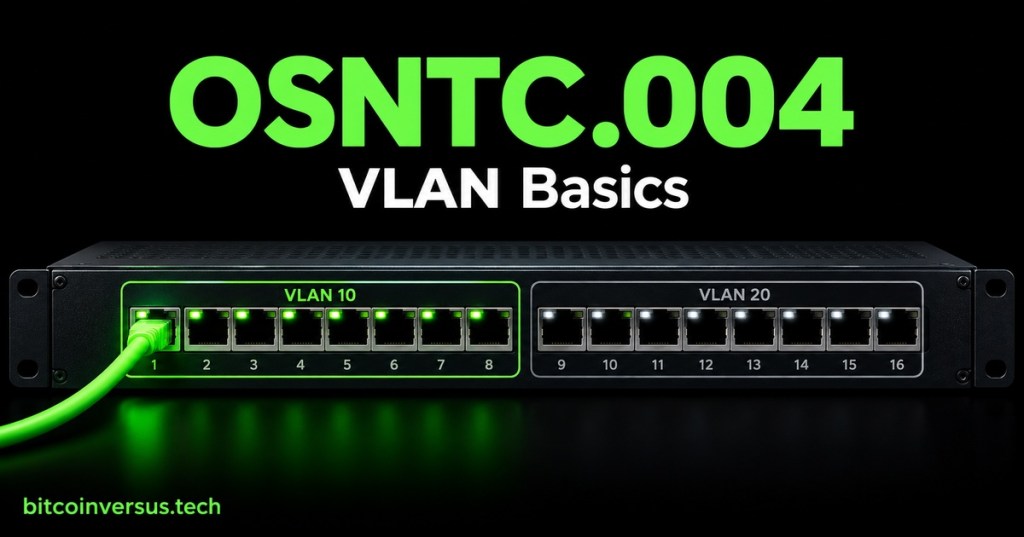
Simple explanation: A VLAN lets one physical managed switch behave like several separate local networks. The cable and switch can be shared, while devices are placed into different logical groups.
Definition: A virtual local area network (VLAN) is a logical group of switch ports and devices that share a Layer 2 network. A VLAN ID, such as 10 or 20, identifies that group on a switch.
In OSNTC.001: IP Addresses, we learned how an address identifies a network interface. OSNTC.002: Subnet Masks helps distinguish local addresses. OSNTC.003: Default Gateway explained the router path to other networks. This lesson adds a way to separate traffic at the switch.
Why use VLANs?
Imagine one office switch serving staff computers and IP phones. A network administrator can put the computers in a data VLAN and the phones in a voice VLAN. This separates traffic into logical groups without requiring a different physical switch for every group. The right design depends on network policy and switch configuration.
The cover shows a switch with ports grouped into VLAN 10 and VLAN 20. Those labels are examples only; VLAN numbers do not automatically mean “data,” “voice,” or any particular security level.
VLANs, IP subnets, and gateways
A VLAN is a Layer 2 switching concept. An IP subnet is a Layer 3 addressing range. Networks often assign one IP subnet to each VLAN, but the words do not mean the same thing. A VLAN assignment alone does not give a device an IP address or a default gateway.
Devices in separate VLANs generally cannot exchange ordinary traffic directly through Layer 2 switching. A router or Layer 3 switch can route between VLANs when that routing is configured. Firewalls or access rules can then limit what crosses between them. Segmentation helps organize traffic, but does not by itself guarantee security.
Access ports and trunk links
An access port usually connects an endpoint, such as a workstation, to one assigned VLAN. The endpoint commonly sends ordinary untagged Ethernet frames; the switch associates that port’s traffic with its configured VLAN.
A trunk is a switch-to-switch or switch-to-router link that can carry traffic for multiple VLANs. With IEEE 802.1Q, the network equipment adds VLAN tags to identify traffic on that link. Both ends need compatible settings, and only intended VLANs should be allowed. Cisco’s documentation summarizes the different access and trunk roles.
Watch a visual explanation
Practical Networking gives a short visual introduction to what VLANs are. Watch the explanation here, then use the office example below to check what VLAN membership does and does not tell us.
Video: “What are VLANs? — the simplest explanation” — Practical Networking.
A simple switch plan
Consider a managed switch with two configured groups: VLAN 10 for office computers and VLAN 20 for phones. Port 1 connects to a computer assigned to VLAN 10. Port 9 connects to an IP phone assigned to VLAN 20. Port 16 connects to another managed switch and is configured as a trunk carrying both VLANs.
The numbering and ports are illustrative. A switch does not infer the intended VLAN from a cable or device name. An authorized administrator must configure VLAN membership and, on trunk links, the VLANs allowed across the connection.
Paper check
Answer without changing a live switch: 1. If a laptop is plugged into an access port assigned to VLAN 10, which VLAN does the switch associate with its traffic? 2. Can a VLAN by itself route the laptop to VLAN 20? 3. What is the trunk in the example for?
Answers: 1. VLAN 10. 2. No. Inter-VLAN traffic needs a configured router or Layer 3 switch, and policy may control it. 3. It carries multiple configured VLANs between switches while keeping their traffic identified.
Key takeaway
A VLAN groups traffic logically on a switched network. Access ports usually place an endpoint in one VLAN; trunks carry multiple VLANs between network devices. IP subnetting and routing work alongside VLANs, and correct configuration matters.
Reference: Cisco’s access and trunk port documentation defines these port roles and shows how their settings are applied. This lesson is a concept overview; do not change production switch settings without authorization and the site’s approved network plan.


Leave a Reply