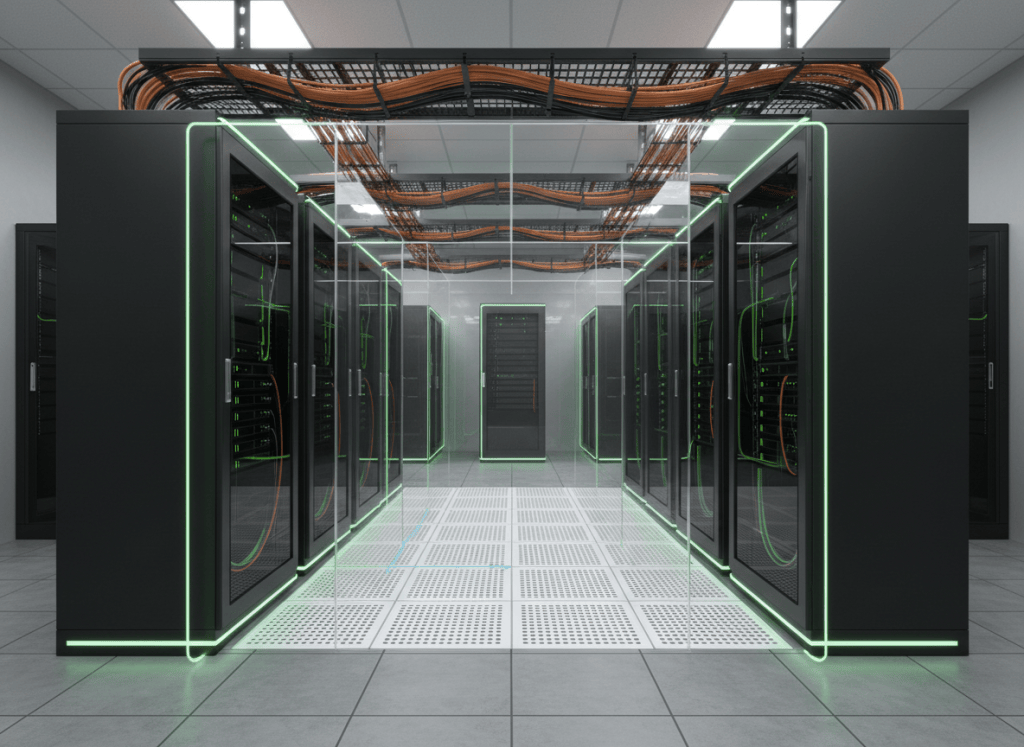
A data center technician works where computing, electrical power, cooling, networking, and physical safety all meet.
This is OSDCTC.001, the first lesson in the Open Source Data Center Technician Certification track. It provides a map of the data center floor before later lessons examine individual subsystems in greater depth.
The data center in one simple flow
utility / generator power
↓
switchgear + UPS + distribution
↓
rack power
↓
servers + storage + network equipment
↓
computing work becomes heat
↓
cooling removes the heat
↓
network links move data in and out
↓
monitoring + alarms tell technicians when something is wrong
A technician does not need to be the design engineer for every subsystem, but must understand how those systems depend on one another.
1. What is a data center?
A data center is a facility built to operate computing and network equipment reliably. The IT equipment is only one part of the building. The facility also needs electrical distribution, cooling, fire protection, physical security, monitoring, maintenance access, and operating procedures.
Schneider Electric’s data-center overview makes the same distinction: the IT space sits inside a larger physical infrastructure that includes electrical and cooling systems.
Video 1: What is a data center?
2. Racks organize the IT equipment
Most enterprise data-center equipment is installed in standardized racks. Servers, storage systems, switches, patch panels, rack PDUs, console equipment, and cable-management hardware may all share the same rack.
- Rack unit (U): the vertical measurement used to describe equipment height.
- Rails: support equipment inside the rack.
- Front and rear: matter for airflow, cabling, and service access.
- Blanking panels: can help prevent unwanted recirculation through unused rack spaces.
- Cable managers: keep copper, fiber, and power routes organized and serviceable.
Technicians should know the rack name, rack position, device U-position, power source, network path, and asset identity before moving or replacing equipment.
3. Power does not go directly from the utility to the server
The electrical path can include utility feeds, generators, automatic transfer equipment, switchgear, transformers, UPS systems, distribution panels, remote power panels, floor or rack distribution, and finally server power supplies.
The lesson on switchgear, switchboards, panelboards, and power distribution units (PDUs) explains those distribution layers in detail.
Data-center technicians should also recognize that overcurrent protection is part of that path. Breakers and fuses protect circuits from abnormal current; they are not simply ON/OFF switches to be reset repeatedly without understanding why they operated.
Video 2: Data-center power flow
4. A and B power paths
Critical equipment may have two power supplies connected to separate power paths, often called A and B. The purpose is to prevent one power-path failure or maintenance event from automatically taking down the device.
Before disconnecting a cord, verify which feed it belongs to and whether the device really has a healthy alternate feed. Never assume “two cords” automatically means “two independent sources.”
5. UPS does not mean infinite backup time
An uninterruptible power supply helps bridge power disturbances and outages. In a facility with generators, the UPS commonly carries the critical load while backup generation starts and stabilizes.
The important technician idea is sequence:
utility problem
↓
UPS keeps critical load supported
↓
generator starts and reaches acceptable conditions
↓
transfer system moves the load as designed
↓
UPS continues conditioning / supporting the critical bus
Exact architecture varies by site. The applicable one-line diagram, operating procedure, and equipment labeling define the correct configuration for the facility being serviced.
6. Every watt eventually becomes heat
Servers, GPUs, storage systems, switches, and power electronics all produce heat. Cooling systems move that heat away from the equipment and ultimately reject it outside the building or into another heat-rejection system.
- Room air cooling: conditions the room or contained aisle.
- In-row / close-coupled cooling: places cooling closer to the load.
- Rear-door heat exchangers: remove heat near the rack exhaust.
- Direct-to-chip liquid cooling: moves coolant directly to cold plates on high-heat components.
- Immersion cooling: places equipment in a dielectric fluid designed for heat removal.
Cooling architecture is changing quickly as rack power density rises, but the technician’s basic job remains the same: keep the supported temperature, flow, pressure, leak-detection, and alarm systems operating within the site’s approved limits.
Where discrete thermal controls are used, the lesson on temperature switches and thermostat control explains setpoints, differential, contact states, and troubleshooting.
Video 3: Data-center cooling methods
7. Hot aisle and cold aisle
Many air-cooled data centers arrange racks so server fronts face one another in a cold aisle and server exhausts face one another in a hot aisle.
cold supply air → server intake → server fans → hot exhaust air
The point is to keep hot exhaust from mixing back into server intakes. Missing blanking panels, open floor penetrations, incorrect fan direction, blocked doors, or poorly routed cables can all hurt airflow management.
8. Networking connects every rack to the rest of the system
Data-center network equipment can include top-of-rack switches, end-of-row switches, aggregation switches, routers, firewalls, load balancers, optical transport equipment, and management networks.
Network switch basics covers the switching foundation. Router basics covers Layer-3 traffic between networks. For logical network separation, the VLAN basics lesson explains how multiple networks can share switching infrastructure while remaining logically separated.
The server itself connects through one or more network interface cards (NICs).
9. Cabling is infrastructure, not decoration
Copper and fiber cabling must be labeled, supported, routed, bent, and serviced correctly. A cable can be electrically or optically functional and still be installed badly enough to create future failures.
- Keep power and data routing organized according to site standards.
- Do not exceed cable bend limits.
- Protect fiber connectors from dust and damage.
- Do not block airflow with unmanaged cable bundles.
- Label both ends before removing or replacing a cable.
- Never pull a cable just because the port light is off—verify the circuit identity first.
For current context on why this matters at AI scale, the article on data-center cabling examines the rising value and complexity of cabling infrastructure.
10. Monitoring turns physical conditions into alarms
Data centers monitor electrical load, breaker state, UPS status, battery health, temperatures, humidity, fan status, pump status, pressure, leak detection, generator condition, network devices, access-control systems, and many other points.
Building-management systems, electrical-power monitoring systems, DCIM platforms, network-management tools, and equipment-specific controllers may all contribute alarms.
A technician should treat the alarm as a starting point, not as automatic proof that one particular part has failed.
11. Redundancy changes technician workflow
Data centers often use redundant capacity or distribution paths so maintenance or a single failure does not automatically interrupt the critical load. Common terms include N, N+1, 2N, and concurrently maintainable designs.
Uptime Institute’s Tier framework separates facilities by the performance of their power, cooling, distribution, maintenance, and fault-tolerance topology. Tier III, for example, is designed around concurrent maintainability: planned removal of capacity components or distribution paths should not require taking the critical IT operation down.
Reference: Uptime Institute — Tier Classification System.
12. Redundancy is only useful if technicians preserve it
A perfectly designed redundant system can still be defeated by bad operations.
- Both server power supplies accidentally connected to the same rack PDU.
- Both network uplinks patched through the same failure domain.
- A backup pump left unavailable after maintenance.
- A breaker left open after a test.
- A bypass path left in the wrong position.
- An alarm acknowledged without restoring the failed component.
This is why change control, labeling, peer checks, maintenance procedures, and post-work verification matter.
13. Safety comes before uptime
Data centers contain hazardous electrical energy, batteries, rotating equipment, stored mechanical energy, pressurized piping, refrigerants, fuel systems, hot surfaces, elevated work, heavy equipment, and fire-suppression systems.
Energized electrical equipment must not be opened, interlocks defeated, guards removed, restricted rooms entered, or live measurements performed unless personnel are trained, qualified, authorized, and following the site’s safety program.
The lesson on interlocks and permissives explains why equipment may intentionally refuse to operate when required safety or process conditions are not proven.
14. Technician walkdown: what to look at first
- Identify the rack or equipment. Confirm labels before touching anything.
- Look for active alarms. Record them before clearing them.
- Check power state. Are both expected feeds healthy?
- Check airflow. Are fans operating, intakes clear, and temperatures normal for the site?
- Check network link state. Are the expected ports and uplinks active?
- Inspect cabling. Look for loose, damaged, sharply bent, or unlabeled cables.
- Inspect for leaks or unusual smells. Do not touch unknown liquids.
- Listen. Bearing noise, fan changes, arcing sounds, or pump cavitation can matter.
- Check the monitoring system. Compare local indicators with remote telemetry.
- Make one controlled change at a time. Preserve evidence and verify the result.
15. Fast fault-isolation examples
Server is off:
asset identity → rack PDU outlet → power cord → server PSU LEDs → upstream breaker / distribution status → server hardware state
Server is hot:
inlet temperature → fan status → front obstruction → blanking / recirculation → rack load → room cooling condition
Network link is down:
NIC → patch cable → patch panel → switch port → transceiver → upstream switch / configuration
Rack lost one power feed:
identify A or B path → rack PDU status → branch protection → upstream distribution → verify alternate path remains healthy
16. Practice exercise
A dual-corded server remains online but reports that one power supply lost input power.
- Confirm which PSU lost power.
- Trace that power cord to its rack PDU.
- Confirm whether the rack PDU itself is energized.
- Check whether only one outlet, one branch, or the entire feed is affected.
- Verify the alternate server PSU is on an independent healthy path.
- Review upstream alarms before operating any breaker.
- Escalate according to the site’s electrical procedure.
The server staying online does not mean the problem can be ignored. The site is now operating with reduced redundancy.
Knowledge check
1. Why is a data center more than a room full of servers?
Because the IT load depends on power, cooling, networking, monitoring, security, and facility systems to remain available.
2. What is the purpose of A and B power paths?
To reduce the chance that one power-path failure or maintenance event removes all input power from a dual-corded critical device.
3. Why are hot and cold aisles used?
To reduce mixing between cool server-intake air and hot server-exhaust air.
4. What does redundancy mean operationally?
It means alternate capacity or paths exist, and technicians must preserve those alternatives during maintenance and troubleshooting.
5. Why should an alarm be recorded before clearing it?
Because the alarm is evidence that can help identify the root cause and sequence of events.
6. What should happen before unplugging any cable?
Verify the device, port, cable identity, redundancy state, and approved work procedure.
Key takeaway
A data center is a connected physical system. Racks hold the IT equipment. Electrical infrastructure delivers reliable power. Cooling removes the heat created by computing. Networks move data. Monitoring exposes failures. Redundancy gives the site alternative paths. Technician discipline keeps those paths available.
Display note: all flows and troubleshooting sequences in this lesson use ordinary article text and line breaks. No fixed-width code boxes and no Windows, Linux, or VS Code terminal color palette are used.
BitcoinVersus.Tech
Advertisement
Editor’s Note:
We volunteer daily to ensure the credibility of the information on this platform is Verifiably True. If you would like to support our research initiatives, please donate here: 3C9o19EH5HSiwEPyCTmEKzxhNCbo2X6TTb
BitcoinVersus.tech is not a financial advisor. This media platform reports on financial subjects purely for informational purposes.


Leave a Reply